
I’ll be honest. Most websites leak leads.
I’ve seen it in my own companies and in businesses I’ve advised. You spend months refining your positioning, driving traffic, and optimizing pricing. Prospects land on your site with real intent. They scroll, compare, hesitate, and then disappear. Not because they aren’t interested, but because no one engaged them at the right moment.
That’s when I began treating live chat for lead generation as a serious revenue machine, not a support widget sitting in the corner. I stopped thinking of it only as “customer service” and started seeing it as an always-on sales rep. When someone is on your pricing page, that’s not traffic. That’s an opportunity.
In this guide, I’ll walk you through eight proven ways we’re using chat to capture more qualified leads without increasing ad spend or headcount. I’ll also share 5 live chat tools that can fuel your lead generation campaigns.
What Is Live Chat for Lead Generation?
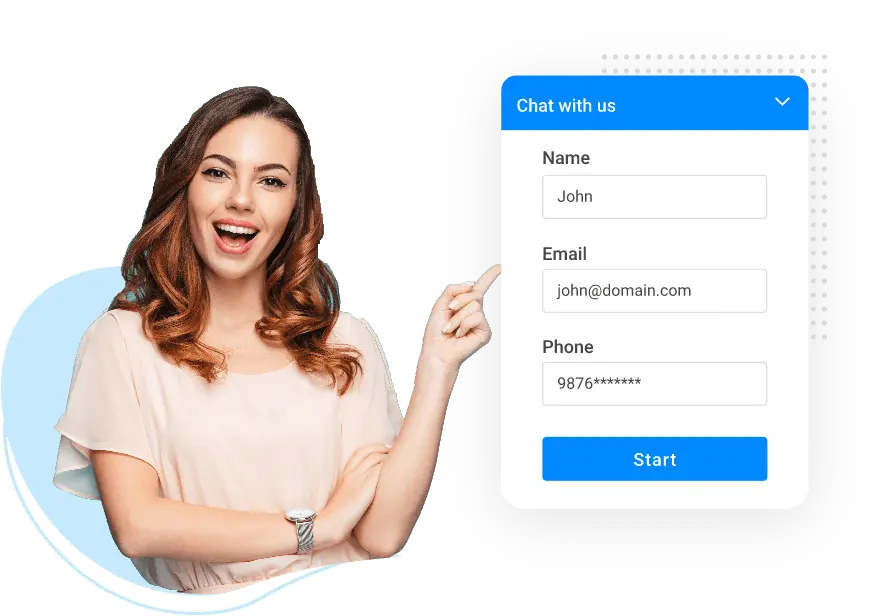
Unlike traditional contact forms that ask visitors to pause their browsing and invest effort into submitting their details, a live chat tool feels natural and low-friction.
A visitor browsing your pricing page gets a quick message: “Can I answer any questions about our plans?” That one message, sent at the right moment, can be the difference between a bounce and a booked demo.
Modern conversational support software goes far beyond basic messaging. It blends AI automation, visitor tracking, CRM integrations, and Proactive chat triggers into a 24/7 lead capture engine. Whether you run a SaaS company, an e-commerce brand, or a services firm, lead generation with live chat transforms passive traffic into an active sales pipeline that moves prospects forward in real time.
How to Use Live Chat for Lead Generation?
Knowing you need live chat is one thing. Using it strategically to capture leads is another.
Understanding how to use live chat for lead generation properly means combining proactive engagement, automation, qualification, and CRM integration into one coordinated system.
Here are eight practical ways to turn your chat widget into a lead generation engine that works every hour of the day.
1. Trigger Chats Based on Visitor Behavior
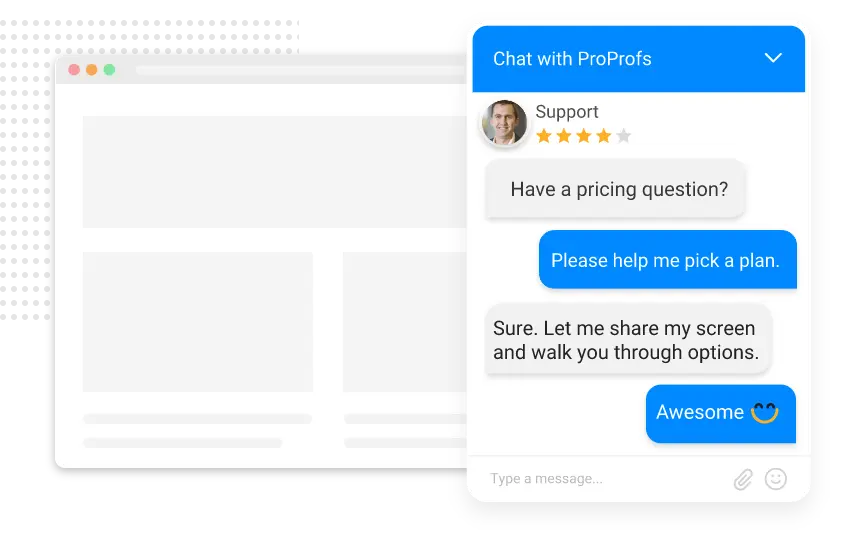
Waiting for visitors to start the conversation is passive. Proactive triggers based on real buying signals are far more effective. If someone spends 45 seconds on a pricing page or returns multiple times in a week, that signals intent.
A timely message can convert curiosity into conversation. According to Which 50, businesses using proactive chat report up to a 40% increase in conversions compared to reactive support. Timing is everything. Engage when interest peaks, not before.
How to use it:
- Set triggers on high-intent pages like pricing or demos
- Activate chats after 30–60 seconds of page engagement
- Target repeat visitors differently from first-time users
- A/B test proactive messages monthly
2. Capture Lead Info with Pre-Chat Forms
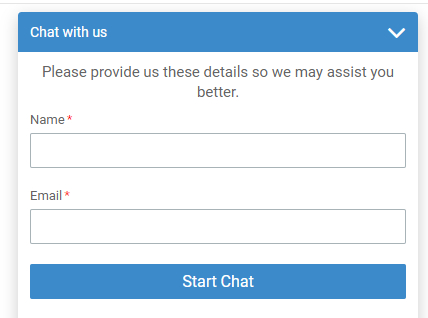
Pre-chat forms ensure contact details are captured before the conversation begins. Keep them short: name, email, and one qualifying question. Longer forms increase drop-off rates. The goal is context, not interrogation.
When agents begin the chat with background information, conversations become more relevant and follow-ups stay organized inside the sales pipeline.
How to use it:
- Limit forms to 3–4 fields max
- Include one intent-focused qualifier
- Auto-sync data to your CRM
- Use progressive profiling over time
3. Train Your AI Bot on Your Best Sales Content
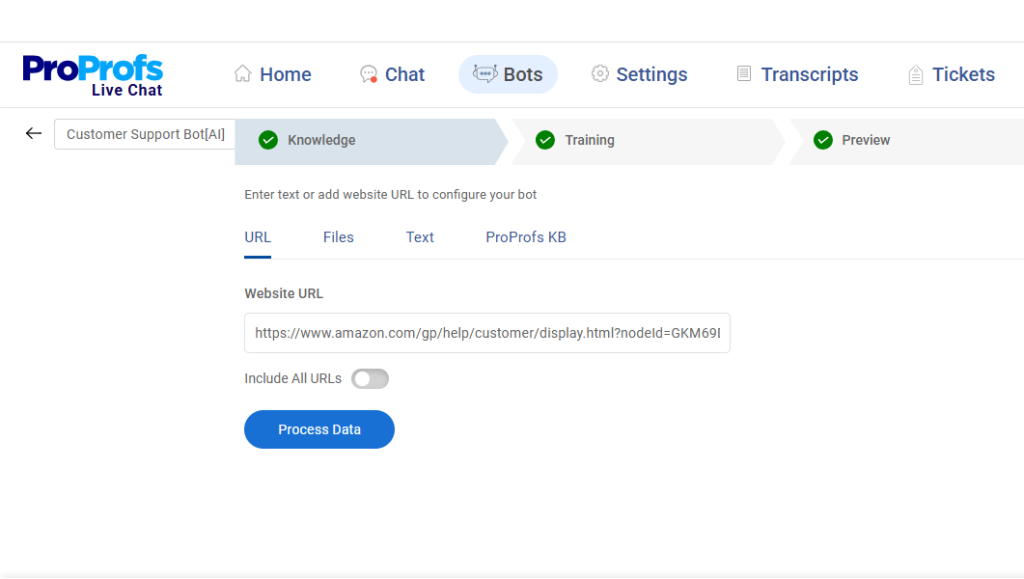
An AI chatbot is only as strong as the content it learns from. Training the chatbot using product pages, FAQs, case studies, CRM data, and real transcripts ensures accurate, contextually relevant responses. A well-trained AI chatbot handles repetitive questions 24/7 while escalating high-intent buyers to human agents instantly.
When visitors receive precise answers, trust builds faster, and lead capture becomes seamless.
How to use it:
- Train AI on website content and FAQs
- Upload sales scripts and objection handlers
- Review bot responses weekly for accuracy
- Set escalation rules for buying signals
4. Sync Chat Leads Directly to Your CRM
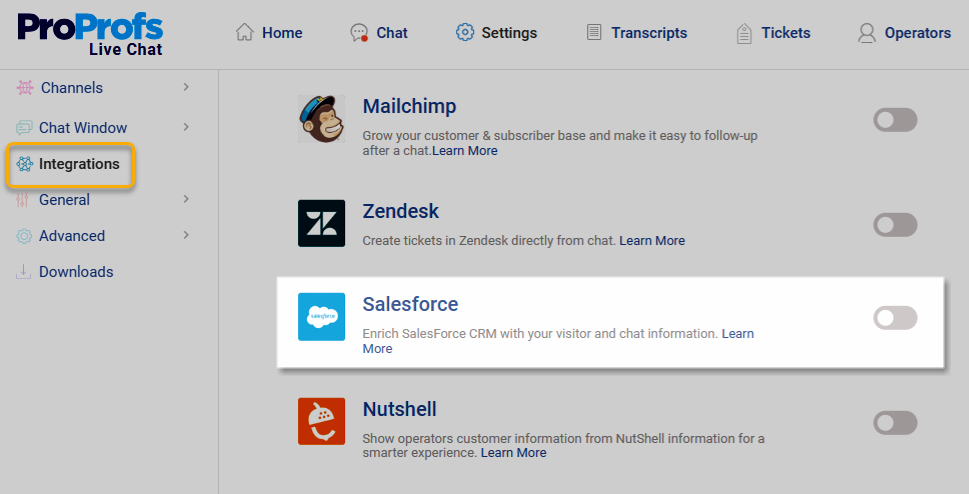
Manual data entry slows down the pipeline and increases errors. Every chat lead should flow automatically into your CRM with transcripts attached. This gives the sales team full context before follow-up. If you are serious about learning how to use live chat software for lead generation at scale, seamless CRM synchronization is not optional.
It ensures that every qualified conversation becomes actionable pipeline data. When conversations, qualification responses, and behavior data sync in real time, lead tracking becomes structured and scalable.
How to use it:
- Integrate chat with your CRM natively
- Map qualification fields correctly
- Auto-create leads, not just contacts
- Attach transcripts to each record
5. Use Canned Responses Strategically
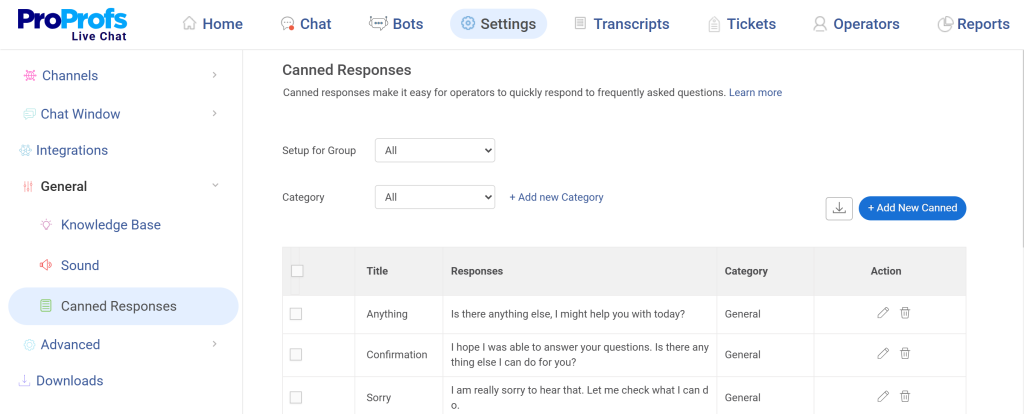
Speed directly impacts conversion. Delayed responses often lead to lost opportunities. Canned responses help maintain fast replies without sacrificing quality. Build a library for pricing questions, feature comparisons, and next-step prompts.
The key is personalization. Templates should feel natural and tailored, not robotic. Used strategically, they reduce response times and keep conversations focused on moving leads forward.
How to use it:
- Create templates for high-frequency questions
- Personalize the first sentence manually
- Review response performance monthly
- Update scripts based on objections
6. Keep AI Chatbots Active After Hours
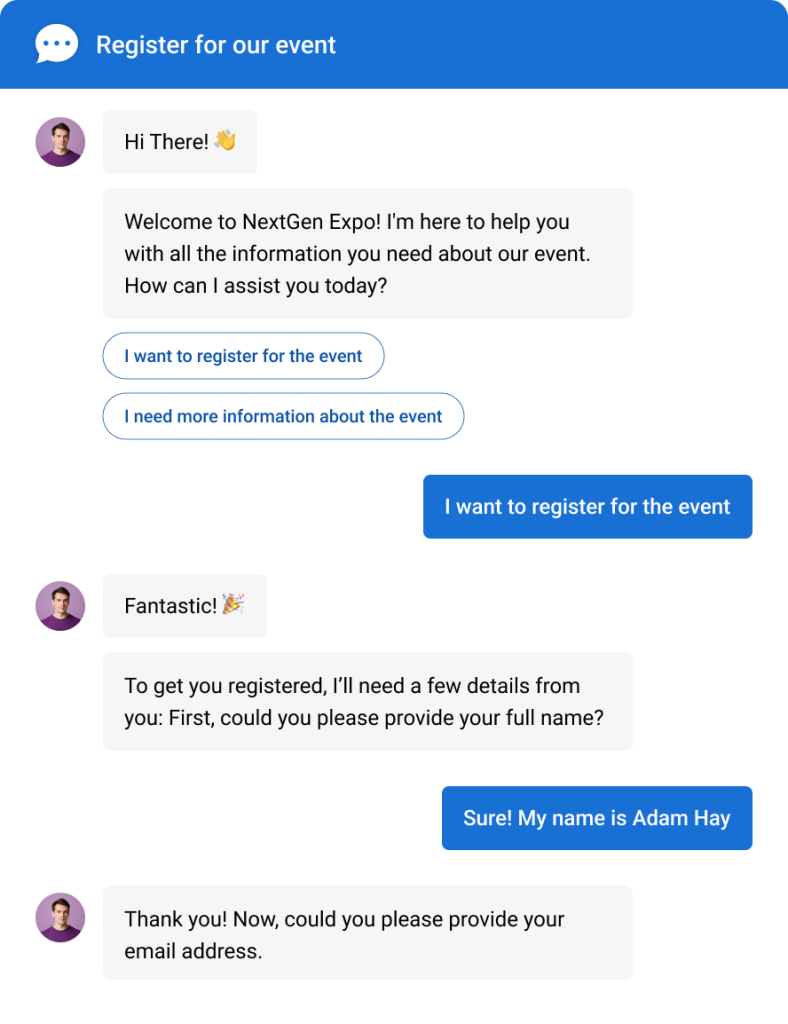
A significant portion of website traffic arrives outside business hours. If chat shuts off when agents log off, valuable opportunities are lost. Keeping the AI lead generation chatbot active 24/7 ensures common questions are answered, and contact details are captured automatically.
High-intent leads can then be prioritized for follow-up the next morning.
How to use it:
- Keep chatbot active around the clock
- Collect email and inquiry automatically
- Prioritize urgent chats for morning review
- Send instant confirmation messages
7. Use Chat Transcripts to Continuously Optimize

Chat transcripts provide insight into buying signals, objections, and drop-off points. Reviewing them regularly helps refine proactive triggers, improve scripts, and enhance AI training. Metrics like response time and missed chats reveal operational gaps.
Live chat for lead generation is not a one-time setup but an ongoing optimization process driven by real conversation data.
How to use it:
- Review top-performing chats monthly
- Identify patterns in objections
- Adjust proactive triggers accordingly
- Coach agents using transcript examples
8. Route Leads to the Right Agent Instantly
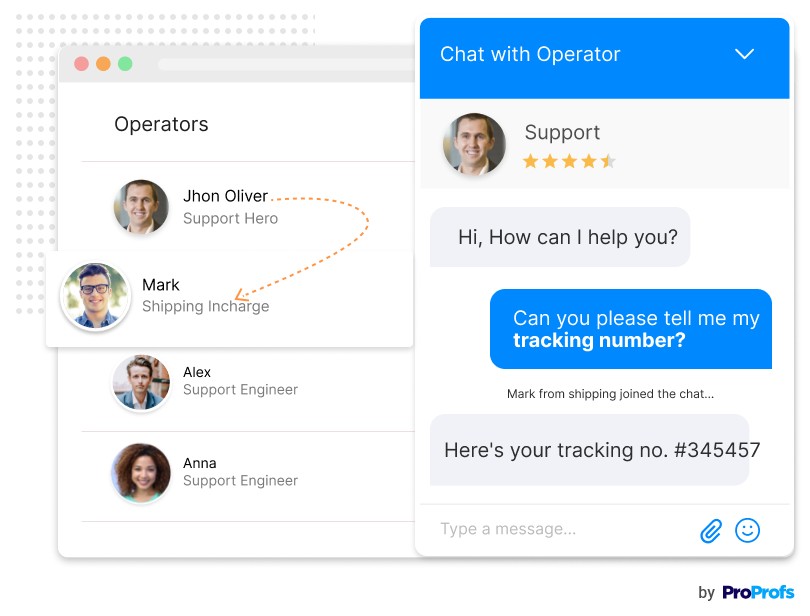
Not every lead should go to the same queue. Enterprise pricing inquiries require different handling than basic feature questions. Smart chat routing directs conversations based on page URL, inquiry type, visitor location, or CRM data.
High-value prospects reach the right representative immediately, improving conversion rates and personalizing the buying experience from the first message.
How to use it:
- Create routing rules by page or intent
- Prioritize enterprise inquiries
- Assign reps based on expertise
- Monitor routing efficiency regularly
Why Should Businesses Use Live Chat for Lead Generation?
Live chat gives businesses a direct, real-time channel to engage high-intent visitors, qualify leads instantly, and capture contact information before a prospect navigates away. When implemented correctly, lead conversion with live chat improves both response speed and buyer confidence, two factors that directly influence revenue outcomes.
Here is why live chat should be part of your lead generation strategy:
1. Instant Response Builds Trust with Buyers
Yes, and the data backs it up. Buyers today expect speed, and the probability of qualifying a lead drops dramatically after just five minutes of delay. Live chat closes that gap by delivering immediate responses the moment a visitor signals interest. When someone gets a real answer in seconds, it signals that your business is attentive, reliable, and worth their time. That trust is often the deciding factor between a lead choosing you or a competitor who responds faster.
2. Live Chat Captures Leads Around the Clock
Your sales team sleeps. Your website does not. AI-powered chatbots keep the conversation going 24/7, collecting names, emails, and qualifying details even at 2 a.m. on a Sunday. For businesses targeting global audiences or operating in industries where prospects do research outside business hours, this around-the-clock availability is not just convenient, it is essential. Every visitor who gets an immediate response is a lead that might otherwise have been lost to a competitor.
3. Live Chat Qualifies Leads in Real Time
Not every visitor is ready to buy, and that is perfectly fine. What matters is identifying which ones are worth your team’s time. Live chat allows you to ask the right qualifying questions early in the conversation, routing high-intent leads directly to a sales rep while nurturing others with relevant content. This filtering process saves your team hours of follow-up on cold prospects and keeps their focus on conversations most likely to convert.
4. Live Chat Reduces Friction in the Buyer Journey
Every extra click, form field, or page redirect is a chance for a visitor to abandon their journey. Live chat eliminates that friction by bringing the conversation directly to the visitor, right on the page they are already viewing. Instead of navigating to a contact page, filling out a form, and waiting for a reply, prospects get help instantly. That seamless experience significantly improves the chances of moving them further down your funnel.
5. Live Chat Provides Actionable Data on Visitor Behavior
Live chat tools equipped with visitor tracking give you a real-time view of how people interact with your site. You can see which pages they visit most, how long they linger on pricing or feature pages, and what questions they ask most frequently. This data is invaluable for refining your lead generation strategy. It tells you exactly where visitors are confused, what objections they have, and which content does the heavy lifting in your conversion funnel.
What Are the Top 5 Live Chat Tools for Lead Generation?
Over the years, I’ve tested enough chat tools to know this: the platform you choose directly impacts how many leads you capture and how efficiently your team follows up. Some tools look impressive on the surface but fall short in automation, CRM sync, or qualification.
Below are five live chat platforms I’ve evaluated closely, starting with the one I rely on most for balancing AI automation with real human engagement.
1. ProProfs Chat – Best for 24/7 Delightful Customer Support With AI Chatbots
I used to rely on forms to capture leads, but too many visitors would browse and leave. That changed when I started using ProProfs Chat for lead generation. It helped me shift from passive forms to real-time conversations that convert. Instead of waiting, I can proactively engage visitors the moment they show buying intent.
What I like most is how focused it is on capturing and qualifying leads. I use pre-chat forms to collect key details upfront, and proactive chat invitations trigger automatically on high-intent pages like pricing. Real-time visitor tracking shows me who’s on the site and what they’re viewing, so I can tailor conversations and move qualified prospects into my sales pipeline.
The AI chatbot has been a major plus. I trained it using my website content and help center articles, so it answers questions accurately and handles repetitive queries 24/7. It escalates to a human when needed, which means we capture leads even after hours.
On the backend, everything stays organized. Smart routing, canned responses, and detailed transcripts make follow-ups easy, and CRM syncing ensures every conversation feeds my sales pipeline. For me, ProProfs Chat balances automation and human touch in a way that consistently supports lead growth.
Pros:
- Proactive chat invitations to boost interaction and conversion
- Post-chat surveys for feedback while qualifying leads
- Pre-chat forms to automatically collect essentials (name, email, company size, etc.) right at the start of conversations
- Offer 360-degree support with the Customer Delight Suite
Cons:
- Cloud-only, with no offline access
- No dark theme available
User Rating: 4.8/5 (Capterra)
Pricing: A free plan is available for growing teams. Paid plans start at $19.99/user/month.
Learn how Horse Saddle Shop improved its revenue by quickly responding to customers and offering 24/7 live chat assistance.

2. Intercom – Best for Enterprise-Grade Customer Engagement Automation
When I work with SaaS companies that need to engage users inside their product, not just on their marketing site, Intercom is the platform I point them to first.
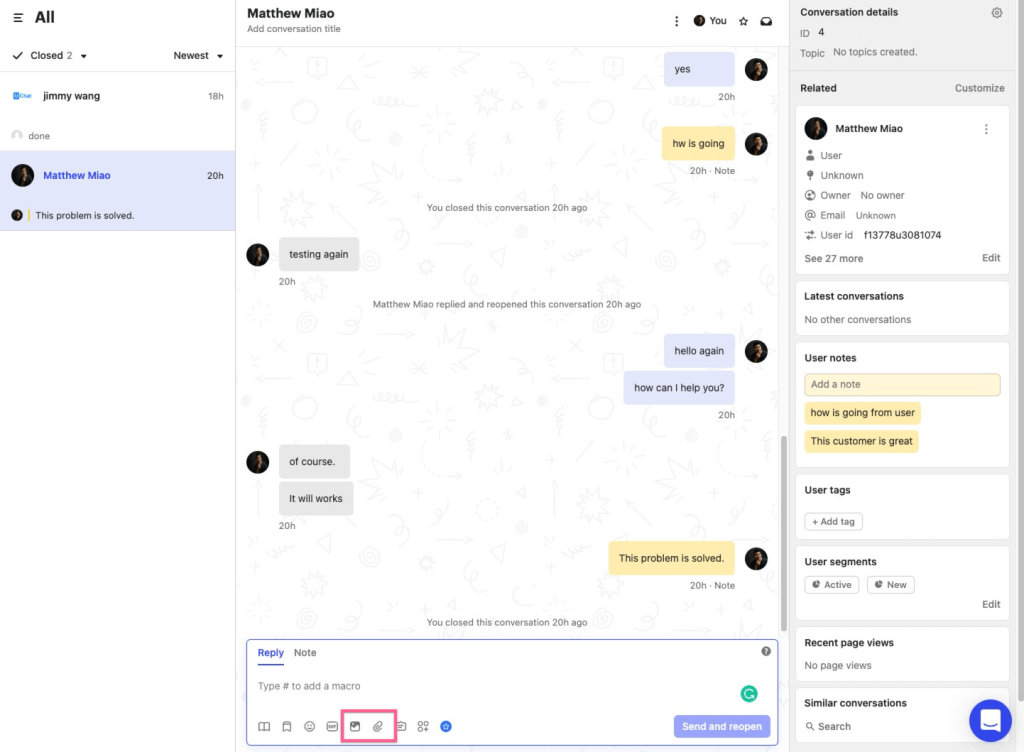
Its messenger widget, Fin AI chatbot, and deep customer data layer let you personalize conversations based on what a user has actually done in your app. For teams running product-led growth strategies, that level of in-context targeting is difficult to match.
What I find most impressive about Intercom is how precisely you can segment outbound messages. If a trial user hits a specific feature three times but has not upgraded, you can trigger a personalized chat nudge at that exact moment. That kind of behavioral precision turns passive users into active conversations without any manual outreach from your sales team.
Intercom also integrates deeply with Salesforce, HubSpot, and most major help desks, making it a strong central hub if you want all customer communication, from first touch to retention, flowing through one platform. The reporting suite gives you clear visibility into bot performance, agent efficiency, and conversation-to-conversion rates.
Pros:
- AI-powered Fin chatbot for intelligent, conversational lead qualification
- Advanced behavior-based triggers for highly personalized outreach
- Deep integrations with Salesforce, HubSpot, and other major CRMs
- Comprehensive reporting and analytics across all communication channels
Cons:
- Pricing can be expensive, especially for small teams and startups
- The learning curve is steep for teams new to automation-heavy tools
User Rating: 4.5/5 (G2)
Pricing: Starts at $39/user/month.
3. Tidio – Best for E-Commerce Lead Generation and Sales Automation
If I were setting up lead generation chat for a Shopify or WooCommerce store, Tidio would be my starting point. It brings live chat, AI chatbot, and email automation into one platform, which means you are not juggling separate tools to cover the full customer journey.
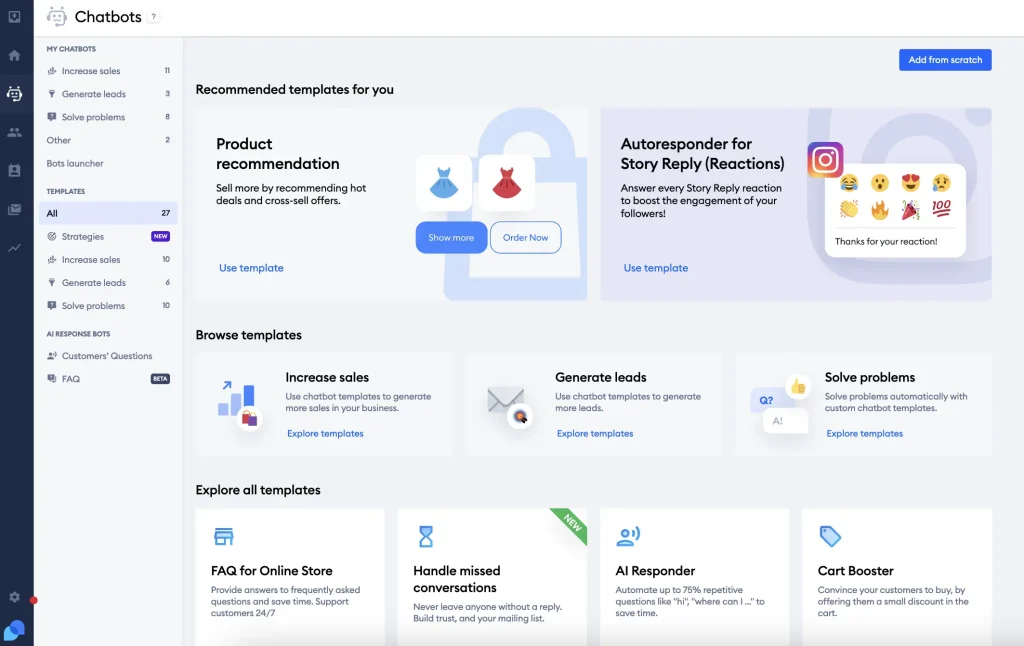
The Lyro AI bot handles common questions automatically, so my team can stay focused on the conversations that actually move the needle.
What I appreciate most about Tidio is how fast you can get it running. I have seen teams go from signup to a live, configured chat widget in under an hour, using pre-built templates for abandoned cart recovery, order inquiries, and product recommendations. For smaller brands without a dedicated technical team, that speed to value is a genuine competitive advantage.
Tidio’s unified inbox is another feature I rely on when managing multiple channels. Website chat, email, Instagram DMs, and Messenger all feed into one view, so nothing slips through the cracks during high-volume periods. The visitor tracking layer also helps me see who is on the site and what they are browsing before I decide whether to engage proactively.
Pros:
- Easy integration with Shopify, WooCommerce, and other e-commerce platforms
- Lyro AI chatbot for automated customer support and lead capture
- Multichannel inbox combining chat, email, and social messaging
- Affordable pricing with a generous free plan for small businesses
Cons:
- Salesforce integration creates contacts rather than leads, which can limit CRM workflows
- Limited customization options for the chat widget compared to enterprise tools
User Rating: 4.7/5 (Capterra)
Pricing: Starts at $29/user/month.
4. Drift – Best for B2B Conversational Marketing and ABM Campaigns
For B2B teams running account-based marketing programs, Drift is the tool I recommend when the priority is replacing static forms with real-time sales conversations.

The platform is built around the idea of identifying which companies are visiting your site and routing those visitors directly to the right rep based on CRM data and intent signals, rather than putting them through a generic queue.
The feature I find most compelling in Drift is account recognition. When a target account from my ABM list lands on the pricing page, Drift alerts the assigned sales rep immediately and can initiate a personalized chat tailored to that specific company. That kind of intelligence closes the gap between marketing campaigns and sales conversations in a way that traditional chat tools cannot match.
Drift also handles meeting booking directly in the chat window, which removes one of the biggest friction points in B2B sales. Instead of exchanging emails to schedule a call, a prospect can pick a time slot right from the conversation. For high-ticket deals where every day of delay costs money, that speed-to-calendar advantage is significant.
Pros:
- Account-based targeting for B2B lead qualification and personalized outreach
- AI-powered meeting booking directly within the chat interface
- Strong Salesforce and HubSpot integrations for seamless CRM sync
- Conversational landing pages that replace traditional lead forms
Cons:
- Premium pricing makes it less accessible for smaller businesses and startups
- Setup and optimization require significant time and expertise
User Rating: 4.4/5 (G2)
Pricing: Starts at $2,500/month (Premium plan).
5. LiveChat – Best for Multi-Channel Customer Support and Lead Capture
When I need a reliable, agent-friendly platform that my team can pick up and use well without a steep learning curve, LiveChat is a consistent choice.
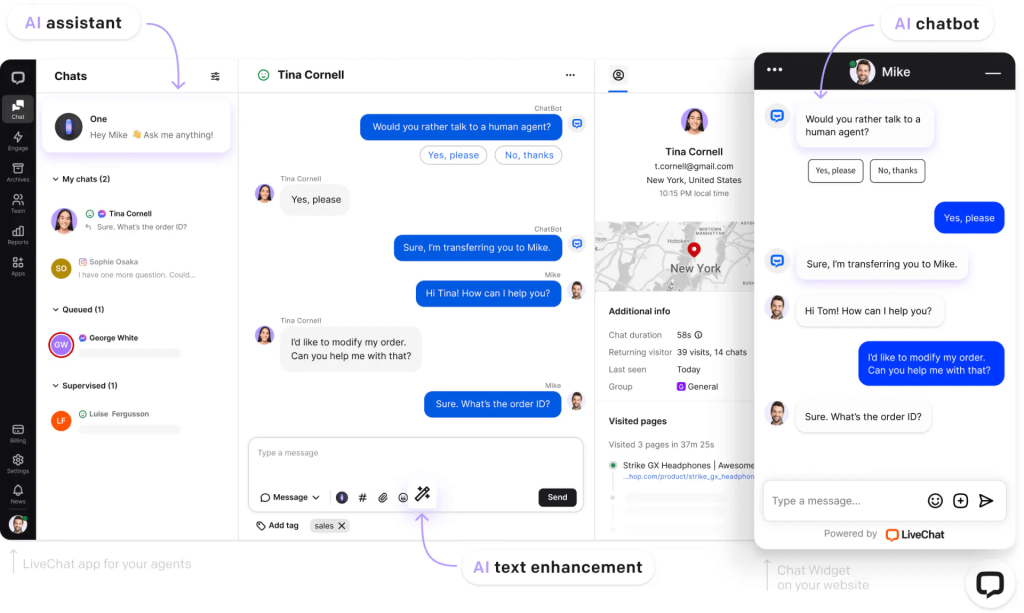
The interface is clean and intuitive, which matters more than it sounds when agents are handling multiple conversations at once. I have seen teams cut onboarding time significantly just by switching to a simpler tool, and that speed translates directly into better response quality during busy periods.
One feature I particularly value is the built-in ticketing system. When a conversation cannot be resolved in real time, it converts into a support ticket automatically, so no lead or customer inquiry falls through the cracks during volume spikes. Pair that with over 200 integrations, including Salesforce, HubSpot, and Mailchimp, and LiveChat fits cleanly into most existing tech stacks without requiring custom development work.
For lead generation specifically, I use LiveChat’s customizable pre-chat forms and behavior-triggered greetings on high-intent pages. The product card feature is a nice addition for e-commerce and SaaS, letting agents recommend specific plans or products directly within the chat window. It keeps the conversation focused and moves visitors toward a decision faster.
Pros:
- Clean, agent-friendly interface that reduces training time and improves response quality
- Built-in ticketing system to ensure no lead or inquiry is lost during high-volume periods
- Extensive library of integrations with major CRM, email, and analytics platforms
- Customizable chat greetings and proactive triggers for improved engagement
Cons:
- Language display inconsistencies across multiple websites can create poor user experiences
- Pricing scales quickly for larger teams with multiple agents
User Rating: 4.5/5 (G2)
Pricing: Starts at $20/user/month.
What Are the Best Practices for Using Live Chat to Capture Leads?
Having the right tool is only half the equation. How you use it makes all the difference. The following best practices are the most effective tactics for turning live chat into a consistent lead-generation engine for your business.
| Best Practice | What to Do | Why It Matters |
|---|---|---|
| Personalize Your Chat Greetings | Use visitor data such as page URL, referral source, and time on site to craft greetings that feel relevant and timely rather than generic. | Generic greetings are easy to ignore. Personalized messages show the visitor you understand their context, which dramatically increases the chance they will respond. |
| Keep Pre-Chat Forms Short | Limit pre-chat forms to three fields maximum: typically name, email, and one qualifying question. Avoid asking for phone numbers upfront unless essential. | Every additional field reduces form completion rates. A short form captures the minimum information needed to follow up, ensuring fewer drop-offs before the conversation even starts. |
| Set Clear Availability Hours | Define your live agent hours within your chat settings and activate an AI chatbot to handle after-hours inquiries automatically. | Visitors do not know or care about your office hours. Setting clear availability prevents frustration while the AI ensures no lead goes unattended outside business hours. |
| Use Canned Responses for Speed | Prepare a library of pre-written responses for your most common questions, objections, and follow-up messages so agents can reply in seconds. | Slow response times are one of the top reasons visitors abandon a chat. Canned responses give agents a head start, ensuring consistent, fast replies that keep the conversation moving forward. |
| Qualify Leads Early in the Conversation | Program your chatbot or train your agents to ask one or two qualifying questions within the first few exchanges, such as budget, timeline, or use case. | Spending time on unqualified leads drains resources. Early qualification helps you route hot prospects to the right sales rep quickly while filtering out visitors who are not yet ready to buy. |
| Follow Up on Chat Leads Promptly | Set a process to follow up with every lead captured via chat within one business hour, using the contact details and conversation context collected during the session. | Chat leads are warm and time-sensitive. A fast follow-up while the conversation is still fresh dramatically improves the chances of converting a chat into a meeting, demo, or sale. |
| A/B Test Your Chat Triggers | Run experiments with different trigger timing, message copy, and placement across key pages to identify which combinations generate the most qualified leads. | What works on your pricing page may not work on your homepage. Regular testing helps you find the exact triggers and messages that resonate with visitors at each stage of their journey. |
| Integrate Chat with Your Analytics Platform | Connect your live chat tool to Google Analytics or your preferred analytics platform to track chat events, lead source attribution, and conversion rates. | Without attribution data, you cannot measure the true ROI of your chat strategy. Integrated analytics show you exactly which pages, campaigns, and visitor segments drive the most chat-generated leads. |
| Review Transcripts Weekly | Schedule a weekly review of your chat transcripts to identify common objections, popular questions, and moments where visitors drop off. | Transcripts reveal real customer language and concerns that your marketing and sales teams can use to refine messaging, update chatbot scripts, and improve the overall conversion rate. |
| Enable Multilingual Support for Global Audiences | Use real-time translation features or create language-specific chatbot flows to serve visitors in their preferred language. | Language barriers are silent conversion killers. Serving visitors in their native language immediately increases trust and significantly improves engagement rates across international markets. |
FREE. All Features. FOREVER!
Try our Forever FREE account with all premium features!
Turn Idle Traffic Into Active Leads With Live Chat
Live chat is no longer optional. It’s one of the fastest paths from website visitor to qualified lead, and businesses that invest in structured live chat lead generation strategies consistently outperform those that rely solely on forms or delayed follow-ups.
The seven strategies covered here, from proactive triggers and short pre-chat forms to CRM integration and AI automation, work best when combined into a cohesive lead generation system.
Start with the basics: add proactive greetings on high-intent pages, limit your pre-chat form to three fields, and activate an AI chatbot for after-hours visitors. Then connect chat to your CRM, so every conversation feeds your pipeline. Review transcripts regularly and refine your approach over time.
If you’re looking for a platform that brings all of this together without a complex setup, ProProfs Chat is worth considering. With AI automation, real-time visitor tracking, ready-to-use lead templates, and the broader Customer Delight Suite, it offers a complete conversational solution for teams focused on growth.
Frequently Asked Questions

How many chat agents do I need for lead generation?
Start with one or two agents backed by an AI chatbot. Smart routing and canned responses let a lean team handle high volume without sacrificing quality. An AI-first setup typically reduces live agent demand significantly.
What is the difference between live chat and a chatbot for lead generation?
Live chat involves a real human agent. A chatbot responds automatically through AI or scripted flows. The most effective setup combines both: the bot qualifies and captures leads 24/7, and agents handle high-value or complex conversations.
How do I measure whether live chat is generating leads?
Track chat-initiated leads per week, lead-to-conversation rate, average response time, and CRM source attribution. Connect your chat tool to Google Analytics for full-funnel visibility on which pages and campaigns drive the most chat leads.
Does live chat work for B2B lead generation?
Yes, live chat works well for B2B, especially when paired with account-based targeting and qualifying questions tailored to longer sales cycles. ProProfs Chat delivers strong B2B results out of the box with proper routing and qualification configuration.
Does live chat work for mobile visitors?
Yes. Prioritize a responsive widget, mobile-friendly pre-chat forms, and a mobile app for agents. Over 60 percent of web traffic is mobile, so a poorly optimized chat experience will hurt rather than help lead capture.
Which page should I place my first live chat trigger on?
Your pricing page delivers the highest ROI for chat triggers. Demo request and contact pages follow closely. Homepage triggers underperform because visitor intent is too broad. Start with pricing, measure results, then expand.
How do I stop live chat from annoying visitors instead of converting them?
Trigger chats based on behavioral signals, not on page load. A message after 45 seconds on your pricing page feels helpful. A popup the moment someone arrives feels like spam. Keep messages short, contextual, and question-based.
FREE. All Features. FOREVER!
Try our Forever FREE account with all premium features!

 We'd love your feedback!
What did you like & how can we make it even better?

 Thanks for your feedback!
 Ask Your Question
Have a question? Get expert help to make your decision easier.