
A client once asked me, “Does live chat increase sales, or is it just another support tool?”
I smiled, knowing what came next. Their online store had a high volume of visitors but low conversion rates.
We added a live chat feature, and within a month, sales surged by 40%. One thing was clear: customers didn’t need discounts—they needed confidence before clicking ‘buy.’
That experience showed me how conversations can turn hesitation into sales. In this blog, I’ll share six proven strategies on how to use live chat for sales and convert curious browsers into loyal customers.
Why Live Chat Matters for Online Sales
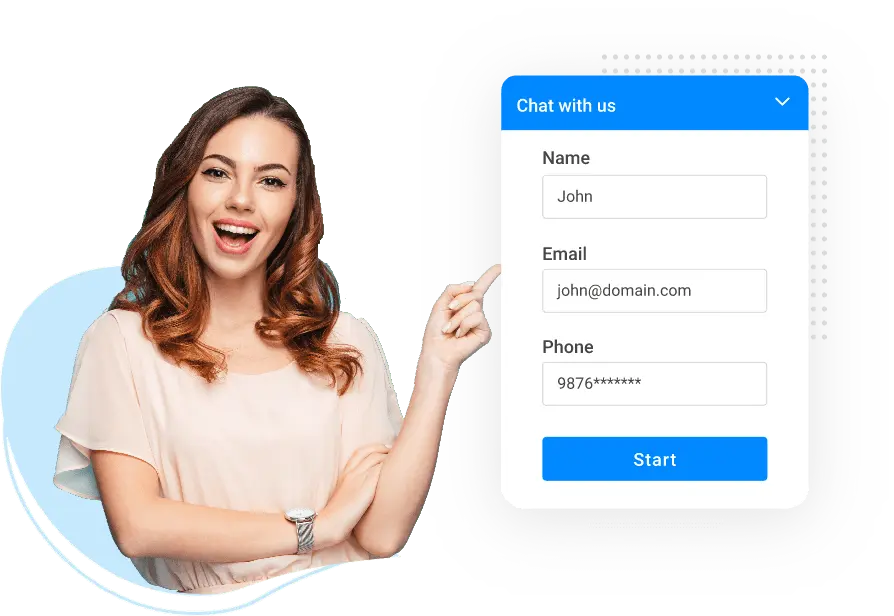
When you think about what stops customers from buying online, it’s rarely price alone—it’s uncertainty. They hesitate because no one is there to answer a simple question or offer guidance in the moment. That’s exactly where live chat for sales changes the game.
Live chat brings the in-store experience to your website. It allows shoppers to connect instantly, ask questions, and make decisions with confidence. Instead of losing leads to confusion or slow email replies, businesses can close the gap between curiosity and conversion.
From my experience, live chat has consistently improved customer engagement and trust. It gives brands a human voice in a digital space, making every interaction feel personal. More importantly, it helps identify buying intent in real time—so you can respond when interest is highest.
Want to learn how top eCommerce brands use live chat to boost conversions? Watch this video:
6 Proven Strategies to Boost Sales with Live Chat
When used strategically, live chat can become one of your most powerful growth tools. It goes beyond quick responses — it’s about guiding visitors, addressing concerns, and turning everyday conversations into confident buying decisions.
Here are six proven ways you can use live chat to drive real sales growth.
1. Faster Replies Equals Higher Sales
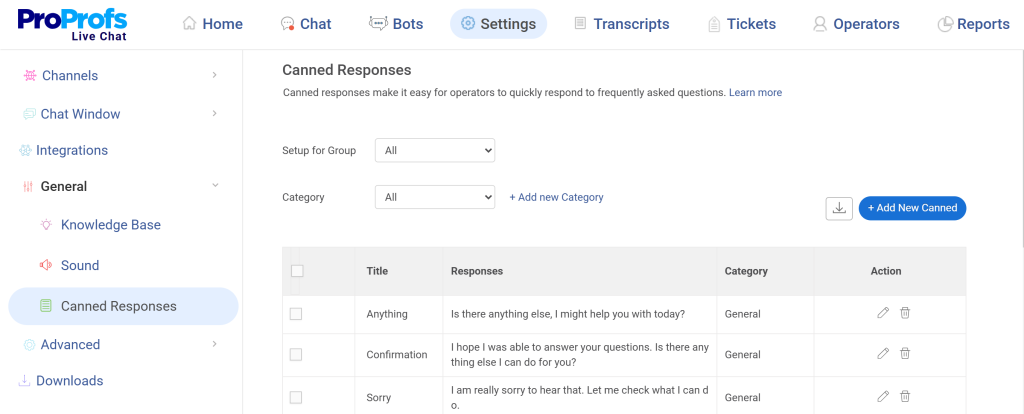
Live chat makes it easy for prospects to get instant answers without searching or waiting on calls. With a simple click on the “chat with us” icon, visitors can connect directly for quick support. Features like canned responses and automated chat routing enable operators to respond instantly and guide users to the correct answers.
Studies show that over 79% of users prefer live chat for immediate responses and multitasking ease. By integrating live chat into your website, you not only boost satisfaction but also prevent losing potential customers to competitors who already use it.
2. Personalize Every Conversation
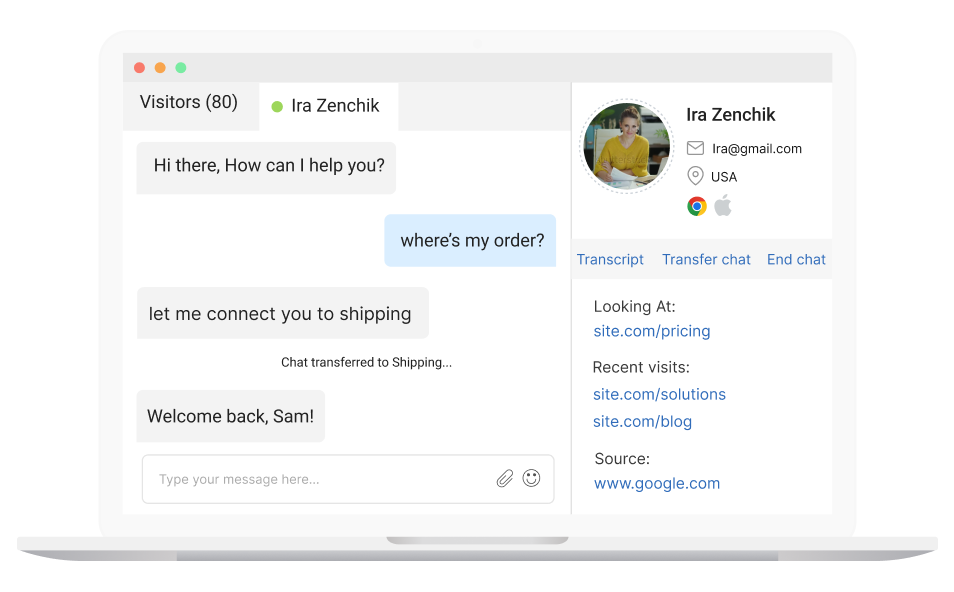
A good live chat tool lets you monitor visitor activity in real time—showing which pages they’ve viewed, how long they’ve stayed, and where they might need help. You can initiate chats based on behavior, such as greeting someone stuck on a pricing page with a helpful message.
Plus, personalized chat invitations create a smoother experience and higher conversions. The key is balance—know when to offer assistance and when to let visitors explore freely.
3. Combine Automation with Human Expertise
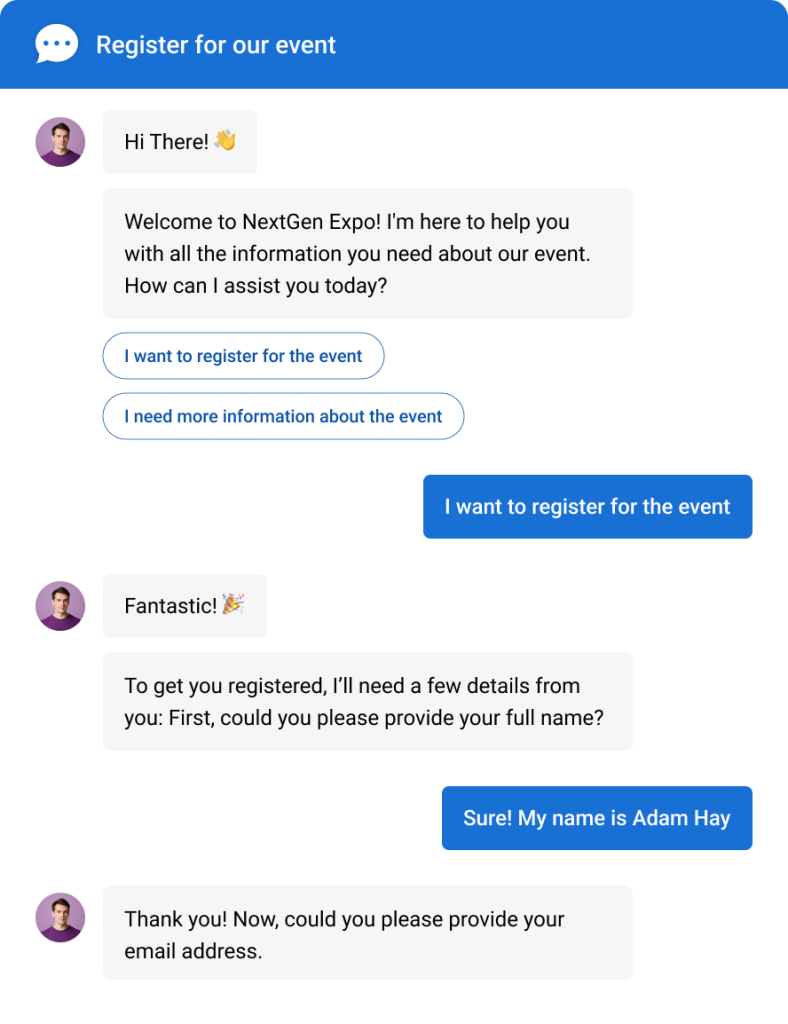
Automation is great for speed, but it can’t replace human warmth. You can let AI chatbots handle routine questions and lead qualification, but make sure real agents step in when deeper discussions are needed. Smart routing can send important queries directly to the right person.
This balance of automation and empathy ensures customers get fast, accurate answers without feeling like they’re chatting with a machine.
If you’d like to see how human operators and chatbots can work together to delight customers, this short video is for you:
4. Assist Customers During Checkout
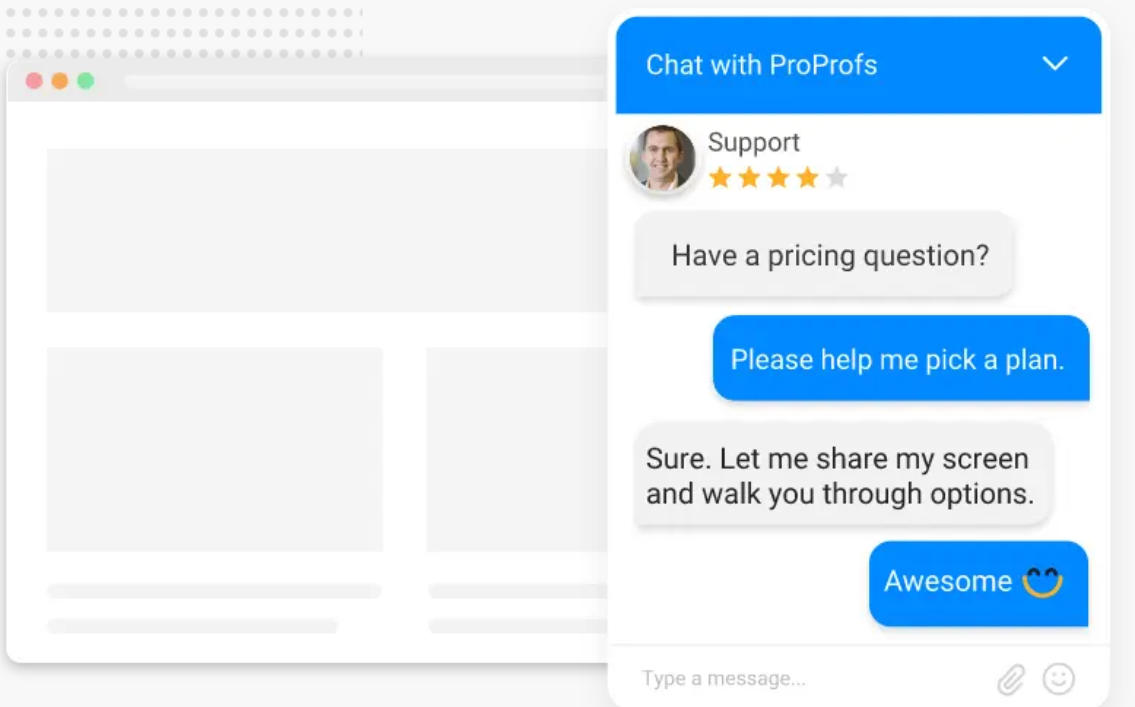
Checkout is where most sales are won or lost. Many customers abandon their carts because of small doubts—shipping costs, delivery times, or payment methods. You can use real-time tracking to spot visitors who hesitate and step in with a proactive chat invitation offering help.
With chat routing, you can connect them instantly to the right agent for personalized support. Quick replies through canned responses can resolve issues instantly, and that timely reassurance often seals the deal.
5. Capture Qualified Leads with Pre-Chat Forms
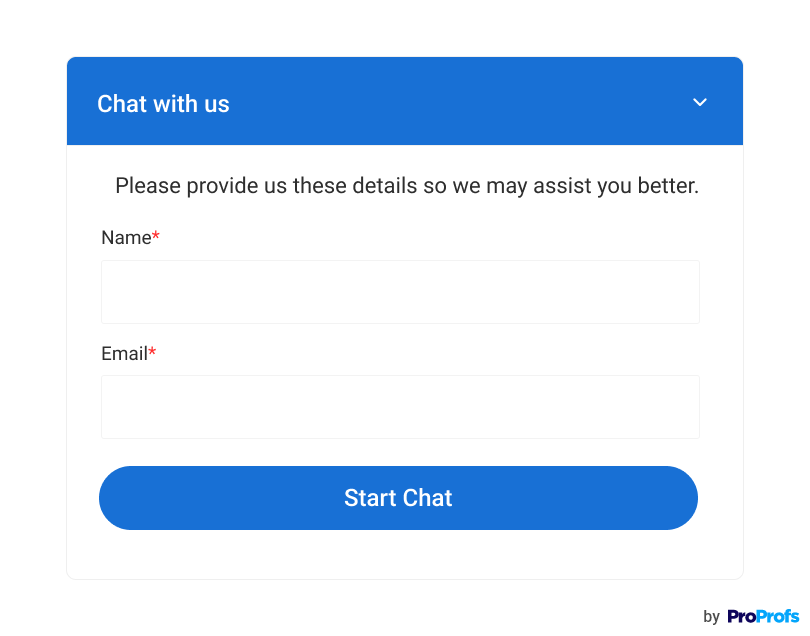
Most modern live chat tools come with pre-chat forms that collect key visitor details like name, email, and chat intent. This data helps personalize conversations and increase conversions with live chats by building a qualified lead list. Even if a visitor doesn’t buy immediately, their information can be used for marketing campaigns.
Smart, simple forms help segment leads, while integrations with CRM systems, Google Analytics, and AdWords make live chat a powerful, data-driven sales and lead generation tool.
6. Analyze Chat Data to Refine Sales Strategy
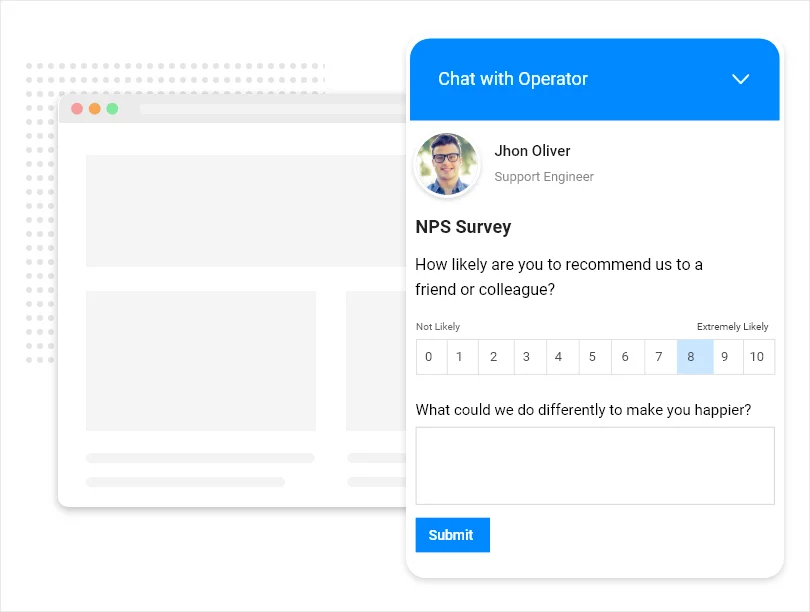
Every chat tells a story about what your customers want and where they hesitate. You can review chat transcripts, performance reports, and post-chat surveys regularly to identify what’s working. Look for patterns—like common questions before buying or moments where users drop off.
You can use these insights to adjust your chat triggers, refine scripts, and train agents better. Over time, your chat strategy will become sharper, more personal, and consistently more effective at driving sales.
Implementation Checklist: Setting Up Live Chat for Sales
Before live chat can start driving conversions, it needs to be set up strategically. A thoughtful setup helps you engage visitors, capture leads, and convert them faster.
Here’s a quick checklist to get started:
| Step | Description |
|---|---|
| Pick the Right Placement | Place the chat widget in a visible but subtle spot, like the bottom-right corner. Trigger it based on user behavior such as scroll or time on page. |
| Create Simple Pre-Chat Forms | Ask only for essentials like name, email, or intent. Short forms improve participation and help personalize follow-ups. |
| Set Smart Triggers and Greetings | Use automated, behavior-based messages like “Need help choosing a plan?” to start relevant conversations. |
| Integrate with CRM and Analytics | Link chat with CRM or analytics tools to track leads, measure engagement, and monitor agent performance. |
| Train Your Team and Chatbot | Prepare agents and AI bots to respond naturally, qualify leads, and keep improving based on feedback. |
| Review and Optimize Regularly | Check reports often to refine triggers, responses, and workflows for continuous improvement. |
3 Real-World Examples of Live Chat Driving Sales
Live chat is one of the simplest ways to turn website visitors into paying customers. It allows teams to engage prospects in real time, build trust, and guide them toward a purchase.
Here are three real-world examples of how live chat directly drives sales and improves conversion rates.
1. Sephora

Image Source: Unsplash
Sephora introduced live chat consultations to recreate the in-store expert experience online. By enabling customers to connect with beauty advisors immediately, the brand saw real-time support translate into sales boosts. Their average order value increased by 25%, demonstrating how interactive guidance and personalization can convert browsing into buying.
2. Decathlon
Image Source: Pexels
Decathlon deployed an AI-powered chat assistant to manage product inquiries and support requests. With 65% of queries handled by automation, their online conversions increased by 15%. Built for speed and scalability, the solution allowed Decathlon to serve customers efficiently during high volumes and digital shifts.
3. H&M
Image Source: Unsplash
H&M implemented an AI-powered chatbot on their website and mobile platforms that asks shoppers about their style preferences and browsing history, then provides personalized product recommendations and supports order tracking. This innovation delivered around a 15-25% uplift in online sales and boosted customer engagement by approximately 30%.
FREE. All Features. FOREVER!
Try our Forever FREE account with all premium features!
Live Chat Canned Responses Every Sales Team Should Use
Fast, friendly replies can turn curious visitors into customers. Canned responses help sales teams reply instantly while keeping messages clear and consistent. Here are practical examples your team can use right away.
• Greeting Messages
- Hi there! Welcome to our website. How can I help you find what you’re looking for today?
- Hello! Thanks for stopping by. Are you exploring any specific product or service?
- Hey! Great to see you here. Can I help you choose the best option for your needs?
• Product Inquiries
- That’s one of our most popular products! Would you like me to share more details or reviews?
- Great choice! I can help you compare this with similar products if you’d like.
- This product has received amazing feedback. Would you like me to send more specs or pricing info?
• Pricing Questions
- Our pricing depends on your specific needs. Can I ask a few quick questions to recommend the best plan?
- We offer multiple packages — would you prefer a quick overview or a detailed comparison?
- I can help you find the most cost-effective option based on your requirements. Can you share your usage goals?
• Cart Abandonment or Exit Messages
- I noticed you’re about to leave. Would you like me to help with any questions before you go?
- Still deciding? I can offer a quick discount or guide you through the checkout process.
- Don’t leave just yet! I can help you find a better deal or suggest similar options.
• Follow-Up or Post-Chat Messages
- Thanks for chatting with us! I’ve emailed the details so you can review them anytime.
- It was great connecting with you! If you need more help, just reply here or drop us a message.
- Thanks for your time! I’ll check back soon to see how things are going. Have a great day!
Using these canned responses helps your sales team reply faster, stay professional, and keep conversations focused on one goal — closing the sale.
Turn Every Chat Into a Sales-Driving Opportunity Today
Live chat has proven to be one of the most effective tools for increasing online sales. When used right, it helps businesses build instant trust, reduce buyer hesitation, and guide visitors toward confident purchase decisions. It bridges the gap between curiosity and conversion in real time.
If you’re planning to implement it, start small—set proactive triggers, personalize messages, and analyze chats regularly to improve engagement and conversions.
Personally, I’ve found ProProfs Chat to be a simple yet powerful solution. It offers features like AI-powered automation, smart triggers, visitor tracking, and CRM integration—all designed to help you capture more leads, engage visitors effectively, and close sales faster without overwhelming your team.
FREE. All Features. FOREVER!
Try our Forever FREE account with all premium features!

 We'd love your feedback!
What did you like & how can we make it even better?

 Thanks for your feedback!
 Ask Your Question
Have a question? Get expert help to make your decision easier.