

You did everything right. You brought shoppers to your website, showcased your products, and got them to the cart.
Then, just as they were about to buy… they disappeared.
No purchase. No explanation. Just another abandoned cart sitting in your dashboard, and a sale that was yours to lose. Most businesses struggle to reduce cart abandonment because they chase it after the fact instead of catching it in the moment.
I’ve seen this happen more times than I can count. And almost every time, the reason isn’t the product or even the price. It’s a moment of hesitation that nobody has addressed. That’s the gap live chat fills.
The good news is that most of this is recoverable. Not through emails sent hours later or blanket discount codes, but through real-time conversations that happen right when hesitation kicks in. This guide shows you exactly how to do that, step by step.
What Is Cart Abandonment?
Every abandoned cart represents a shopper who was interested enough to pick something out, browse your store, and get all the way to checkout. They didn’t leave because they didn’t want the product; something got in the way at the last moment, and nobody was there to fix it.
That’s what makes cart abandonment one of the most recoverable problems in eCommerce, and why real-time support through live chat makes such a direct difference.
Discover how HorseSaddleShop uses ProProfs Chat to respond to customers 24/7 and reduce cart abandonment.

Why Do Shoppers Abandon Their Carts in the First Place?
Before you fix anything, it helps to understand what’s actually causing the problem. Most of the time, it’s not that the shopper changed their mind. It’s that something got in the way at the wrong moment. Here are the most common culprits.
1. Unexpected Extra Costs
Shipping fees, taxes, and packaging charges that appear only at checkout catch shoppers off guard. The cart total suddenly looks very different from what they expected, and many simply close the tab rather than pay more than they planned.
2. Being Forced to Create an Account
Shoppers want convenience. When a store demands account creation before purchase, it adds friction right at the final step. Many buyers, especially first-timers, won’t bother. A guest checkout option alone can recover a significant portion of these drop-offs.
3. Security Concerns About Payment
Trust matters in eCommerce. If a checkout page looks unfamiliar, lacks security badges, or asks for too much information, shoppers hesitate. They’d rather abandon than risk entering card details on a site they’re not fully confident about.
4. Slow or Limited Delivery Options
Today’s shoppers expect fast delivery. If your store only offers one slow shipping option with no visible delivery date, many will look elsewhere. Flexibility and transparency around delivery directly affect whether someone commits at checkout.
5. A Complicated or Confusing Checkout Process
Too many steps, redundant fields, and confusing navigation frustrate shoppers. The longer and more complex the checkout, the higher the drop-off. Simplifying the flow, even slightly, can meaningfully improve the number of people who make it through.
6. Website Bugs or Errors During Checkout
A broken promo code field, a payment error, or a page that won’t load at the wrong moment can end a purchase that was seconds away from completing. These technical friction points are often invisible to store owners but very visible to shoppers trying to buy.
Notice what’s common across all of these? They’re fixable, in real time, if someone is there to help. That’s the job of live chat.
How Does Live Chat Help Reduce Cart Abandonment?
Live chat engages shoppers before they leave by placing a chat widget on key pages, triggering proactive conversations based on visitor behavior, and delivering instant answers that prevent tabs from closing.
Most store owners think of live chat as a passive support tool. The real power is in using it proactively. Here’s how each capability maps to a specific abandonment problem.
1. Proactive Chat Invitations
Instead of waiting for a shopper to ask for help, live chat triggers a message the moment hesitation is detected.
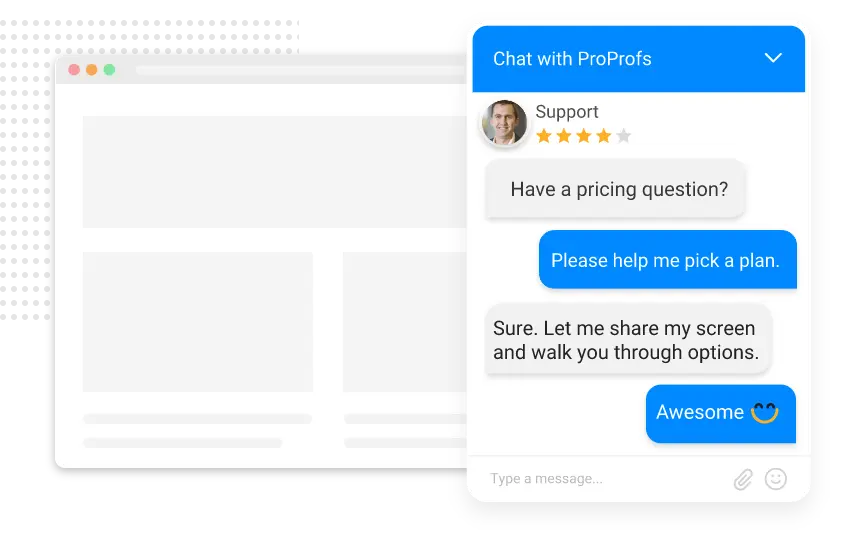
A well-timed invite on the checkout page, something like “Having a pricing question?” can stop an exit before it happens and guide the shopper to completion.
2. Visitor Monitoring
Live chat tools track what each visitor is doing on your site in real time. You can see which pages they’ve visited, how long they’ve been idle, whether they’ve returned before, and what’s in their cart.
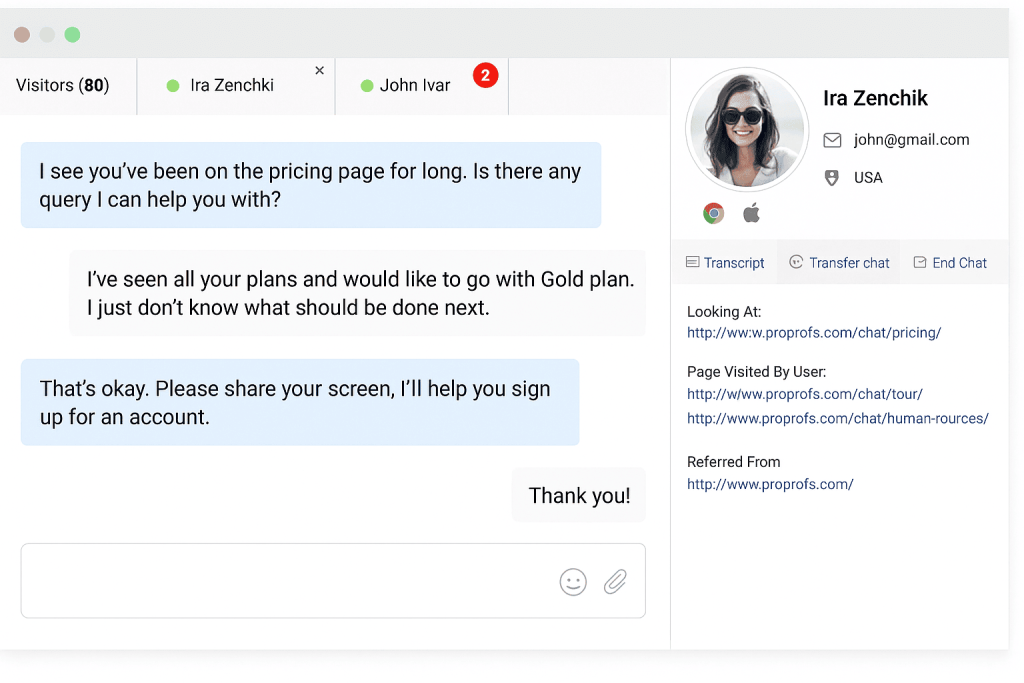
This context lets agents reach out with a message that feels relevant, not robotic.
3. AI Chatbot for Instant Answers
An AI chatbot trained on your FAQs handles the most common pre-purchase questions around the clock: shipping costs, return policies, discount code application, size guides.
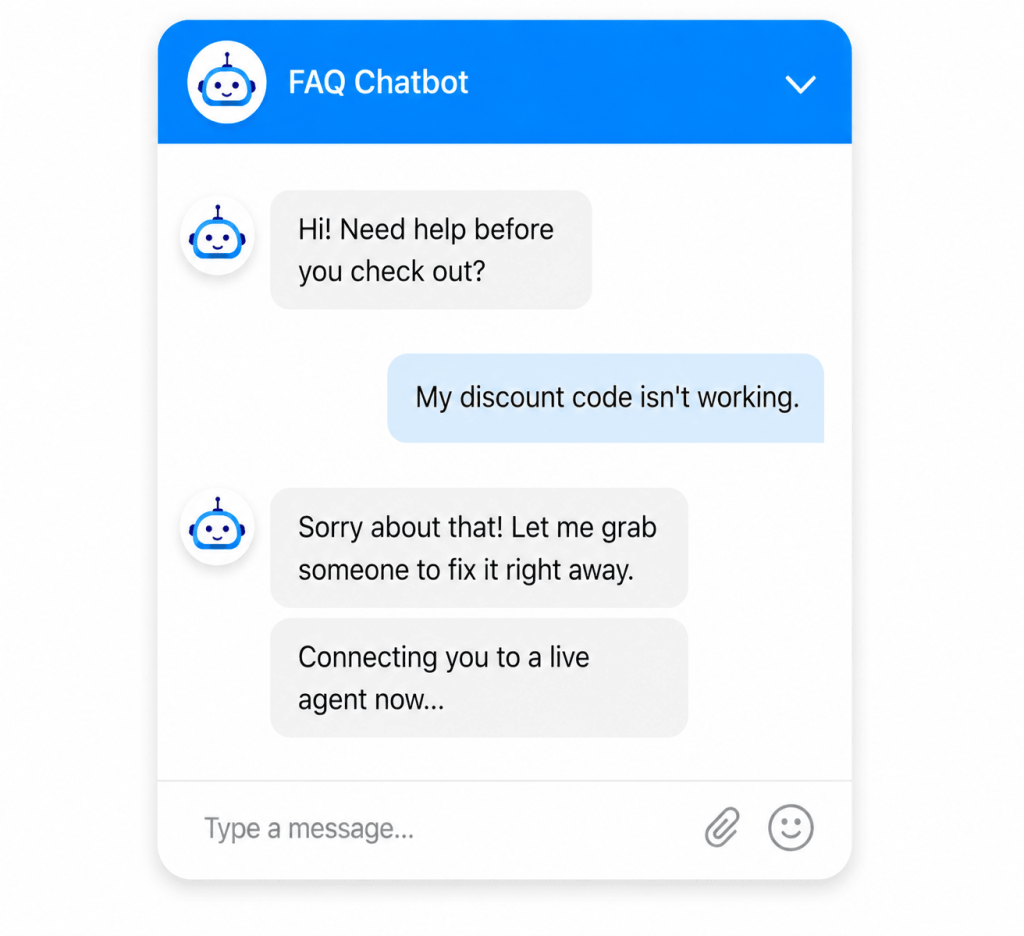
It resolves hesitation instantly and only escalates to a human when the question is more complex.
4. Behavior-Based Triggers
You can set rules that fire chat invitations based on specific actions: more than 30 seconds on the checkout page, cursor movement toward the browser close button, or a third visit to the same product. These triggers turn passive monitoring into active engagement at exactly the right moment.
5. Co-Browsing for Checkout Guidance
When a shopper is visibly stuck, co-browsing lets your agent join their screen in real time and walk them through the checkout step by step. It removes confusion instantly and keeps the shopper on the path to purchase without requiring them to explain what they’re seeing.
6. Saved Cart Follow-Ups
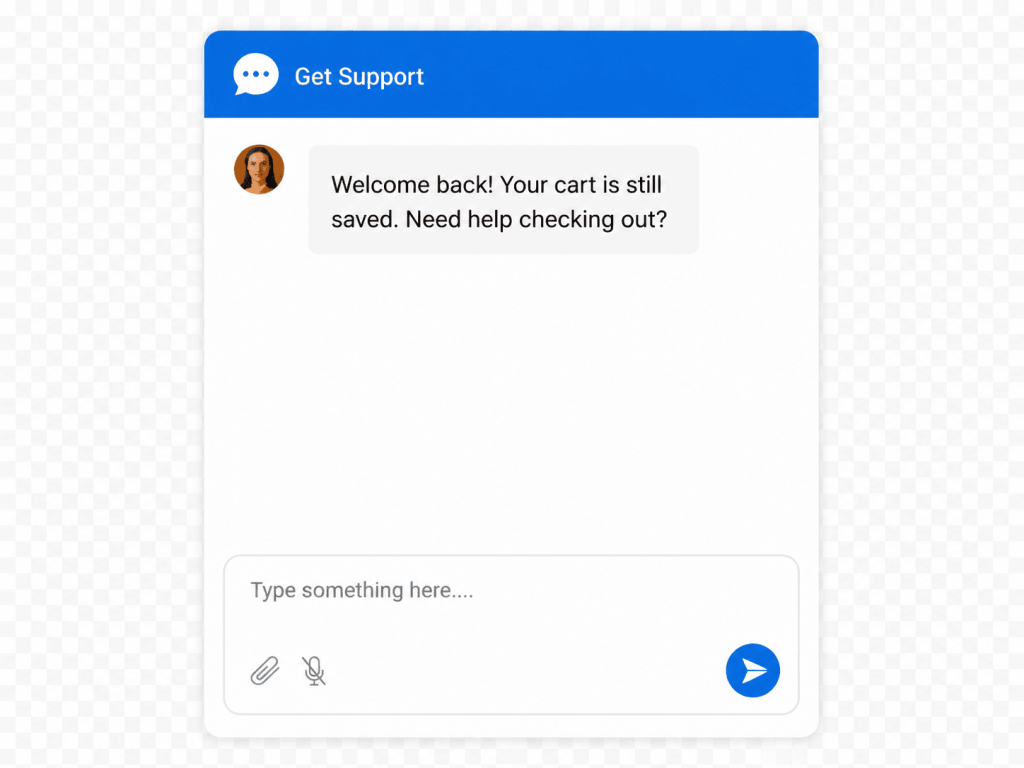
When a shopper leaves without buying, live chat can store their cart and trigger a personalized message when they return. A simple “Welcome back! Your cart is still saved. Need help checking out?” acknowledgment re-engages them at exactly the point they left off, without starting the conversation from scratch.
Now let’s look at the four shopper types most likely to abandon, and exactly how live chat handles each one.
Who Are the Shoppers Abandoning Your Carts?
Not every abandoned cart has the same story. Understanding the type of shopper you’re dealing with is what separates a generic chat message from one that actually converts. Here are the four profiles you’ll encounter most often, and how to handle each one.
Type 1: The Budget Shopper (Price-Shocked at Checkout)
Budget shoppers build their cart carefully, then hit checkout and watch the price jump because of shipping, taxes, and fees they never saw coming. That sticker shock is one of the leading causes of cart abandonment, and it’s entirely preventable.
How Live Chat Fixes It:
Trigger a proactive chat message the moment a budget shopper pauses at checkout. Train your agent to address costs upfront, offer a promo code if available, and reassure the shopper before they leave. With a tool like ProProfs Chat, this is a one-time setup that runs automatically, catching sticker shock before it turns into an abandoned cart.
Type 2: The Window Shopper (Just Browsing for Now)
Window shoppers aren’t ready to buy today. They browse, check the final price, and leave. But they come back. The key is staying visible and relevant when they do, without being intrusive or repetitive.

How Live Chat Fixes It:
Use visitor monitoring to track return visits and saved carts to hold their items. When a window shopper comes back, trigger a warm, personalized greeting rather than a cold sales pitch.
The most effective way to reduce cart abandonment using live chat for better engagement is by building simple playbooks: what to say to a first-time visitor, a returning visitor, and someone with a week-old saved cart. Each moment calls for a different message.
Type 3: The Comparison Shopper (Price-Hunting Across Sites)
This shopper knows exactly what they want. They have multiple tabs open, they’ve already checked your competitors, and they’re looking for the best deal before committing. You’re one of three or four options they’re evaluating right now.
How Live Chat Fixes It
Train agents to spot comparison shoppers (they search directly for a product, skip browsing, move fast) and open with an exclusive offer framed as something not publicly listed. Even free shipping positioned as a private deal creates enough urgency to close the gap.
Asking what other sites they’ve checked also gives you free competitive intelligence you can act on.
Type 4: The Confused or Impatient Shopper (Frustrated at Checkout)
This is the most winnable segment. These shoppers want to buy. They’re just stuck. A broken promo field, a confusing return policy, and a form they can’t navigate on mobile. One small moment of friction and they’re gone.
How Live Chat Fixes It
Deploy co-browsing for shoppers who appear stuck. Your agent joins their screen, guides them through the issue in real time, and the checkout gets completed without the shopper ever having to explain the problem. For common questions, an AI chatbot handles the first layer instantly and hands off to a human when things get more involved.
Want to see how bot-to-human handoff works in real time? Check out this video!
It’s one of the fastest ways to reduce cart abandonment using live chat for instant help, especially on mobile, where friction hits hardest.
FREE. All Features. FOREVER!
Try our Forever FREE account with all premium features!
How Do AI Chatbots Fit Into Cart Recovery?
AI chatbots are not a replacement for human agents. They’re the first line of response that’s always available, even at 2 AM. Here’s how the handoff works inside live chat.
- The shopper asks a question. The AI bot responds instantly using your knowledge base, answering questions about shipping, returns, discount codes, and availability without any wait.
- If the bot resolves it, the shopper continues to checkout. Done.
- If it gets complex, the bot hands off to a human agent along with the full conversation transcript, so the shopper never has to repeat themselves.
- The agent picks up in context, addresses the nuanced concern, and guides the shopper to purchase.
When a business reduces cart abandonment using live chat for real-time support, the combination of AI speed and human empathy is what makes it stick more effectively than either approach alone.
How to Build a Complete Cart Recovery Flow With ProProfs Chat
You don’t need a big team or a complex setup to make this work. Here’s a practical six-step playbook you can run with ProProfs Chat starting today.
Step 1: Set Up Behavior-Based Triggers
Configure ProProfs Chat to fire proactive chat invitations on your cart page, checkout page, and high-exit product pages.
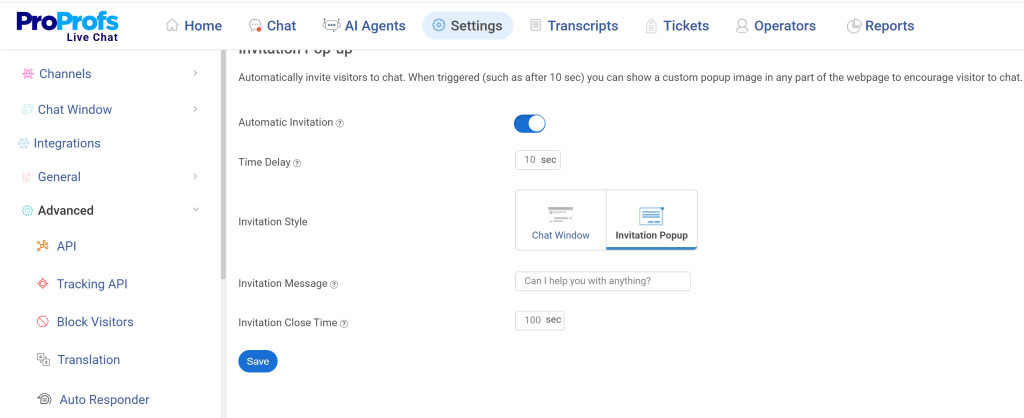
Set rules based on time on page, scroll depth, or exit intent signals. Once set up, these triggers run automatically in the background and catch hesitation without your team having to monitor every session manually.
Step 2: Train Your AI Chatbot on FAQs
Feed your bot the top 10-15 questions shoppers ask before buying, such as shipping costs, return policy, sizing, availability, and discount codes.
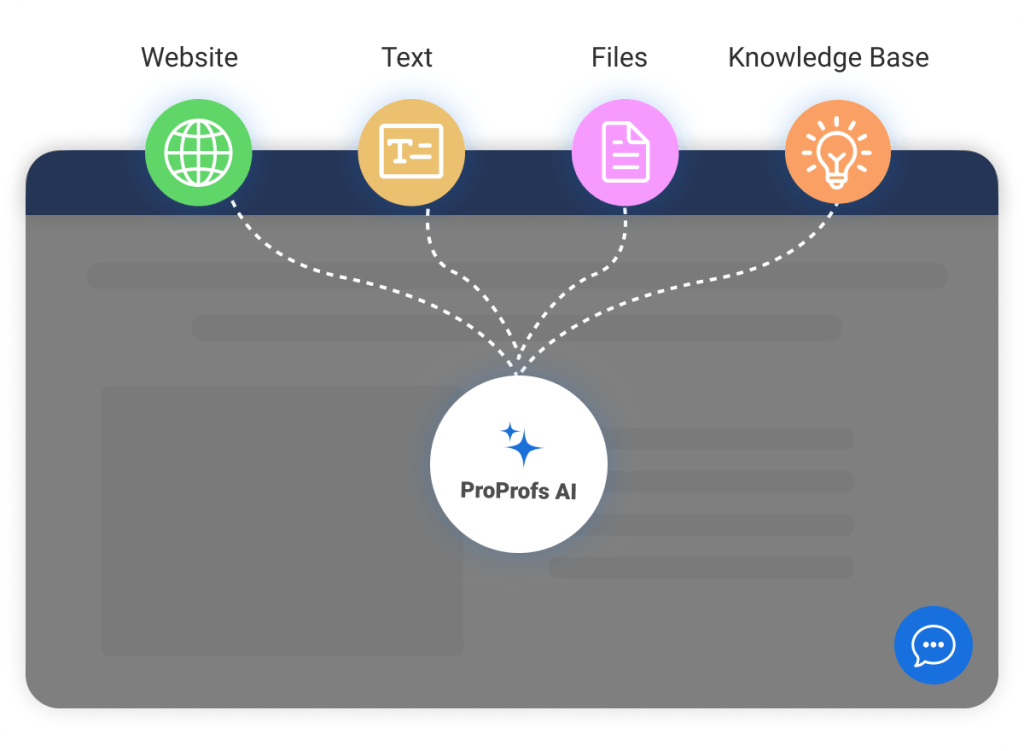
A well-trained chatbot handles the majority of pre-checkout hesitation instantly, around the clock, without needing a live agent. The more specific the training, the fewer handoffs you’ll need.
Step 3: Enable Visitor Monitoring
Use ProProfs Chat’s visitor monitoring to see who’s on your site in real time, which pages they’ve visited, how many times they’ve returned, and what’s in their cart.
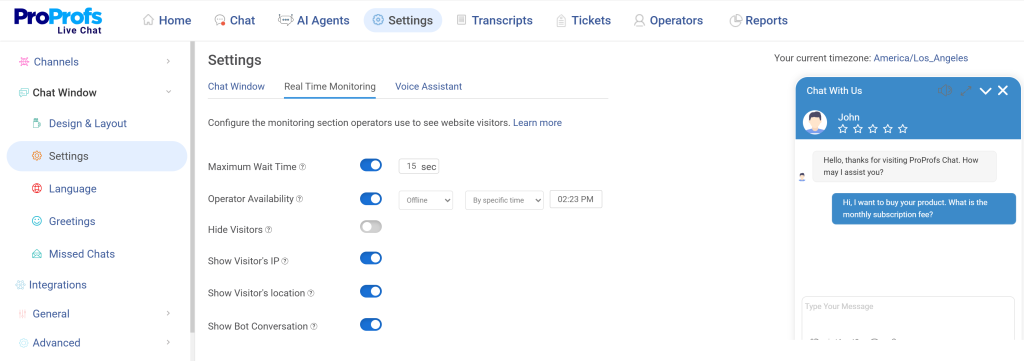
Share this context with your agents before they reach out so every opening message feels tailored to that specific shopper rather than a copy-paste greeting.
Step 4: Save Carts and Follow Up
Set up saved carts so returning shoppers find their items exactly where they left them. Pair this with a personalized chat trigger that references their previous session, something like “Welcome back, your cart is still here.” This small touch re-engages the shopper at the point of highest intent without starting the conversation over from scratch.
Step 5: Create Agent Playbooks by Shopper Type
Build short response guides for each shopper type covered in this guide. Budget shoppers: lead with cost transparency and promo availability. Comparison shoppers: lead with an exclusive or unlisted offer. Confused shoppers: start with co-browsing before talking. Having these playbooks ready means your agents respond faster and more consistently under pressure.
Step 6: Track, Measure, and Improve
Use ProProfs Chat’s analytics dashboard to track exit pages, chat response rates, and drop-off points. Review weekly, tweak one or two things at a time, and monitor results.
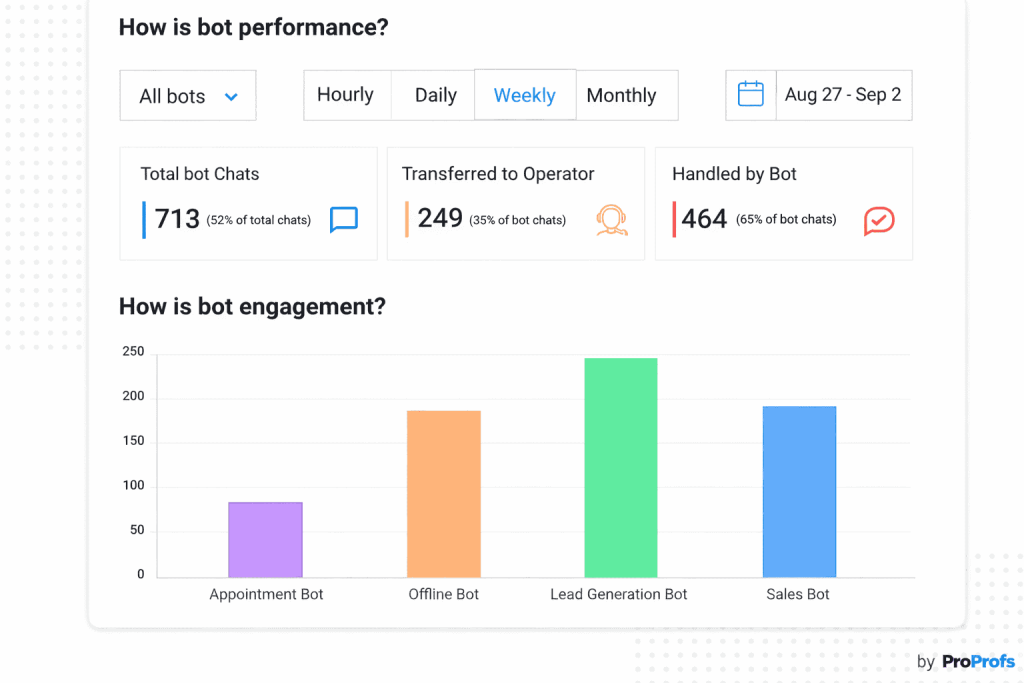
Consistent small refinements in both operator and chatbot performance drive meaningful improvement over time.
Live Chat vs. Other Cart Recovery Methods: What Works Best?
There’s no shortage of tools that promise to recover abandoned carts. Emails, retargeting ads, popups, chatbots, each one has its place. But they don’t all work the same way, and understanding the difference helps you prioritize where to put your energy first.
| Method | When It Helps | Limitation |
| Live chat (proactive) | Catches hesitation in real time, before abandonment | Requires setup and monitoring |
| Abandoned cart emails | Recovers shoppers hours or days later | Buying moment often passed by the time they open it |
| Retargeting ads | Brings back high-intent visitors via display ads | Adds to cost; doesn’t address the root friction |
| Exit-intent popups | Stops shoppers at the last second with an offer | Often ignored or dismissed |
| AI chatbots | Always-on, instant answers 24/7 | Needs proper training to be effective |
The strongest cart recovery strategy uses live chat alongside email and retargeting, not instead of them. But live chat is the only method that prevents abandonment in the first place, rather than trying to recover it after the fact.
Stop Losing Sales You Already Earned!
Every shopper who reaches your cart has already decided they want what you’re selling. The work is done. All that’s standing between them and a completed order is a moment of hesitation that nobody showed up to address.
Live chat closes that gap. Price-shocked shoppers get transparency before they bail. Window shoppers come back to a saved cart and a warm follow-up. Comparison shoppers get an offer that tips the scale your way. Confused shoppers get guided through checkout in real time.
ProProfs Chat brings all of this together in a single platform that’s fast to set up and free to start. The shoppers are already there. Meet them at the right moment.
Frequently Asked Questions
Does live chat work on mobile for cart recovery?
Yes. Mobile shoppers actually benefit more from proactive live chat because mobile checkout is harder to navigate. A well-timed message that offers help, clarifies a shipping cost, or guides someone through a form field can make the difference on a small screen where frustration sets in faster.
What should a proactive chat message say to avoid being pushy?
Keep it short, helpful, and specific to the page. On a checkout page: "Need help with your order?" On a product page: "Looking for a specific size or color? I can check stock for you." The goal is to feel like a store assistant, not a pop-up ad.
Can live chat integrate with my Shopify or WooCommerce store?
Yes. Most live chat platforms, including ProProfs Chat, offer native integrations with Shopify, WooCommerce, Magento, and other major eCommerce platforms. Integration typically takes a few minutes and automatically pulls in cart data, order history, and product details.
How many chat agents do I need to handle cart recovery?
It depends on your traffic volume. For smaller stores, one agent with a well-trained AI chatbot handling first-level questions is often enough. The chatbot manages routine queries around the clock, and the human agent steps in for complex conversations. This setup works well before you need to scale.
Should I offer a discount during a live chat conversation to recover a cart?
Not always. Lead with helpfulness first. Clarify costs, answer questions, and remove friction. Only introduce a discount if the shopper is still hesitant after that. Defaulting to discounts too early trains shoppers to abandon on purpose in hopes of getting a deal.
How do I train an AI chatbot specifically for eCommerce cart recovery?
Feed it your most common pre-purchase FAQs: shipping costs, delivery timelines, return policy, discount code instructions, size guides, and payment options. Add your product catalog or help docs if your platform supports it. Review the unresolved query log regularly and fill in gaps as they appear.
Does cart abandonment rate differ by industry?
Yes, significantly. Travel, finance, and luxury goods see higher abandonment rates because those purchases involve more deliberation. Everyday retail and consumables tend to see lower rates. Knowing your industry benchmark helps you set realistic targets and identify whether your rate is a technical, pricing, or trust issue.
FREE. All Features. FOREVER!
Try our Forever FREE account with all premium features!

 We'd love your feedback!
What did you like & how can we make it even better?

 Thanks for your feedback!
 Ask Your Question
Have a question? Get expert help to make your decision easier.



Comment