Tidio alternatives are what most support teams start googling the moment their monthly bill grows faster than their conversation volume can justify. I’ve been there myself, watching an invoice jump overnight, wrestling with a chatbot that couldn’t handle a simple order status question, and losing leads because escalation to a human agent took too long.
If you’re a growing SMB or ecommerce team evaluating live chat software right now, you already know where Tidio falls short. What you need is an honest, feature-first breakdown of what actually replaces it, not another list built around affiliate links and vague marketing claims. Every pick here is judged against what actually matters for a support lead running website chat, not a slide deck.
I tested and researched a dozen platforms to bring you the ten that actually solve what Tidio can’t. Let’s get into it.
Why Are Businesses Looking for Tidio Alternatives?
Tidio does the basics well, but I kept running into the same walls once my chat volume grew. These are the reasons I hear most often from other teams comparing Tidio competitors, and they’re worth checking against your own account before you renew.
- Conversation Caps: Tidio bills by conversation volume, and once you cross from roughly 100 to 300 monthly AI conversations, your bill can more than double without warning.
- Pricing Cliff: There’s a steep jump between the mid-tier and the next plan up, with no smaller step in between, so budgeting for growth gets messy fast.
- Rigid Bot Logic: Automation rules feel scripted rather than smart, the AI can’t read image uploads, and conversations often sound robotic instead of natural.
- Weak CRM Sync: Tidio pushes visitors into your CRM as contacts, not qualified leads, so your sales team still has to do manual cleanup before follow-up.
- Rough Handoffs: Moving a conversation from bot to human agent isn’t seamless, and escalation paths often leave the customer repeating themselves.
- Thin Reporting: Advanced analytics and data exports sit behind higher-priced plans, making it hard to prove ROI to leadership with data you can actually access.
- Shaky Mobile App: Reviewers consistently flag sync errors, lag, and heavy battery drain on the mobile app, which matters if your team responds on the go.
10 Best Tidio Alternatives You Must Consider
I didn’t just skim review sites for this list. I dug through verified G2 and Capterra feedback, tested a few platforms myself, and cross-checked pricing pages directly. Here’s a quick look at the best alternatives to Tidio, leading the pack, before we get into full breakdowns.
| Tidio Alternatives | Best For | Pricing | User Rating |
| ProProfs Chat | Easiest Live Chat & AI Customer Service Agent for Instant, Automated Support | A Forever Free plan with all premium features is available for small teams. Paid plan starts from $19.99/user/month. | 4.8/5 (Capterra) |
| Zendesk Suite | Zendesk Users | Paid plan starts at $55/month. | 4.5/5 (Capterra) |
| Olark | Easy-To-Use Live Chat With Visitor Tracking and Targeted Messaging | Paid plans start at $29 per month. | 4.5/5 (Capterra) |
| YourGPT | OmniChannel Support Automation | Paid plans start at $39/month | 5.0/5 (Capterra) |
| Giosg | Real-Time Customer Engagement | Custom Quote | 4.5/5 (Capterra) |
| Crisp | Creating Engaging Dialogues With Cutting-Edge Chatbot Technology | Paid plans start at $45/month. | 4.6/5 (Capterra) |
| LiveChat | Boosting Sales and Customer Engagement With Live Chat | Paid plans start at $20/month. | 4.6/5 (Capterra) |
| HelpCrunch | Customizable Live Chat With Built-In AI Copilot | start at $12/user/month | 4.8/5 (Capterra) |
| Tawk.to | Free and Freemium Live Chat With Basic Features, Good for Small Businesses | Free for all users. | 4.6/5 (Capterra) |
| Intercom | Omnichannel Platform With Messenger and App | Paid plans start at $29/seat/month. | 4.5/5 (Capterra) |
1. ProProfs Chat – Easiest Live Chat & AI Customer Service Agent for Instant, Automated Support
After facing limitations with Tidio, I knew it was time to upgrade to a Tidio alternative that could scale with my business. I moved to ProProfs Chat, and it immediately delivered the flexibility and performance I was missing. Setup was quick, and I could easily control chat placement and language.
I can also enter my website URL to quickly create an AI Support Agent from my existing content.
Advanced AI agent training trains the chatbot on your website, help center, and FAQs, so AI-generated answers always pull from your actual data with the source cited. Once live, action-based AI agents complete tasks like updating orders and scheduling meetings directly from chat.
Sentiment analysis detects emotions in real time and feeds into risk prediction, which assigns churn scores so your team knows who needs attention. Resolution overviews and AI agent performance reports then continuously track satisfaction.
Security and compliance were also a priority. With full GDPR compliance, SSL encryption, and advanced customization, I finally have a live chat platform that performs at the level my business requires. It also integrates with ProProfs Knowledge Base and ProProfs Help Desk for more connected support. If Tidio is holding you back, ProProfs Chat is a smart, scalable alternative worth considering.
Pros:
- Action-based AI agents that update orders, schedule meetings, and trigger notifications
- Sentiment analysis and risk prediction to flag frustrated or at-risk customers early
- Resolution overviews and AI performance reports to track and improve chatbot quality continuously
- Seamless integration with Google Meet for video interactions
Cons:
- Lacks an on-premise version
- The dark user interface option is not available
How ProProfs Chat Compares With Tidio: Tidio’s automation stays rule-based, and its AI can’t take real action on its own. ProProfs Chat’s AI agents actually complete tasks like updating orders and scheduling meetings, and sentiment analysis flags at-risk customers before Tidio’s bot would even notice a problem.
User Rating: 4.8/5 (Capterra)
Pricing: A Forever Free plan with all premium features is available for small teams. Paid plan starts from $19.99/user/month.
Discover how Horse Saddle Shop used ProProfs Live Chat to offer round-the-clock support and connect with global customers in any language.

2. Zendesk Suite – Best for Zendesk Users
If you’re already a Zendesk user, this one’s a natural fit. I’ve found Zendesk Suite to be one of the best Tidio alternatives out there, especially for teams that want customer support and chat tightly integrated. It’s not just live chat, it’s a full ecosystem built to grow with you.
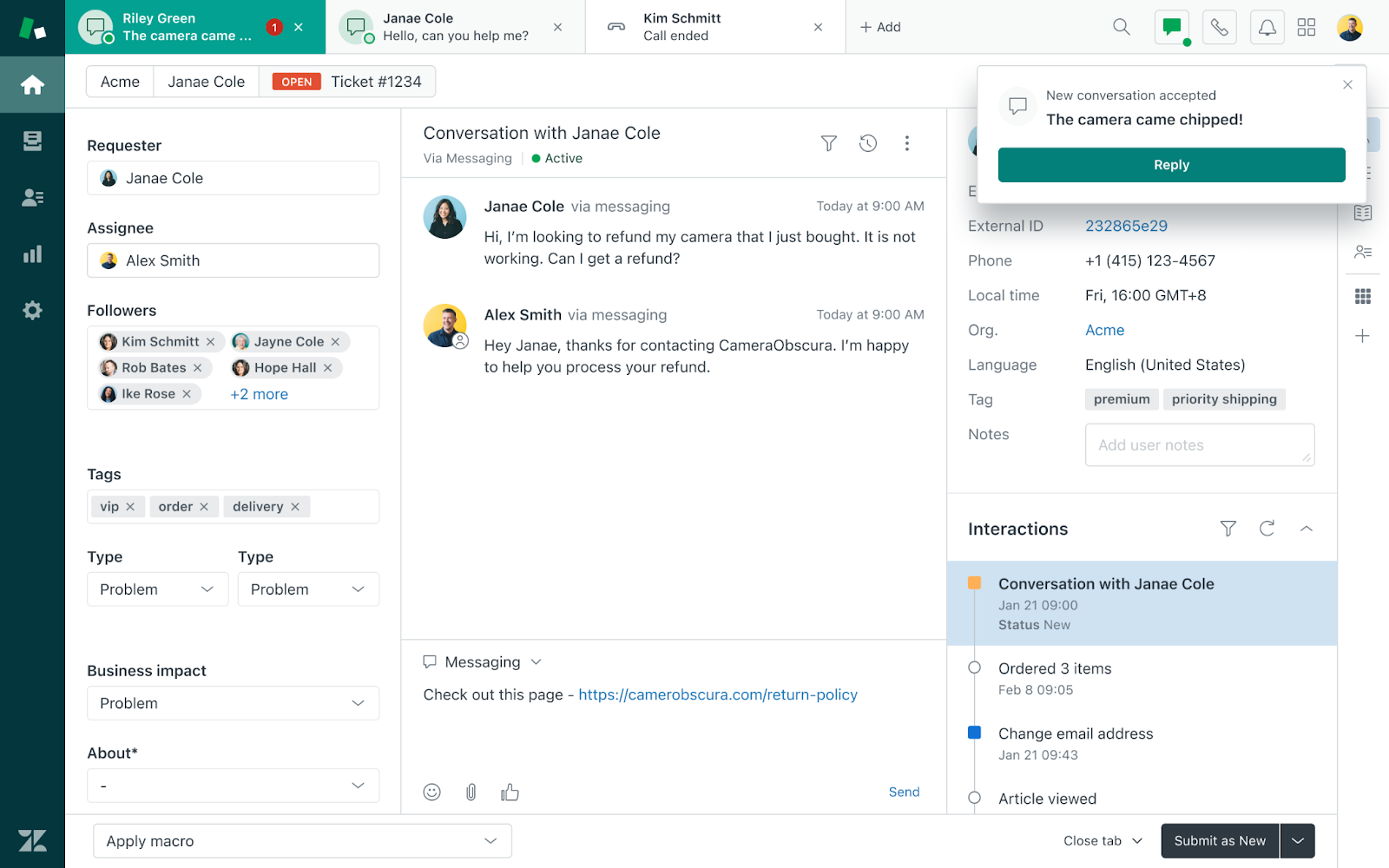
What I like most is how proactive Zendesk lets you be. With pre-chat forms, my team can collect visitor info upfront and tailor conversations from the start. It helps us connect faster, resolve issues quicker, and leave customers feeling genuinely supported.
The platform really shines in its ability to blend automation with human support. From AI-powered bots to seamless agent handoffs, it’s built for scale. If you’re managing complex workflows or high-volume queries, Zendesk Suite is more than capable of handling the load.
Pros:
- Pre-chat forms for lead capture to personalize support instantly
- Omnichannel messaging to manage chat, email, and socials in one view
- Rich analytics and reporting to track team performance and customer trends
- Powerful integrations to connect with CRMs, calendars, and help centers
Cons:
- Can feel complex to set up initially
- Pricing may be high for smaller teams
How Zendesk Suite Compares With Tidio: Tidio handles routine chat well but starts to strain under complex, high-volume support workflows. Zendesk Suite is built for that scale, blending automation with human handoffs across a full support ecosystem rather than a single chat widget.
User Rating: 4.4/5 (Capterra)
Pricing: Paid plan starts at $19agent/month, paid yearly
3. Olark – Best for Live Chat With Visitor Tracking and Targeted Messaging
Olark is a straightforward and reliable Tidio alternative, best suited for teams that need live chat with essential features like visitor tracking and targeted messaging. It’s designed to be easy to use while still supporting meaningful customer engagement in real time.
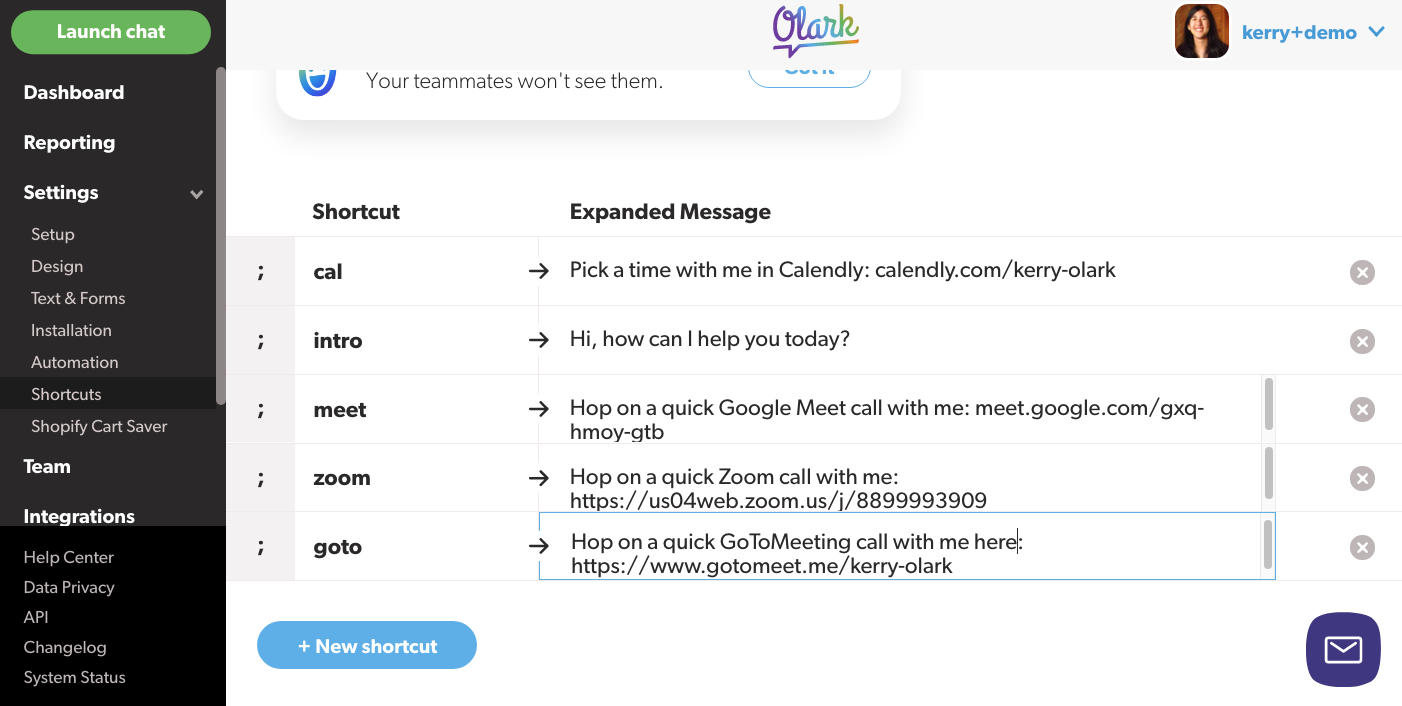
In reviewing Olark, I found it to be well-suited for small businesses or support teams that prefer a minimal setup. You can create automated greetings based on visitor behavior, helping agents reach out at just the right time without much effort.
The platform also includes practical tools like chat transcripts, real-time monitoring, and basic analytics to help teams improve support and sales conversations.
Pros:
- Real-time visitor tracking to monitor who’s browsing and where
- Behavior-based messaging to auto-trigger chats on key actions
- Searchable chat history to review conversations for quality and insights
- Simple, lightweight setup for easy onboarding for non-technical teams
Cons:
- No built-in AI or chatbot automation
- Fewer native integrations compared to more advanced platforms
How Olark Compares With Tidio: Tidio leans on AI automation that can feel rigid once your flows get specific. Olark skips the AI layer entirely and focuses on fast, reliable live chat with visitor tracking, which suits teams that want simplicity over automation.
User Rating: 4.5/5 (Capterra)
Pricing: Paid plans start at $29/agent/month.
4. YourGPT – Best for OmniChannel Support Automation
If you’re already managing customer support across multiple channels, YourGPT is a natural fit. It’s a unified platform for customer conversations across WhatsApp, Instagram, Slack, Discord, Telegram, email, and web, all integrated in one workspace. It’s not just live chat, it’s a full ecosystem built to scale with you.
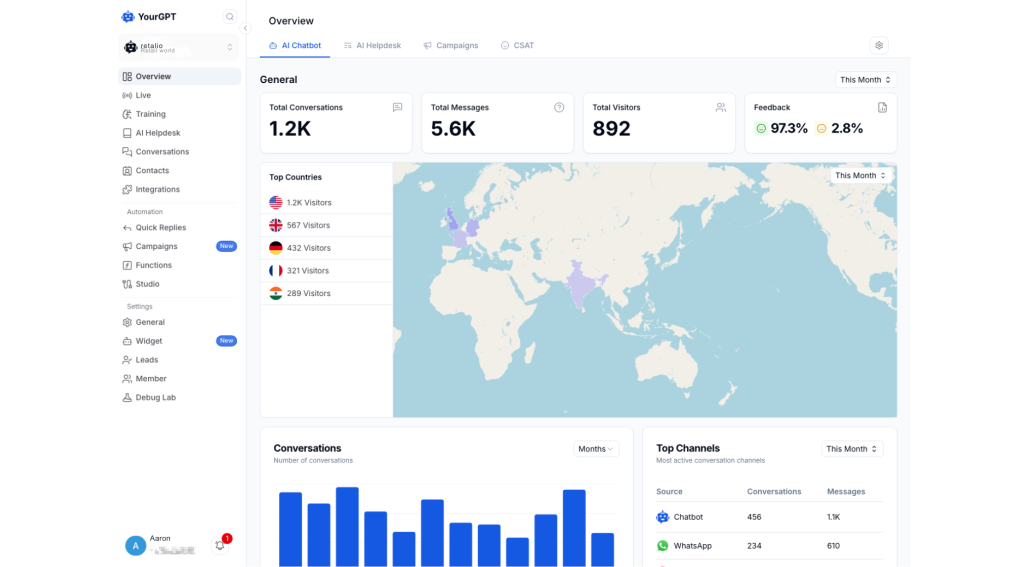
What I like most is how straightforward YourGPT makes omnichannel automation. With pre-built templates, you can set up support workflows in minutes. It handles conversation routing, knowledge base management, and escalation to your team automatically.
The AI learns from conversations over time, which means it gets better without you having to retrain it manually. If you’re managing high volumes or complex customer interactions, YourGPT is more than capable of handling the load.
Pros:
- Self-learning AI improves automatically from conversations
- Omnichannel automation across 100+ channels in one dashboard
- Native integrations with Shopify, Stripe, Zendesk, and Airtable
- No-code builder accessible to non-technical support teams
Cons:
- Advanced workflow setup may require planning for complex use cases
- Some enterprise-grade features may be more suitable for higher-tier plans
How YourGPT Compares With Tidio: Tidio’s channel coverage stays fairly limited outside its core widget. YourGPT spreads the same AI across WhatsApp, Instagram, Slack, Discord, Telegram, and more, so you’re not stitching together separate tools for every channel.
User Rating: 5.0/5 (Capterra) (Based on 3 reviews)
Pricing: Paid plans start at $39/month.
5. Giosg – Best for Real-Time Customer Engagement
Giosg is one of the more dynamic Tidio alternatives I’ve come across, especially when the goal is real-time customer engagement. It’s designed to help you connect with website visitors the moment they show interest, making it easier to convert attention into action.
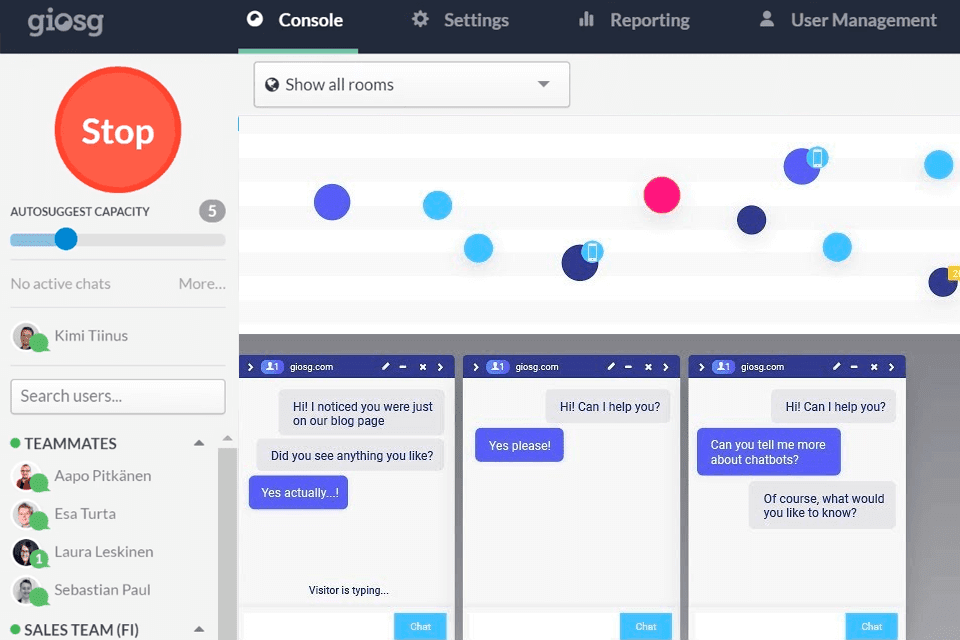
What impressed me most was how easy it is to set up behavior-based triggers and lead capture flows. I could engage visitors at just the right moment, like when they paused on pricing pages or returned to a product for the second time.
It also supports deeper collaboration between teams. With features like CRM integration, meeting scheduling, and co-browsing, Giosg helped create a smooth, personalized experience from first chat to final conversion.
Pros:
- Behavior-based chat triggers to engage users at key decision points
- Lead forms and scoring to qualify and prioritize in real time
- CRM and calendar sync to streamline follow-up actions
- Co-browsing support to assist visitors through complex pages
Cons:
- Learning curve for advanced automation features
- Can become costly as chat volume increases
How Giosg Compares With Tidio: Tidio’s chat triggers are basic compared to what Giosg builds around real-time engagement. Giosg layers in co-browsing and deeper CRM sync, which gives sales teams more to work with than Tidio’s standard proactive messages.
User Rating: 4.5/5 (Capterra)
Pricing: Custom Quote
6. Crisp – Best for Creating Engaging Dialogues With Cutting-Edge Chatbot Technology
Crisp is another powerful Tidio alternative that caught my attention for its ability to create more engaging, human-like conversations using powerful chatbot technology. It’s ideal for teams that want to blend automation and live chat without losing that personal touch.
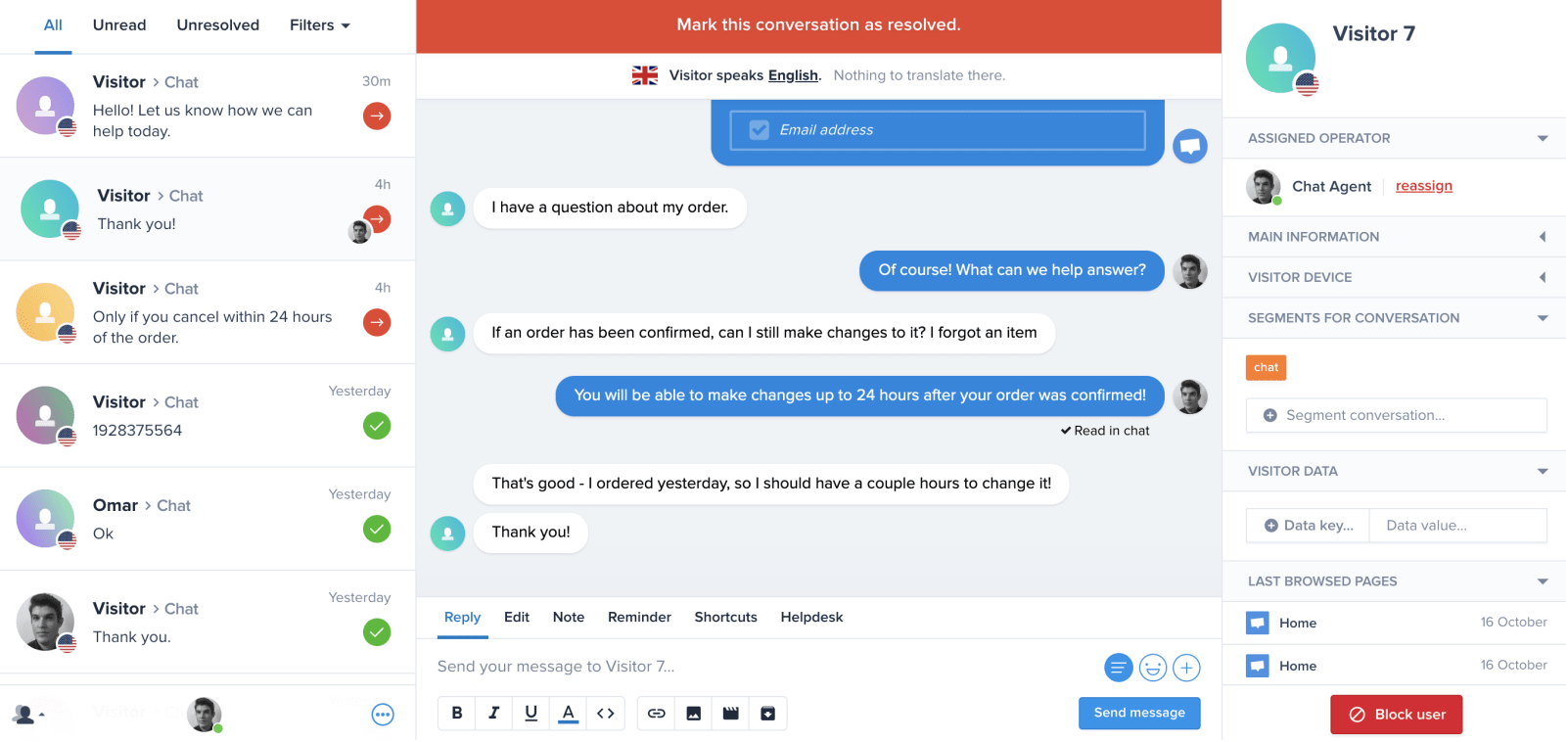
What I like about Crisp is how naturally its chatbot interacts with users. With visual flow builders, multilingual support, and trigger-based messages, I was able to build conversations that felt helpful, not robotic. It also allows you to escalate chats to a human at just the right moment.
Beyond chat, Crisp pulls everything together, shared inbox, knowledge base, and even video chat, in one clean dashboard. It’s a great choice if you’re aiming to create a more unified and responsive customer experience.
Pros:
- Visual chatbot builder to craft engaging flows with no code
- Shared inbox across channels to unify chat, email, and social DMs
- Real-time chat triggers to reach users based on their behavior
- Multilingual support to engage global audiences easily
Cons:
- Reporting tools are more basic than enterprise platforms
- Some features locked behind higher-tier plans
How Crisp Compares With Tidio: Tidio’s automation can feel scripted once conversations get specific. Crisp’s visual flow builder and multilingual support make bot conversations feel more natural, and its shared inbox pulls in more channels than Tidio does by default.
User Rating: 4.6/5 (Capterra)
Pricing: Paid plans start at $45/month/workspace.
7. LiveChat – Best for Boosting Sales and Customer Engagement With Live Chat
LiveChat is a solid Tidio alternative when your main goal is boosting sales and creating fast, meaningful engagement with visitors. I’ve worked with it on a few projects where speed, clarity, and real-time conversions were top priorities, and it delivered consistently.
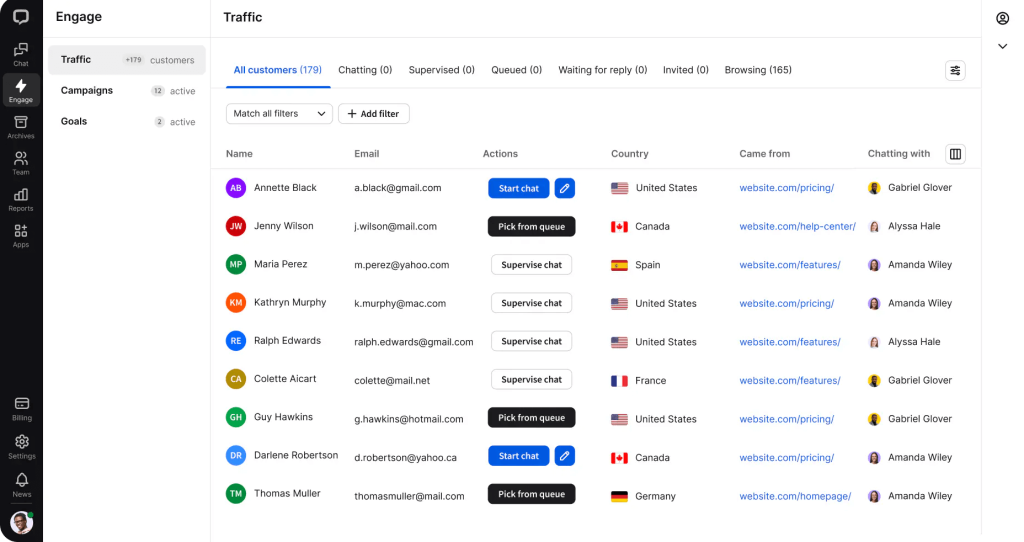
What makes LiveChat effective is how quickly agents can respond, track user activity, and proactively reach out at just the right time. I found its chat widget fast, polished, and optimized for engagement, whether it was guiding someone through checkout or answering a last-minute pricing question.
The platform also includes smart features like canned responses, chat routing, and rich analytics, all designed to shorten response times and increase conversions. If you’re focused on turning conversations into customers, LiveChat makes that process seamless.
Pros:
- Fast, responsive chat widget to drive real-time conversations smoothly
- Chat routing and tagging to streamline support and sales workflows
- Visitor activity tracking to engage users when it matters most
- Detailed analytics and reports to optimize team performance and conversions
Cons:
- No built-in chatbot unless bundled with ChatBot.com
- Can get expensive with advanced features or high volume
How LiveChat Compares With Tidio: Tidio bundles a chatbot with live chat, but LiveChat focuses entirely on making the live chat experience itself faster and more polished. If your team leans on human agents more than bots, LiveChat’s widget and routing tools are built specifically for that.
User Rating: 4.6/5 (Capterra)
Pricing: Paid plans start at $19/month.
8. HelpCrunch – Best for Customizable Live Chat With Built-In AI Copilot
A friend running a small SaaS team switched from Intercom to HelpCrunch last year and hasn’t looked back since. What sold her was how much more customizable the chat widget felt, right down to colors, fonts, and where it sits on the page, without paying enterprise prices for that flexibility.
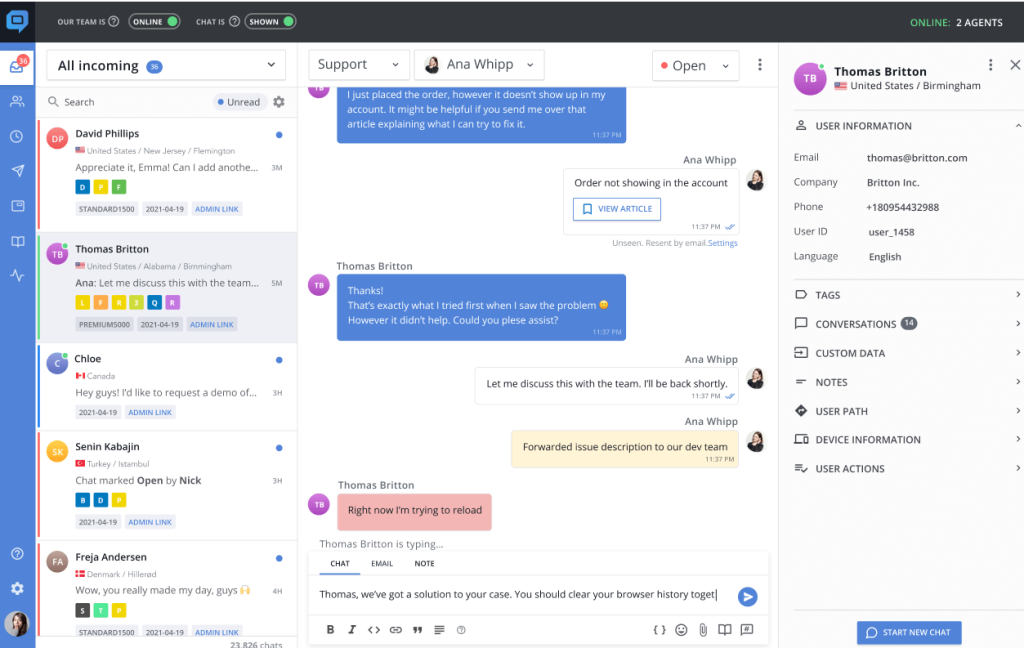
HelpCrunch bundles live chat, a shared inbox, a knowledge base, and automated messages into one dashboard, so support and marketing conversations don’t live in five different tools. The built-in AI Copilot drafts help center articles and suggests replies, which cuts the time her team spends writing repetitive answers from scratch.
What stood out most was the support team’s responsiveness. Whenever her team hit a setup question, HelpCrunch’s own support answered fast, and that reliability is part of why she’s stayed on the platform as her user base has grown.
Pros:
- AI Copilot drafts help center articles and suggested replies automatically
- Shared inbox unifies live chat, email, and messenger conversations in one view
- Knowledge base built in, so self-service content lives next to your chat widget
- Automation rules route conversations and trigger messages based on visitor behavior
Cons:
- AI-handled conversations are capped on lower tiers, with extra capacity billed separately
- Deeper analytics like agent performance trends require manual exports
How HelpCrunch Compares With Tidio: Tidio treats live chat and its knowledge base as somewhat separate pieces. HelpCrunch keeps chat, help center content, and an AI Copilot that drafts articles and replies inside one connected workspace, so support and self-service content stay in sync.
User Rating: 4.8/5 (Capterra)
Pricing: Paid plans start at $12/user/month.
9. Tawk.to – Best for Free and Freemium Live Chat With Basic Features, Good for Small Businesses
Tawk.to is a strong Tidio alternative for small businesses that want essential live chat features without the cost. It’s one of the few platforms offering a freemium model that covers unlimited agents, real-time chat, and now, an AI-powered assistant.
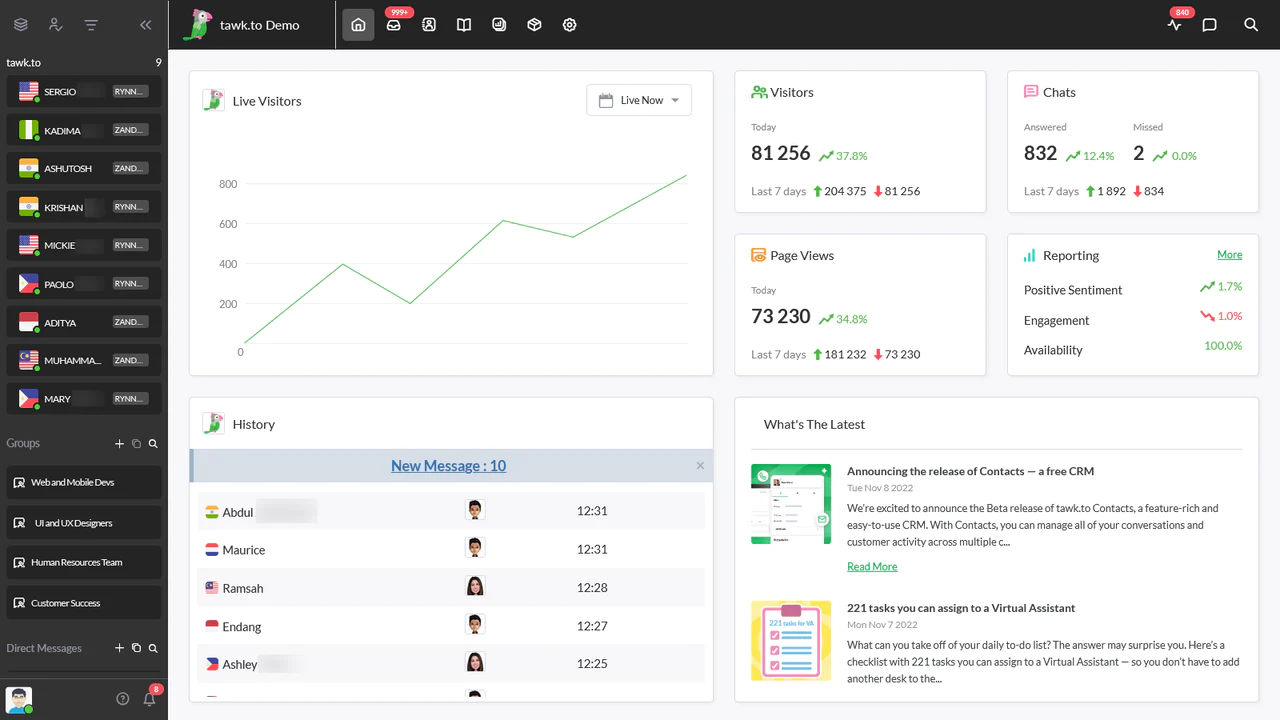
The addition of the Apollo AI Bot adds a new level of capability. You can instantly answer customer questions based on your own data, which makes it easier to provide 24/7 support without overwhelming your team. For businesses that need accurate, fast responses without human intervention, this is a major plus.
Along with the AI, you still get a clean interface, mobile apps, canned responses, and agent monitoring. If you’re running a lean operation and want solid support tools that scale, Tawk.to makes a compelling case, especially at no cost.
Pros:
- Canned replies to streamline common responses
- Apollo AI Bot to deliver instant, accurate answers from your data
- Live visitor monitoring to see who’s on your site in real time
- Easy widget customization to match chat to your site’s branding
Cons:
- Branding removal requires a paid add-on
- Advanced customization options are limited compared to premium tools
How Tawk.to Compares With Tidio: Tidio’s free plan caps out fast and pushes you toward paid tiers quickly. Tawk.to stays free with unlimited agents and now includes its own AI bot, which makes it the stronger pick if budget is the main constraint.
User Rating: 4.6/5 (Capterra)
Pricing: Free for all users.
10. Intercom – Best for Omnichannel Platform With Messenger and App
A friend of mine who runs customer operations at a SaaS company couldn’t stop talking about how much Intercom has streamlined their support process. What really impressed him was how easily their team could manage conversations across live chat, email, and in-app messaging, all in one place, with full context.
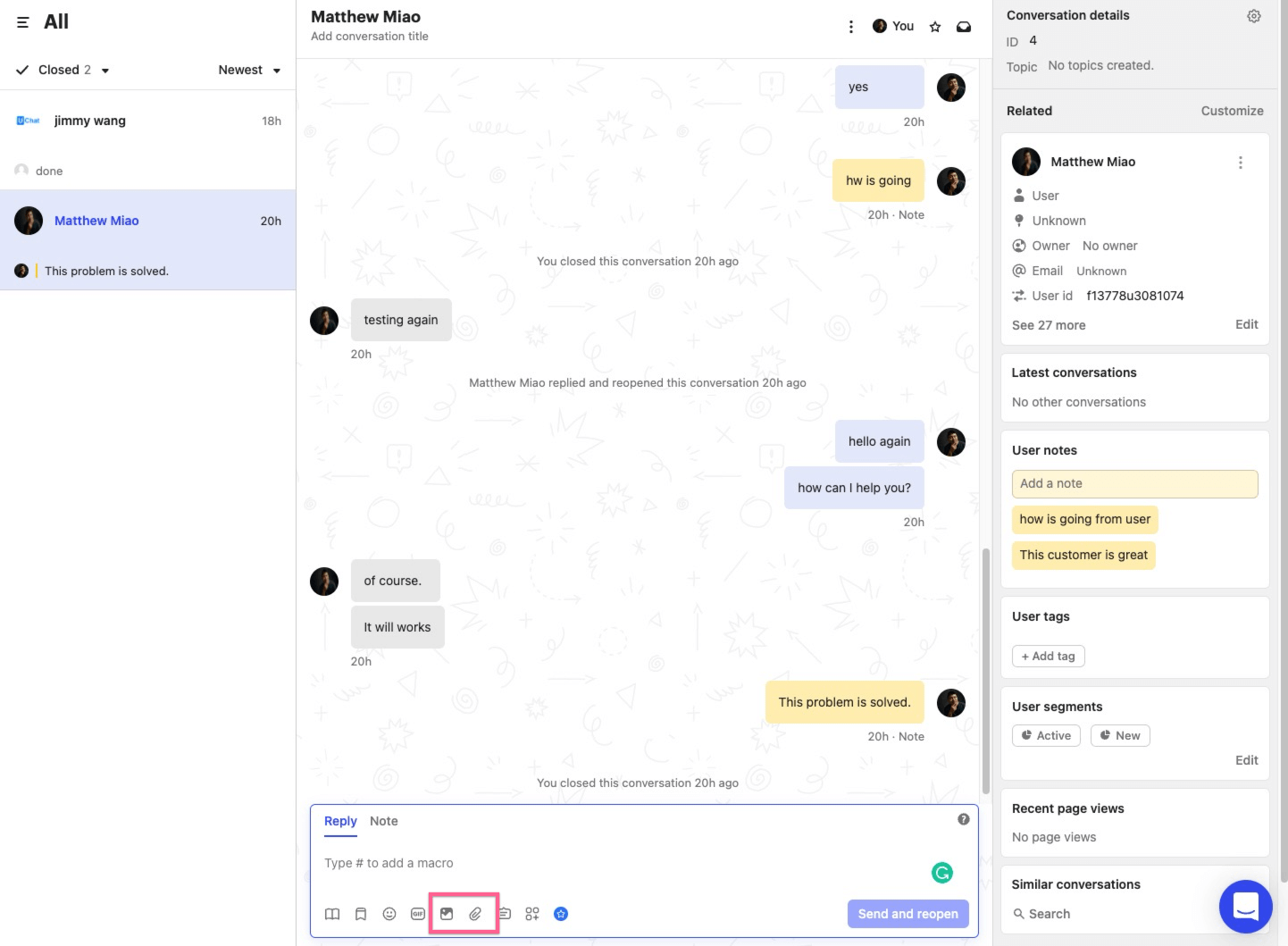
He also shared how their team recently started using Fin, Intercom’s AI Agent. It instantly handles common customer questions using your help center content, which cut their response time drastically and freed up the team to focus on more complex issues.
With features like smart chat routing, automation, and detailed customer profiles, Intercom delivers a unified and intelligent support experience. It’s a strong option for teams looking to combine real-time engagement with scalable automation.
Pros:
- Omnichannel support inbox to manage chat, email, and app messages together
- In-app messenger to provide help directly where users need it
- Automation and bots to handle FAQs and lead routing automatically
- User insights and context to respond faster with complete customer history
Cons:
- Premium features can get expensive as usage scales
- Some setup required to unlock full potential
How Intercom Compares With Tidio: Tidio’s AI works well for simple FAQs but doesn’t extend much beyond the chat widget. Intercom’s Fin AI Agent pulls from your full help center and sits inside a unified inbox with email and in-app messaging, which Tidio doesn’t offer natively.
User Rating: 4.5/5 (Capterra)
Pricing: Paid plans start at $29/seat/month.
How I Evaluated These Tidio Alternatives
When I put together a list of similar apps like Tidio, I don’t just skim feature pages or take marketing claims at face value. I look at how these tools hold up in real support queues, not demo environments. Here’s the framework I used for every tool on this list.
- User Reviews / Ratings: I start with verified feedback from Capterra, looking for patterns across dozens of reviews rather than one glowing or one angry post. If the same complaint or the same praise shows up again and again, that shapes my ranking.
- Core Features & Functionality: I focus on what actually matters for live chat: AI accuracy, omnichannel coverage, bot-to-human handoff, and whether reporting comes live or requires a manual export. A tool that lists “AI chatbot” as a feature but can’t train on your own content didn’t make the cut.
- Ease of Use: A platform can be powerful and still fail if your team dreads opening it. I paid attention to setup time, how intuitive the dashboard feels, and whether a non-technical support lead can configure a bot without a developer.
- Customer Support: Implementation is where most chat tools stumble. I looked at how fast support teams respond during setup, whether onboarding is hands-on, and how reviewers describe the experience when something breaks mid-conversation.
- Value for Money: I compared what you get at the pricing tier most growing teams would realistically land on, not the cheapest entry plan or the most expensive enterprise tier. The question I kept asking was whether the automation depth justified the cost.
- Personal Experience / Expert Insights: Wherever I could, I leaned on hands-on testing and patterns from support leads and ecommerce operators who’ve actually run these tools day to day, not just spec sheets.
Top 3 Tidio Alternatives
After comparing all ten platforms against each other, three consistently rose to the top for different reasons. These are my picks among the best Tidio alternatives, and which one fits depends on where Tidio has been letting you down.
1. ProProfs Chat
ProProfs Chat is my top overall pick because it solves the broadest set of problems Tidio users run into. Action-based AI agents that update orders and schedule meetings on their own, sentiment analysis that flags frustrated customers before they churn, and AI training pulled straight from your website and help center content. If you need one tool that handles both routine questions and real account actions, start here.
2. Crisp
Crisp earns its place when the priority is blending automation with a human touch. The visual flow builder and multilingual support let you build conversations that feel natural, and the shared inbox keeps chat, email, and social DMs in one dashboard instead of five tabs.
3. Intercom
Intercom is the right call if you’re a SaaS team that wants live chat, email, and in-app messaging under one login with real context on every customer. Fin, its AI Agent, pulls directly from your help center content, which is exactly what growing support teams need.
FREE. All Features. FOREVER!
Try our Forever FREE account with all premium features!
Find the Live Chat Tool That Actually Keeps Up With You
Tidio gets you started, but growth exposes the cracks: unpredictable conversation billing, bots that can’t take real action, and handoffs that leave customers repeating themselves. The right alternative depends on what’s actually breaking for your team, whether that’s cost, automation depth, or channel coverage.
If I had to pick one that solves most of these problems at once, it’s ProProfs Chat. Its AI agents complete real tasks like updating orders and scheduling meetings, not just answering FAQs, and sentiment analysis catches frustrated customers before they churn.
Start there with the free plan, point it at your website content, and run it alongside Tidio for a week before you commit to switching.
Frequently Asked Questions
Can I export my Tidio chat history and contact data before switching?
Most platforms support CSV or API-based data migration, but depth varies by tool. Confirm before switching whether the new platform imports past chat transcripts and contact records, not just your widget settings.
Which Tidio alternative works best for agencies managing multiple client sites?
Look for tools with white-labeling and multi-site management built in, since Tidio's branding and account structure aren't built for reselling across client accounts.
Do any of these tools offer a free plan to test before I commit?
Yes. ProProfs Chat and Tawk.to both offer genuinely free plans you can use to test core functionality before spending any budget.
How long does it take to train a new AI chatbot on my existing website content?
With tools like ProProfs Chat and YourGPT, you can point the AI at your website URL or help center and have a working bot in minutes, not weeks.
Which alternative is easiest to set up for a small team with no dedicated admin?
ProProfs Chat and Olark both report faster setup times and lower ongoing admin overhead compared to enterprise-oriented platforms like Zendesk Suite.
Do these platforms support GDPR compliance for regulated industries?
ProProfs Chat offers full GDPR compliance along with SSL encryption, which matters if you handle customer data across the EU or work in a regulated space.
What happens to chats that are still open when I switch chat providers?
Plan your switch for a low-traffic window and run both widgets briefly in parallel if possible, so open conversations get closed out on the old tool before you fully retire it.
Which Tidio competitor is best if my team mainly needs WhatsApp and Instagram support?
YourGPT and Intercom both handle WhatsApp and Instagram natively alongside website chat, so you're not bolting on a separate tool for social channels.
FREE. All Features. FOREVER!
Try our Forever FREE account with all premium features!

 We'd love your feedback!
What did you like & how can we make it even better?

 Thanks for your feedback!
 Ask Your Question
Have a question? Get expert help to make your decision easier.