


I’ve seen this happen too many times: silence can cost you a sale.
A visitor shows up, ready to buy, but they don’t get a quick answer, so they leave. I’ve been there.
I thought adding live chat would fix it, but it was only after I started following some tried-and-tested live chat tips that helped me keep the conversations and the sales going.
In this blog, I’m going to:
- Reveal 12 live chat tips that actually work
- Show you how to add live chat to your website (in case you don’t have one already)
Here we go!
What Is Live Chat in Customer Service?
Live chat is a real-time messaging tool that allows businesses to interact with website visitors instantly for support, sales, and engagement. It reduces response time, increases conversions, and improves customer satisfaction by enabling immediate, contextual conversations.
Because interactions happen instantly, businesses can answer questions, guide users, and resolve issues before visitors leave the website. This immediacy helps improve customer experience and build stronger relationships with potential customers.

What Problems Does Live Chat Solve?
Before we dive into the tips, let’s get clear.
Live chat directly addresses:
• Lost sales due to delayed responses
• High ticket volume from repetitive FAQs
• Visitors abandoning checkout pages
• Missed lead capture opportunities
• Slow resolution cycles
In fact, 40% of support teams use live chat as a primary tool, and 63.28% of consumers are willing to use it to contact support.
12 Live Chat Tips for Seamless Support and Engagement
Each customer support chat tip below includes the operational change required and the outcome you can measure so you can evaluate impact, not just implement advice.
1. Personalize Customer Interactions
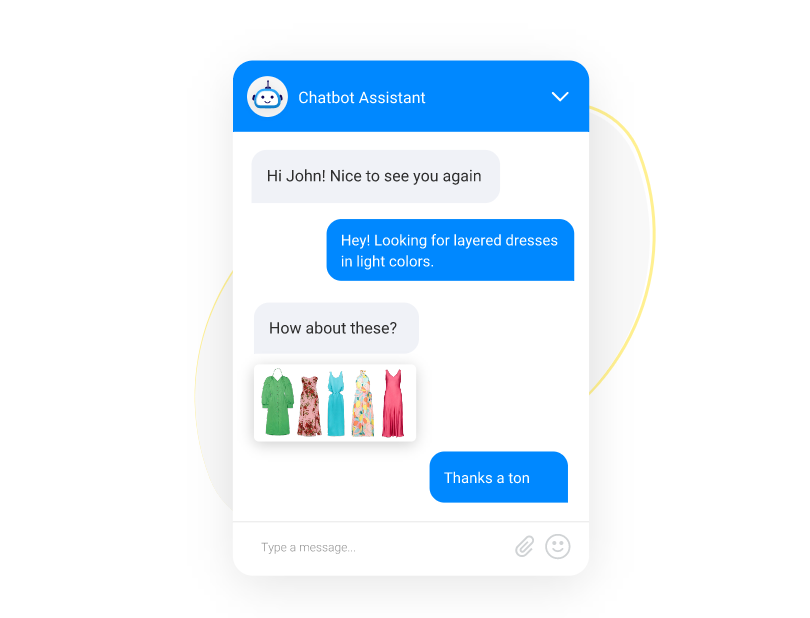
Live chat customization helps you build a strong connection with your customers. By addressing customers by name and referencing past interactions, you make them feel valued and understood.
As shown above, when an agent greets a returning customer like “Hi John! Nice to see you again” and tailors the conversation to their needs, it adds a personal touch.
CRM-integrated chat reduces average handle time because agents don’t re-ask for context the customer has already provided. This is measurable — track handle time before and after CRM integration.
2. Use AI Chatbots to Automate Support 24/7
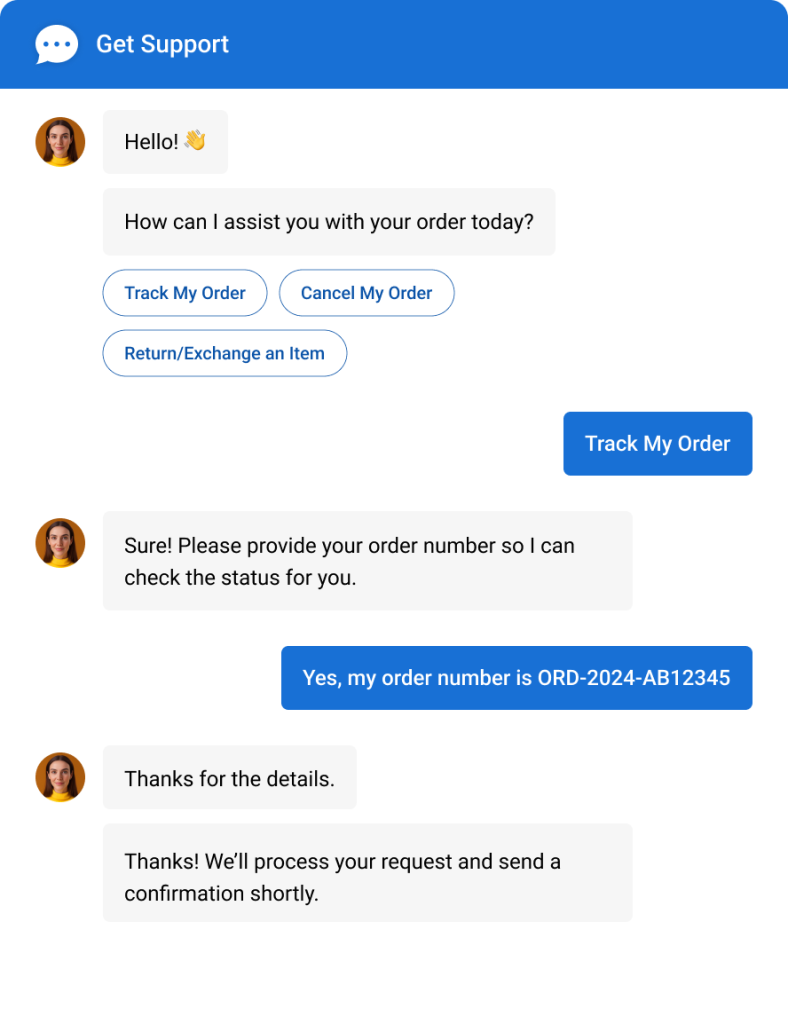
Use AI-powered chatbots as your first-response layer to keep support active 24/7. They can instantly answer FAQs, capture lead details, qualify prospects, and guide visitors to the right page. Train them using your FAQs, website content, or knowledge base to keep responses accurate and on-brand.
With ready-made templates, you can launch quickly without building flows from scratch. When conversations become complex, the bot transfers to a live agent.
The setup is only half the work. A bot that deflects successfully but passes zero context to the human agent forces customers to repeat themselves, and that’s where CSAT drops. Audit the handoff quarterly; the metric to watch is customer effort score (CES) on escalated chats versus bot-only resolutions.
2. Be Proactive in Customer Engagement
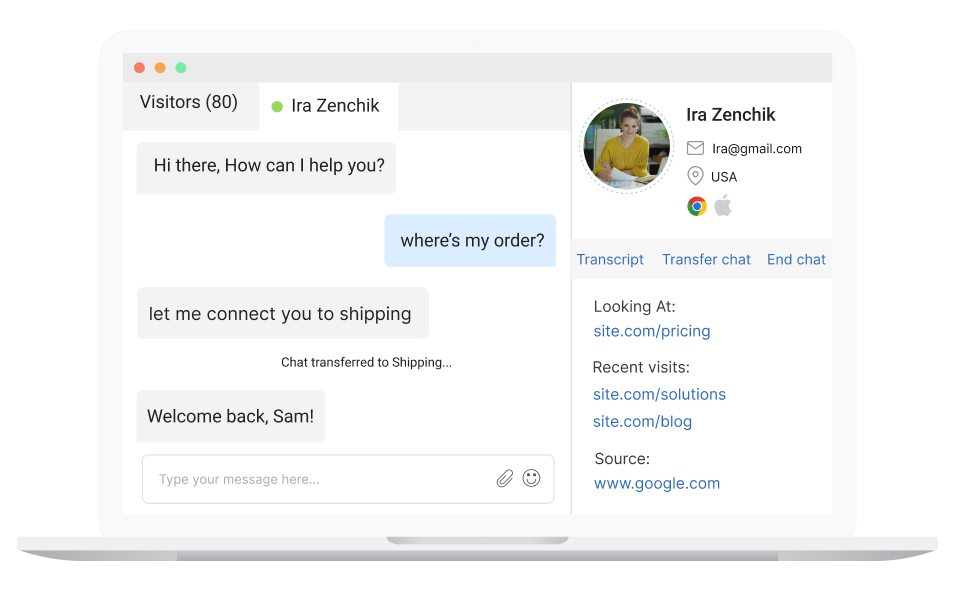
Instead of waiting for customers to reach out, anticipate their needs and offer assistance before they ask. If a visitor spends time on your pricing page, that’s a high-intent signal worth acting on — trigger a chat invitation rather than waiting.
Set time-on-page thresholds 45+ seconds on /pricing, for example, rather than triggering on page visits alone. Blanket triggers inflate chat volume without improving conversion. A/B test your message copy too; question-based openers (“Need help picking a plan?”) tend to outperform statements in most industries.
4. Use Canned Responses Wisely
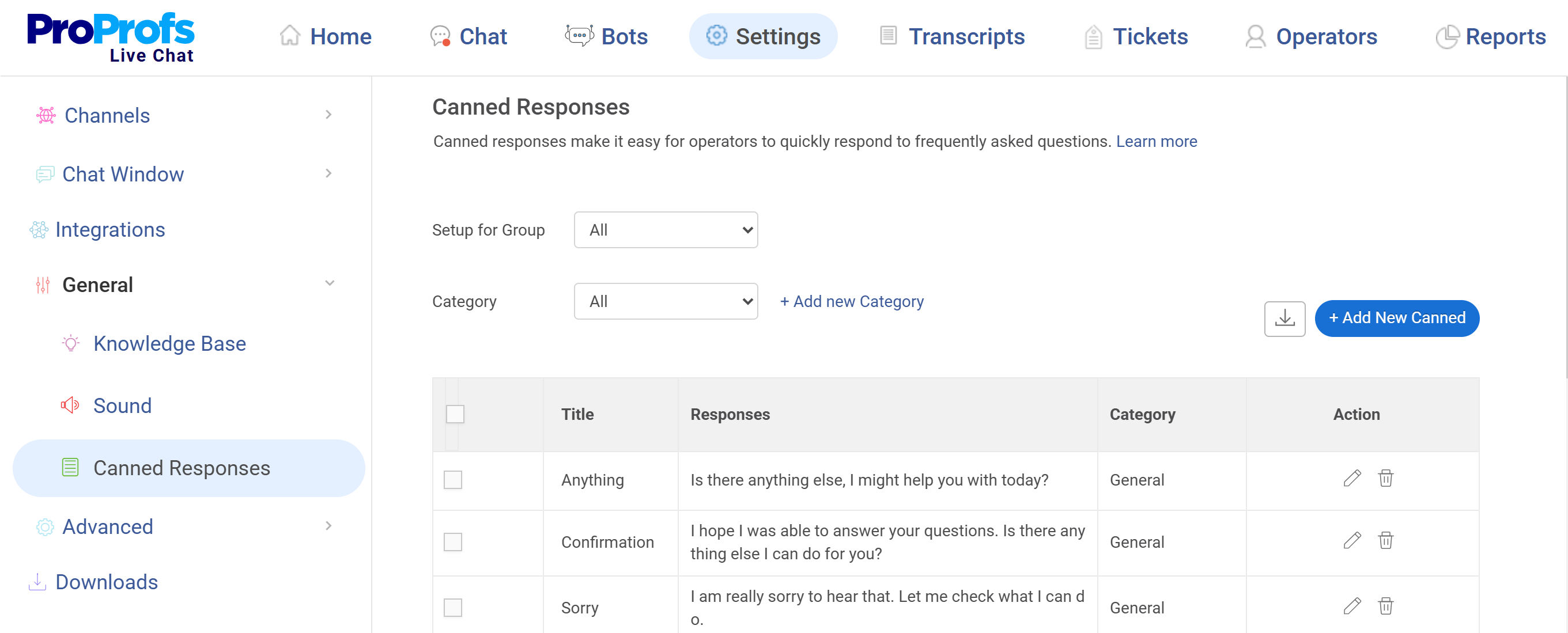
Canned responses speed up replies to frequently asked questions, but over-relying on them makes conversations feel robotic. Customize them to be context-specific.
For instance, instead of “Shipping takes 3–5 days,” say: “Shipping typically takes 3–5 business days, and we offer expedited options if you’re in a hurry!”
5. Optimize Chat Availability with Shift Scheduling
Set up shift schedules so your team covers key hours without burnout. For global audiences, rotating schedules help with time zones. Accessibility matters too — tools like ProProfs Chat include a built-in voice assistant, letting users speak instead of type.
Exec-level consideration: Before hiring to extend coverage hours, check your missed-chat report by hour. Many teams discover that 80% of missed chats happen in a 2–3 hour window that a single shift extension or bot coverage could solve — without additional headcount..
6. Set Clear Expectations for Response Times
One of the easiest ways to improve your live chat experience is by setting clear expectations. If a customer initiates a chat, let them know upfront how long it will take for you to respond.
For example, operators can use a message like, “Thanks for reaching out! I’ll be with you in just a minute“ or “Our average response time is 2-3 minutes.”
This helps customers understand that they won’t be left waiting forever, reducing the likelihood of them abandoning the chat out of frustration.
7. Implement Chat Routing for Faster Resolutions
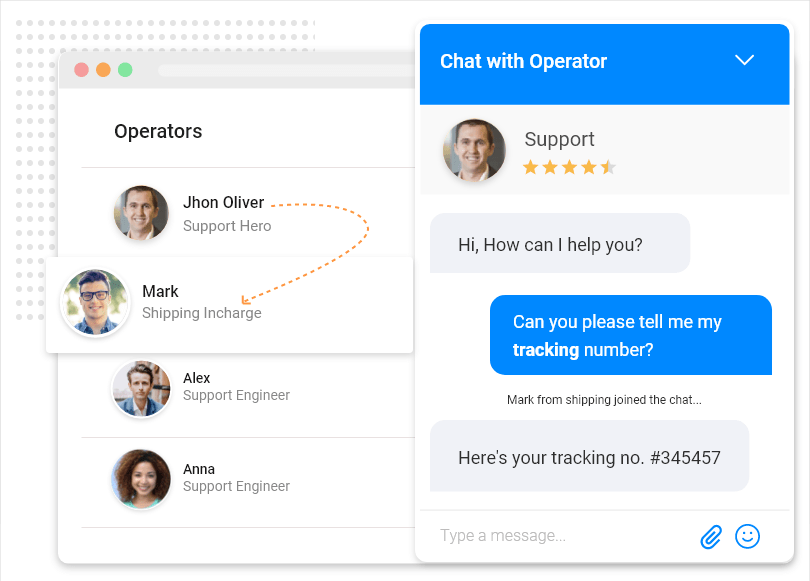
Routing chats to the right team reduces wait time and improves resolution speed. Intelligent routing uses visitor keywords and attributes such as location, time of day, and page visited to automatically assign chats. Returning customers can be routed to dedicated account managers.
Common misconfiguration: Teams set up routing rules at launch and never revisit them. As your team structure changes, stale routing logic silently sends chats to wrong queues. Schedule a routing audit every 6 months — check unassigned chat rate as your signal that something’s broken.
8. Offer Multilingual Support

Real-time language translation breaks barriers and makes support feel personal. A Spanish-speaking customer engages more and reports higher satisfaction when they can chat in their own language.
Before you build this out: Pull your chat volume by browser locale or IP country. If you have 5%+ traffic from a non-English locale with lower CSAT scores, that’s the business case for multilingual support. Don’t invest in this capability speculatively.
9. Set Up Escalation Paths Before You Need Them
Most teams define escalation reactively: a customer gets frustrated, an agent panics, and the handoff is messy. Instead, pre-define escalation triggers: issue type (billing disputes, legal complaints, technical outages), customer tier (enterprise vs. SMB), and sentiment signals (repeated negative keywords).
Document the path: chat → phone, chat → ticket, chat → senior agent. Agents should never have to improvise escalation mid-conversation.
Metric to track: Escalation rate by issue category. A rising escalation rate in a specific category usually signals a gap in your knowledge base or bot training, not an agent skill problem.
10. Train Agents on Handling Multiple Chats Efficiently
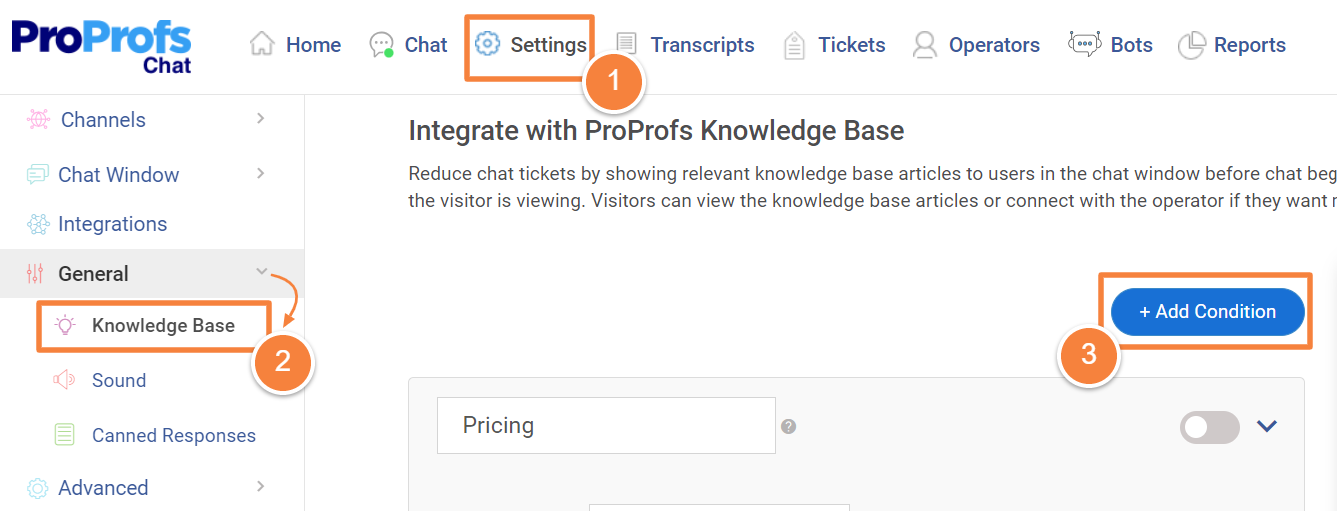
Use canned messages to speed up replies, smart routing to connect customers faster, and knowledge base articles for common questions. If a chat is missed, help desk integration converts it into a ticket.
The right concurrency benchmark: The industry standard is 2–3 simultaneous chats per agent, but this varies by complexity. A billing team handling account changes maxes out at 2; an FAQ-heavy e-commerce team can handle 4. Set concurrency limits in your tool; don’t leave it to the agent’s discretion.
11. Track and Improve Live Chat Performance
Track KPIs including response time, ratings, total chats, and missed chats via operator performance reports. Bot performance reports show chats transferred to agents, chats handled by bot, and bot engagement rate.
The KPIs most managers ignore: Missed chat rate by hour (not just daily totals), bot containment rate (% of chats the bot resolves without human handoff), and repeat contact rate (customers who chat more than once about the same issue — a direct indicator of first-contact resolution failure).
12. Gather Customer Feedback via Live Chat
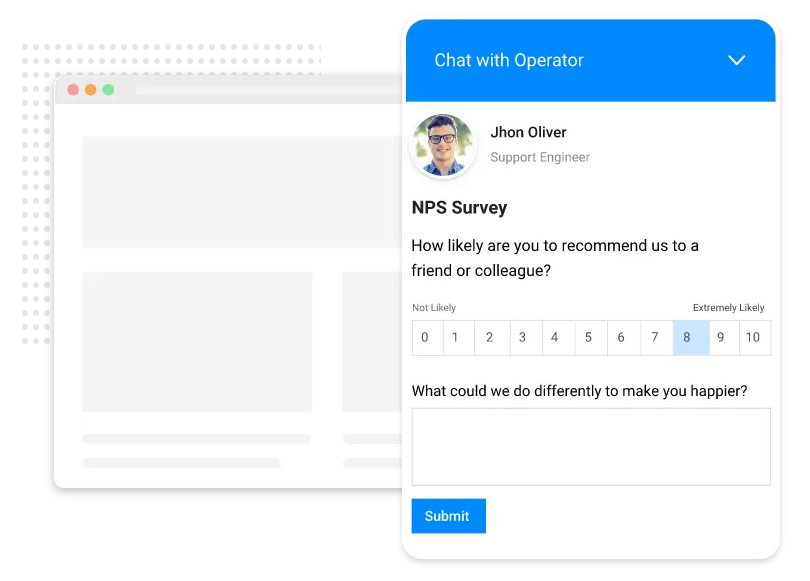
After resolving an issue, ask for feedback with a post-chat survey: “How was your experience today?“ or “How likely are you to recommend us?“ Use results to refine routing, staffing, and canned responses.
Close the loop: Feedback data is only useful if it feeds back into operations. Set a monthly review cadence where CSAT trends are tied to specific agents, routing rules, or bot flows — not just reported to leadership as a number.
How to Add Live Chat to Your Website
If you appreciate these tips and tricks but don’t have live chat on your website yet, don’t worry.
I’ll show you how to add it to your website. It’s easier than you might think. I use ProProfs Chat, and it offers two simple ways to get started—making setup quick and hassle-free.
Option 1: Use a Code Snippet
Step 1: Log in to your ProProfs Chat account and head to: Settings > Channels > Website
You’ll see a code snippet—copy it.

Step 2: Paste that snippet just before the </body> tag in your website’s code. That’s it!
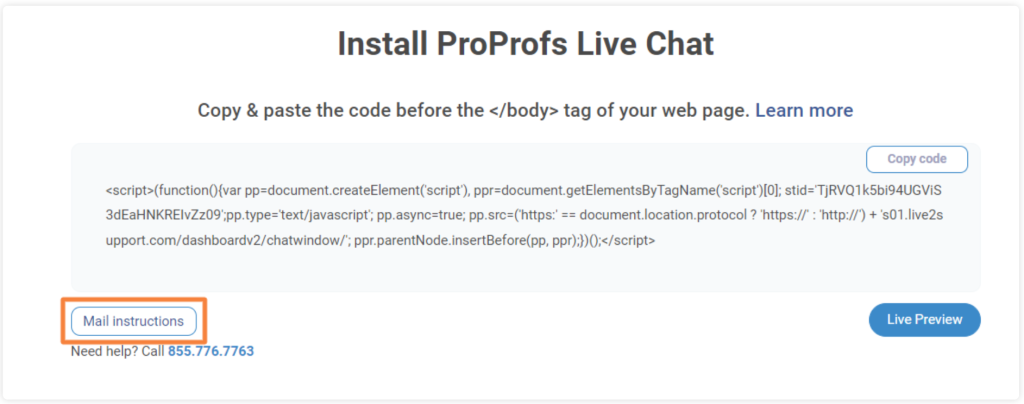
Step 3: If you want your developer to handle it, simply click ‘Mail instructions’ to send setup details directly from your dashboard.
Option 2: Use Google Tag Manager (GTM)
Step 1: Log in to your ProProfs Chat account. Click ‘Install Chat’ or go to:
Settings > Channels > Website
Step 2: Choose ‘Install via Google Tag Manager’.
Step 3: A Google Sign-In popup will appear. Enter your GTM account credentials.
Step 4: Once connected, installation starts automatically. You’ll see a confirmation message once it’s done.

FREE. All Features. FOREVER!
Try our Forever FREE account with all premium features!
Let Live Chat Drive Real Business Growth!
The 12 live chat support tips above aren’t about making chat “feel better” — they’re about making it measurable.
Audit your routing logic, set concurrency benchmarks, define escalation paths before incidents happen, and tie your CSAT data back to specific operational decisions. That’s what separates teams that report on chat from teams that improve it.
To get the most out of live chat, stay proactive, personalize conversations, and use automation wisely.
Try ProProfs Chat. It is simple to set up, includes ready-to-use chatbot templates, and supports 24/7 coverage.
Frequently Asked Questions:

When should you use proactive chat instead of reactive chat?
Proactive chat invitations work best on high-intent pages like pricing or checkout, while reactive chat is better for informational browsing pages.
What opening message works best in live chat?
Short, context-aware greetings that reference what the visitor is viewing perform better than generic “Hello” messages.
How fast should you respond to a live chat message?
You should ideally respond within 30 to 60 seconds because faster first replies significantly reduce abandonment and increase engagement.
How many chats should one agent handle at once?
Most agents can effectively manage two to three simultaneous chats without compromising response quality.
How do you balance speed and personalization in live chat?
You can balance speed and personalization by using structured templates while customizing key parts of each response.
How do you prevent visitors from abandoning live chat mid-conversation?
You can prevent abandonment by acknowledging delays, providing quick status updates, and avoiding long periods of silence.
How do you handle angry customers in live chat?
You handle frustrated customers by acknowledging their concern immediately, staying calm, and offering clear next steps.
When should live chat escalate to phone support?
Live chat should escalate to phone support when issues are complex, sensitive, or require detailed explanations.
How do you reduce live chat response fatigue for agents?
You reduce fatigue by using smart routing, canned responses, shift scheduling, and knowledge base shortcuts.
FREE. All Features. FOREVER!
Try our Forever FREE account with all premium features!

 We'd love your feedback!
What did you like & how can we make it even better?

 Thanks for your feedback!
 Ask Your Question
Have a question? Get expert help to make your decision easier.