
Every second of silence in live chat feels longer than it actually is. I’ve seen this happen often: a customer asks a question, and the agent pauses… trying to think of the right response. That small delay can break the flow of the conversation and sometimes even cost the sale. Live chat scripts help remove that hesitation.
In most teams I have worked with, the situation is similar. The team is small, customers ask the same questions again and again, and replies are expected instantly across multiple channels. When one person is juggling chat, email, and WhatsApp, writing every response from scratch is simply not practical. Scripts are not a shortcut. I see them as a useful tool that helps teams move faster without hurting the customer experience.
In this guide, I’ll help you:
- Understand why live chat scripts are a lifesaver
- Explore 20 ready-to-use live chat script templates (designed by our experts)
- Learn how to write live chat scripts (that don’t sound robotic)
What Are Live Chat Scripts and Why Do They Matter for Support Teams?
According to Forrester’s 2024 US Customer Experience Index, customer-obsessed organizations, those that put customer needs at the centre of all decisions, achieved 49% faster profit growth and 51% better customer retention than their peers.
Scripts ensure the experience is consistent regardless of which agent is online, what time it is, or how many conversations are happening at once.
The teams that benefit most are small ones. A support team of two or three people handling chat, email, and social messages simultaneously cannot maintain quality without a script library. Scripts give small teams the output capacity of a much larger operation without the headcount.
What Problems Do Live Chat Scripts Actually Solve?
Businesses lose sales when support teams repeatedly answer the same questions. Live chat scripts help businesses manage conversations efficiently at scale.
Let’s take a look at what issues scripts fix:
1. Repetitive Questions
Order status, pricing, refund policies, and onboarding questions repeat dozens of times per day. Scripts eliminate the time spent re-composing identical answers.
2. Inconsistent Tone
Without scripts, one agent sounds warm and human while another sounds like an FAQ page. Scripts align the entire team to a single standard.
3. Missed Disclosures
Legal language, privacy notices, and refund policy terms get skipped during busy periods. Scripts make these automatic.
4. Lost Sales
Visitors leave when no one responds fast enough. Sales-oriented scripts for greetings, product recommendations, and upsells keep those conversations alive.
5. Agent Burnout
Handling the same stressful situation 30 times a day without a framework is exhausting. Scripts reduce cognitive load and free agents to focus on complex issues that actually need human judgment.
Scripts are not the problem. Customers dislike responses that ignore their situation. These scripts are starting points, not rigid templates. Agents should adapt them to each conversation.
What Are the Best Live Chat Scripts Templates and Examples for Every Support Scenario?
This is a ready-to-use library of 20 live chat script templates covering every support scenario, from the first greeting to the final follow-up. Pick what fits, adapt the placeholders, and deploy.
1. General Greeting Scripts
The opening message sets the tone for the entire conversation. Keep it warm, brief, and make sure your agent’s name and company are clear from the first line.
| Example 1 |
| “Good day! Thanks for reaching out to [Company Name]. I’m [Agent Name]. What can I help you with today?” |
| Example 2 |
| “Hello! You’re chatting with [Agent Name] from [Company Name]. How can I assist you?” |
2. Greeting Scripts for Repeat Visitors
Acknowledging a returning customer by name immediately signals that you remember them and saves both sides from starting at zero. Customers who have to re-explain their history become frustrated fast.
| Example 1 |
| “Welcome back, [Customer Name]! Great to see you again. Is there anything new I can help you with, or is this related to your previous inquiry?” |
| Example 2 |
| “Hi [Customer Name]! Happy to have you back. What can we help you with today?” |
3. Chat Monitoring and Recording Disclosure Scripts
If your sessions are recorded for quality assurance, this disclosure must appear in your opening message. Skipping it creates legal exposure and erodes trust when customers find out later.
| Example 1 |
| “Just a quick note: this chat session may be monitored or reviewed for quality assurance purposes. Now, how can I help you today?” |
| Example 2 |
| “To help us improve your experience, we may review this chat. Ready to assist. What brings you in today?” |
4. Apologizing for a Problematic Situation
A good apology acknowledges the specific problem, takes ownership without deflecting, and moves immediately toward a resolution. Vague apologies without follow-through make angry customers angrier.
| Example 1 |
| “[Customer Name], I’m sorry you’re dealing with this. Let me pull up your account right now and see exactly what happened.” |
| Example 2 |
| “I completely understand why this is frustrating. Let me look into this immediately and get it sorted for you.” |
5. Scripts for Handling Angry or Upset Customers
Customers escalate when they feel unheard. The key is to acknowledge the emotion directly before pivoting to the solution. Scripted empathy followed by no action is the number one driver of further escalation.
| Example 1 |
| “Your concerns are completely valid, and I want to make this right. Give me a moment to review your case and I’ll come back with a concrete answer, not a workaround.” |
| Example 2 |
| “I hear you, and I’m not going to make you repeat yourself. Let me review everything on my end and give you a real update in the next two minutes.” |
6. Scripts for When You Cannot Fulfill a Request
Saying no is unavoidable. These scripts decline the request clearly while offering an alternative so the customer leaves with something useful rather than just a closed door.
| Example 1 |
| “I genuinely want to help with this, but that request is outside what I’m able to do right now. Here’s what I can do instead: [alternative].” |
| Example 2 |
| “We’re not able to process that at this time. What I can do is [alternative action]. Would that work for you?” |
7. Scripts for Escalating to a Supervisor or Senior Agent
When an issue exceeds your authority or expertise, escalate quickly and frame it as a benefit to the customer, not a failure on your part.
| Example 1 |
| “This is something I want to make sure gets handled correctly. Would you be okay with me connecting you to my supervisor, who has more authority to resolve this for you?” |
| Example 2 |
| “I want to make sure you get the best possible resolution here. Let me bring in my manager. They can authorize options I’m not able to offer directly.” |
8. Scripts for Putting a Customer on Hold
Always ask permission before placing a customer on hold. Never disappear without context. Give a time estimate when you can, as vague holds are one of the top sources of customer frustration.
| Example 1 |
| “Would you mind if I put you on hold for just a moment? I want to pull up the right information before I respond.” |
| Example 2 |
| “I need about 60 seconds to check this for you. Is it okay if I put you on hold briefly?” |
9. Scripts for Thanking Customers After a Hold or Wait
The moment you return from a hold is a reset point. Acknowledge the wait, thank them genuinely, and get straight back to solving the problem.
| Example 1 |
| “Thank you for your patience. I have the information you need right here.” |
| Example 2 |
| “Sorry for the wait, and thank you for holding. Here is what I found: [information].” |
10. Scripts for Transferring to Another Agent or Department
Always brief the receiving agent before completing the transfer. The single biggest complaint about transfers is customers having to repeat their problem from scratch to a second agent. Prevent it every time.
| Example 1 |
| “I’m going to connect you with [Agent Name] from our [Department] team. They’re the right person for this, and I’ll share your full case details so you won’t need to repeat anything.” |
| Example 2 |
| “[Customer Name], let me transfer you to someone who can handle this directly. One moment while I bring them up to speed on your situation.” |
11. Queue and Wait Time Scripts
Customers in a queue need two things: an honest time estimate and confirmation they have not been forgotten. Give them both upfront.
| Example 1 |
| “All of our agents are currently assisting other customers. Your estimated wait time is [X] minutes. We’ll be with you shortly.” |
| Example 2 |
| “You’re in the queue and your wait time is approximately [X] minutes. We appreciate your patience and will be right with you.” |
12. Scripts for Asking for Additional Information
When you need more context, frame the request as something that helps the customer get a faster answer, not a delay tactic.
| Example 1 |
| “To make sure I’m pulling up the right details, could you share your order number or the email address on your account?” |
| Example 2 |
| “I want to give you an accurate answer here. Could you walk me through exactly what happened so I can look into the right area?” |
13. Scripts for Asking for Billing or Sensitive Information
Always explain why you need the information before asking for it. Reason first, request second. This order reduces discomfort and increases compliance.
| Example 1 |
| “To locate your account and pull up your order, could you confirm the billing address on file? It helps me find the right record quickly.” |
| Example 2 |
| “For account security, I’ll need to verify your identity before we proceed. Could you confirm your date of birth or the last four digits of your SSN?” |
14. Proactive Sales and Engagement Scripts
Proactive chat messages triggered by visitor behavior, such as time-on-page, cart activity, or product browsing, consistently outperform reactive support in conversion outcomes. The key is timing. A message that arrives at the right moment feels helpful. One that arrives too early feels intrusive.
| Example 1 |
| “Hi there! Looks like you’ve been checking out [Product Name]. Any questions I can answer to help you decide?” |
| Example 2 |
| “Hey [Customer Name], you’ve got some items in your cart. Can I answer any questions before you check out, or would you like help with a promo code?” |
15. Scripts for Communicating Promotions and Discounts
Promotion scripts work best when they feel like a tip-off from a helpful agent rather than a broadcast. Make it feel time-relevant and specific to what the customer is already looking at.
| Example 1 |
| “Quick heads up: [Product Name] is currently on sale at [X]% off. Want me to apply that to your order right now?” |
| Example 2 |
| “You’ve qualified for our [Promotion Name] deal. Want to take advantage of it before it expires at [time/date]?” |
16. Cross-Sell and Upsell Scripts
The best upsell scripts reference what the customer already chose and frame the add-on as a natural complement, not a separate pitch inserted out of nowhere.
| Example 1 |
| “A lot of customers who pick up [Product 1] also grab [Product 2]. They work really well together. Want me to add it to your cart?” |
| Example 2 |
| “Since you’re already getting [Product 1], [Product 2] is a natural add-on that most customers find useful. Want to take a quick look?” |
17. Scripts for Requesting Screen Sharing or Co-Browsing
Asking to view a customer’s screen requires a careful approach. Lead with the benefit to them and always make it clear it is optional and limited to what is needed.
| Example 1 |
| “It would help me resolve this much faster if I could see exactly what you’re seeing. Would you be comfortable sharing your screen for a moment?” |
| Example 2 |
| “To pinpoint the issue quickly, I’d like to co-browse with you. That means I can see the same page you’re on without accessing anything else on your device. Is that okay?” |
18. Follow-Up Scripts After a Resolved Issue
A follow-up message after resolution shows customers you are invested in outcomes, not just closing tickets. Keep it short and genuinely curious rather than formulaic.
| Example 1 |
| “Hi [Customer Name]! Just checking in. Has the issue we resolved last time stayed fixed, or is there anything still causing trouble?” |
| Example 2 |
| “Hey [Customer Name]! We wanted to follow up and make sure everything is working smoothly on your end. Let us know if anything has come up since we last spoke.” |
19. Scripts for Closing a Live Chat Session
A strong closing leaves the customer feeling taken care of and gives them a clear path back if they need more help. Never just disappear after resolving the issue.
| Example 1 |
| “Thanks for chatting with us today, [Customer Name]. If anything else comes up, don’t hesitate to reach out. Have a great day!” |
| Example 2 |
| “Glad we could sort that out. You can also reach us at [email] or [phone] if you need support outside of chat hours. Take care!” |
20. Scripts for Requesting a Review or Feedback
The right moment to ask for a review is immediately after a positive resolution, while the good experience is still fresh. Keep the ask short and make it easy to act on.
| Example 1 |
| “We’re really glad we could help today. If you have a moment, we’d love to hear your feedback. You can leave a quick review at [review link]. It means a lot to the team.” |
| Example 2 |
| “Happy we got that sorted for you! If you’re satisfied with the support, a quick rating at [link] would go a long way. Totally optional but we really appreciate it!” |
How Do Live Chat Scripts Compare to Email Templates and Phone Scripts?
Each channel has its own rhythm, and the same message rarely works across all three. Companies with strong multi-channel engagement retain significantly more customers than those with weak cross-channel support. Scripts tailored to each channel are a core part of delivering that consistency.
| Criteria | Live Chat Scripts | Email Templates | Phone Scripts |
|---|---|---|---|
| Tone | Conversational, brief | Formal or semi-formal | Verbal, warm |
| Length | 1 to 3 sentences | 1 to 3 paragraphs | 2 to 5 spoken sentences |
| Response Speed | Seconds | Hours to days | Immediate |
| Personalization | Name plus live context | Merge fields | Real-time reading cues |
| Best Use | Quick resolution, real-time sales | Complex info, documentation | Emotional situations, escalations |
Live chat scripts are uniquely suited for speed and real-time context. They fall short when agents treat them as word-for-word mandates rather than flexible frameworks. The best results come from teams that combine solid scripts with agents who know when to adapt.
FREE. All Features. FOREVER!
Try our Forever FREE account with all premium features!
How Do You Write a Live Chat Script That Does Not Sound Robotic?
The difference between a script that converts and one that gets ignored comes down to three things: specificity, warmth, and flexibility. Research shows customers dislike scripted empathy without action. Phrases like “I regret the inconvenience” with no solution increase frustration. The better approach is simple: acknowledge the issue first, then move straight to the solution.
- Write for one scenario at a time. A script that tries to cover three situations at once covers none of them well.
- Use the customer’s name once or twice, not five times. Overuse feels forced, and customers notice it immediately.
- Build in flexibility markers. Placeholders like [describe issue] and [alternative solution] signal to agents that personalization is expected, not optional.
- Lead with action, not empathy theater. ‘Let me pull this up right now’ lands better than ‘I deeply understand your frustration.’
- Be transparent about handoffs. Customers want to know if they are talking to a bot or a human, and according to Gartner (2025), 95% of customer service leaders plan to retain human agents to strategically define AI’s role.Give them clarity upfront and make the path to a human effortless when they need it.
- Test scripts using mock chat examples before rolling them out. Run through each script with your team in a simulated conversation and listen for anything that sounds unnatural. If it is awkward in practice, it will be awkward in production.
- Review scripts quarterly using real chat transcripts. The gaps and outdated language will be obvious.
The best scripts read like something your smartest, most empathetic agent would say on their best day. That is the standard worth building to.
Create Chat Scripts That Save Time and Win Customers
Live chat scripts are not a shortcut to good customer service. They are the infrastructure that makes consistent, high-quality service possible at scale. Whether you are a two-person team trying to cover multiple channels or a growing SaaS company onboarding new support agents every month, a well-organized script library is one of the highest-leverage investments you can make.
A few tips before you deploy your script library: start with the five scenarios your team faces most often and build from there. Review scripts quarterly using real chat transcripts and the gaps will surface quickly. Train agents to treat scripts as a starting point, not a word-for-word recitation. And make sure your library lives inside your chat tool, not in a folder nobody opens during a live conversation.
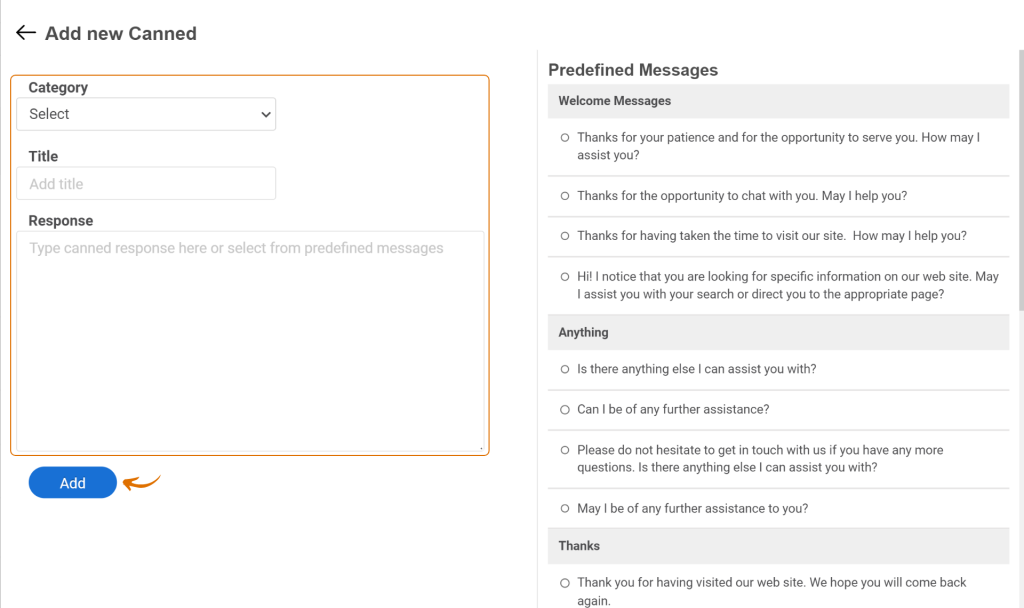
If you want a platform that makes building, managing, and deploying live chat scripts genuinely easy, ProProfs Chat is worth a look. It is built for teams that want fast ROI without a complicated setup, and it includes the canned response library your agents will actually use when it counts.
Frequently Asked Questions

Can live chat scripts be used for chatbots as well as human agents?
Yes, and they should be. Chatbot conversation scripts follow the same logic as human scripts but are structured as decision trees or intent-based flows. The bot handles the first layer, covering greetings, FAQs, order status, and basic qualification, and hands off to a human agent with full context when the conversation requires judgment. The key is making the transition seamless so customers do not have to repeat themselves.
How do you use chat scripts for lead capture and qualification?
Lead capture scripts ask for contact details, including name, email, phone number, and product interest, in a conversational way rather than a form-style interrogation. The most effective approach is to provide value first, such as answering a question or offering a resource, and then ask for contact information as a natural next step. Scripts that qualify leads also include questions about budget, timeline, or use case depending on the product.
What chat scripts work best for eCommerce stores?
eCommerce teams get the most value from four script types: order status scripts that pull up tracking information quickly, cart abandonment scripts that re-engage visitors before they leave, promotion scripts that apply discounts in real time, and return or refund scripts that resolve issues without escalation. Scripts tied to specific product pages or cart values perform best because they are contextually relevant rather than generic.
How should chat scripts handle the bot-to-human handoff?
The handoff script should do three things: tell the customer they are being connected to a human agent, confirm that the agent has their conversation history, and set an honest expectation for wait time. The worst handoffs ask the customer to repeat their issue. A good handoff script sounds like this: 'I'm connecting you with a support agent who can see your full conversation. No need to start over. Estimated wait is [X] minutes.'
Should you tell customers they are talking to a bot?
Yes. Customers increasingly expect transparency about AI interactions, and scripts that disguise bots as human agents create distrust when the deception becomes obvious, which it usually does. A simple disclosure like 'You're chatting with our virtual assistant' upfront builds more trust than a mid-conversation reveal. If your bot can resolve the issue, customers rarely care whether it is human or automated.
What are the most common live chat scripts for SaaS companies?
SaaS support teams rely most heavily on onboarding scripts that walk new users through setup, feature explanation scripts that respond to how-does-X-work questions, billing and upgrade scripts for plan-change inquiries, and bug report acknowledgment scripts that set expectations on resolution timelines. Scripts for trial-to-paid conversion, triggered when a trial user is active but has not upgraded, are also high-value for SaaS teams specifically.
Can the same scripts be used across WhatsApp, website chat, and Instagram?
The core content can be the same, but the format needs to adjust per channel. WhatsApp and Instagram support shorter messages and work better with casual, conversational language. Website chat can handle slightly longer responses. Instagram DMs often come from mobile users and respond better to brief, punchy messages. The script framework stays consistent while the packaging adapts to where the customer is.
What is the right length for a live chat script?
Most live chat scripts should be one to three sentences. Customers in a chat window are not reading essays. They are scanning for the answer to their specific question. If a response requires more than three sentences, consider whether it belongs in a follow-up email rather than the chat window. The exception is technical walkthroughs, which can be longer but should use numbered steps rather than dense paragraphs.
How do you train agents to use chat scripts without sounding scripted?
The most effective training approach is to present scripts as sentence starters rather than complete responses. Agents read the script, internalize the intent, and then deliver it in their own voice with the customer's name and specific situation woven in. Role-play exercises where agents practice deviating naturally from the script, rather than reading it verbatim, build confidence faster than memorization. Scripts should be reviewed in team meetings using real chat examples to reinforce natural usage.
FREE. All Features. FOREVER!
Try our Forever FREE account with all premium features!

 We'd love your feedback!
What did you like & how can we make it even better?

 Thanks for your feedback!
 Ask Your Question
Have a question? Get expert help to make your decision easier.