Picture this: a shopper lands on your product page at 11 PM, has one question about sizing, and cannot find the answer. No live agent. No response. They leave. That sale is gone.
The right eCommerce chatbot makes sure that scenario never plays out again. I have spent months testing these tools across real store environments, watching how they handle product questions, cart recovery, and handoffs under pressure.
What separates a chatbot that drives revenue from one that frustrates customers comes down to three things: how well it is trained on your content, how deep it integrates with your stack, and how gracefully it escalates when it hits its limits.
This guide cuts through the noise so you can make that decision with confidence.
What Is an eCommerce Chatbot?
Unlike basic live chat widgets, modern eCommerce chatbots are trained on your product catalog, help content, and FAQs. They do not just answer questions. They guide purchase decisions, handle post-sale support, and hand off to a human agent with full conversation context when a query goes beyond their scope.
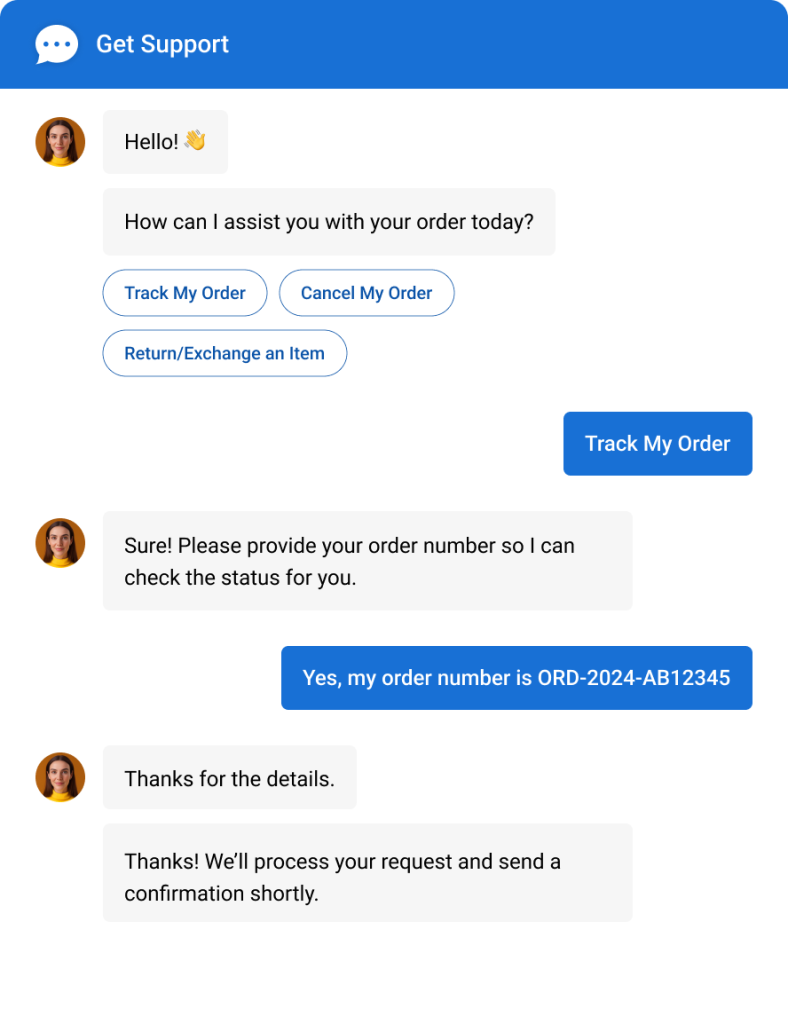
Here is what the best ones do consistently:
- Answer product, pricing, and shipping questions instantly from your own content
- Recover abandoned carts through automated follow-up conversations
- Qualify leads with branching question flows before connecting them to sales
- Handle order status and return requests without a human involved
- Escalate to a live agent seamlessly when needed, with context intact
- Work across your website, WhatsApp, Facebook Messenger, and Instagram in one dashboard
Top 11 eCommerce Chatbots to Boost Sales and Conversions
I evaluated these tools through hands-on testing, peer recommendations, and verified reviews on G2, Capterra, and Gartner. Here is the at-a-glance summary:
| eCommerce Chatbot | Best For | Pricing | User Rating |
| ProProfs Chat | Easy live chat & AI customer service agent for instant, automated support | Free plan available. Paid from $19.99/operator/month | 4.8/5 (Capterra) |
| Chatfuel | Social commerce on Facebook and Instagram | From $29/month | 4.5/5 (G2) |
| Intercom | SaaS and mid-market stores with complex support workflows | From $74/month | 4.5/5 (G2) |
| Pandorabots | Advanced NLP customization and analytics | Free plan available. Paid from $19/month | 4.2/5 (G2) |
| Engati | Unified inbox across multiple chat channels | From $5/day | 4.4/5 (G2) |
| Botsify | Conversational lead generation forms | From $49/month | 4.3/5 (G2) |
| YourGPT | Omnichannel AI agent for Support and Sales | 7-day free trial. Paid from $39/month (billed annually) | 4.7/5 (G2) |
| Tidio | Shopify and WooCommerce stores | Free plan available. Paid from $29/month | 4.7/5 (Capterra) |
| Drift | B2B eCommerce and pipeline acceleration | Custom pricing, from ~$2,500/month | 4.4/5 (G2) |
| ManyChat | Instagram and Facebook DM automation | Free plan available. Paid from $15/month | 4.6/5 (G2) |
| GetMyAI | Fast AI answers for product-heavy websites | Free plan available. Paid from $29/month | 4.3/5 (G2) |
1.ProProfs Chat – Best for Easy Live Chat & AI Customer Service Agent for Instant, Automated Support
I integrated ProProfs Chat into our operations specifically because we needed 24/7 coverage without expanding the support team. What stood out immediately was how fast the AI agent went from setup to actually useful. You train it by pointing it at your website URL, uploading product documentation, or connecting your knowledge base, and it starts answering product questions, handling FAQs, and qualifying leads the same day.
For eCommerce specifically, the branching conversation flows let you ask multiple-choice and open-response questions to qualify visitors before routing them to sales. Beyond answering questions, AI agents can also complete actions like updating Shopify orders or triggering notifications, making conversations much more productive. The bot can book appointments, capture leads, and push contact data directly into Salesforce, HubSpot, Zoho, or Shopify without custom code.
The reporting dashboard is where the tool earns its keep long-term. AI bot performance analytics show you exactly where the bot is winning and where it is falling short, right down to unresolved query logs and transfer rates. Sentiment analysis tracks how customers feel across conversations, so you can spot friction before it becomes churn. Risk prediction flags high-frustration interactions in real time, giving your team a window to step in before the conversation goes sideways.
Want to experience an eCommerce chatbot firsthand? Try it now!
For agencies managing multiple client stores, ProProfs Chat supports multi-domain deployment with white-label options. The bot looks like your client’s product, not a third-party widget. It also works seamlessly with ProProfs Knowledge Base and ProProfs Help Desk, giving businesses a connected AI, self-service, and live support experience from a single platform.
Pros:
- Train AI chatbot on your website URL, uploaded documents, or knowledge base without any coding required
- Every AI response is grounded in your own content with source citations for greater accuracy.
- AI agents can automate actions such as updating Shopify orders and triggering notifications directly from chat.
- Sentiment analysis and risk prediction surface at-risk conversations before they escalate
- Proactive chat invitations based on visitor behavior recover at-risk sessions before customers leave
- AI bot performance analytics and resolution reporting drive continuous improvement from real data
- Customer Delight Suite bundles live chat, help desk, knowledge base, and survey tools in one platform
Cons:
- Cloud-only; no offline or self-hosted deployment
- No dark theme for the chat interface
User Rating: 4.8/5 (Capterra)
Pricing: A free plan is available for growing teams. Paid plan starts at $19.99/user/month.
See how Horse Saddle Shop used ProProfs Chat to deliver 24/7 multilingual support across their eCommerce site without adding headcount.

2. Chatfuel – Best for Social Commerce on Facebook and Instagram
Chatfuel is built specifically for social-first eCommerce: stores where a significant portion of discovery and purchasing happens on Facebook and Instagram. The platform lets you build an AI chatbot in minutes without writing code, connecting it directly to your social profiles to handle DM inquiries, automate FAQ responses, and run comment autoreplies at scale.
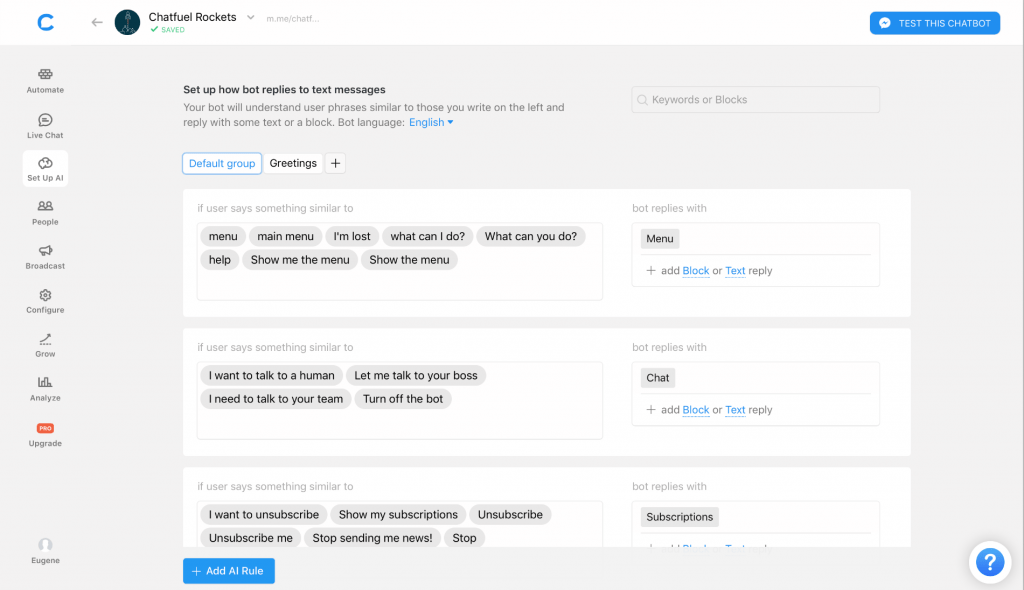
What I found useful during testing was the keyword rules feature. You set triggers for specific words in a customer message and the bot responds with the right reply every time. For stores running frequent promotions or product drops, this reduces the volume of repetitive DMs that would otherwise hit a human inbox. The built-in stats block shows performance per chatbot flow, so you can see which responses are working and which need revision.
The limitation is scope. If your support needs extend beyond Facebook, Instagram, and Telegram, Chatfuel requires additional tools to fill the gaps.
Pros:
- Native Facebook, Instagram, and Telegram integration with no-code setup
- Keyword rules trigger specific bot responses for common queries automatically
- Comments Autoreply engages users who comment on your social posts without manual effort
- Built-in block-level analytics to measure chatbot performance per flow
- AI chatbot builder deploys in under five minutes with no developer involvement required
Cons:
- Advanced analytics and features gated behind higher-tier plans
- Limited multilingual support for international stores
User Rating: 4.5/5 (G2)
Pricing: Starts at $29/month.
3. Intercom – Best for Mid-Market eCommerce With Complex Support Workflows
Intercom’s AI agent, Fin, is built on large language models and draws answers from your existing help content. For mid-market eCommerce stores with a substantial knowledge base and complex customer journeys, Fin reduces tier-1 volume without requiring manual flow-building.
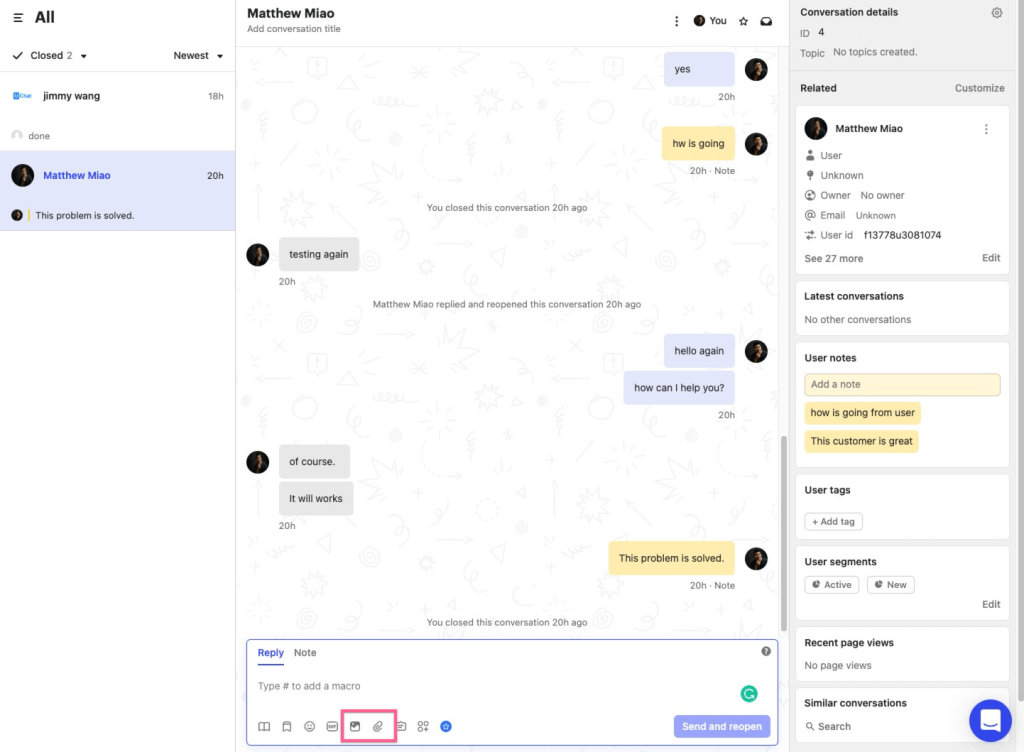
What impressed me during testing was how well it handles multi-step conversations: return eligibility checks, account-specific questions, and warranty queries that require context across multiple turns.
The workflow builder lets you automate repetitive tasks and create customized customer journeys using pre-built templates. The integration with Intercom’s broader platform covers ticketing, customer data, and proactive messaging in one dashboard.
The tradeoff is cost and complexity. Intercom’s AI customer service capabilities come at a price that scales steeply with seat count and usage, and the setup process has a learning curve for teams new to the platform.
Pros:
- Fin AI agent handles multi-turn conversations accurately from your help center content
- Deep integration with Intercom’s inbox, ticketing, and CRM tools in one unified platform
- Proactive messaging and behavioral triggers engage high-intent visitors before they bounce
- Strong resolution rate tracking and reporting across every support channel
- Pre-built workflow templates speed up automation setup for common eCommerce support scenarios
Cons:
- Pricing becomes expensive quickly as team size and usage grow
- Steeper configuration requirements for advanced automation and bot workflows
User Rating: 4.5/5 (G2)
Pricing: Starts at $74/month.
4. Pandorabots – Best for Advanced NLP Customization and Bot Analytics
Pandorabots is a versatile chatbot development platform built for teams that want deep control over how their bot thinks, not just how it looks. The platform uses AIML (Artificial Intelligence Markup Language) scripting alongside machine learning, giving developers the ability to build highly customized conversation logic and adaptive responses that go beyond what visual no-code builders can produce.
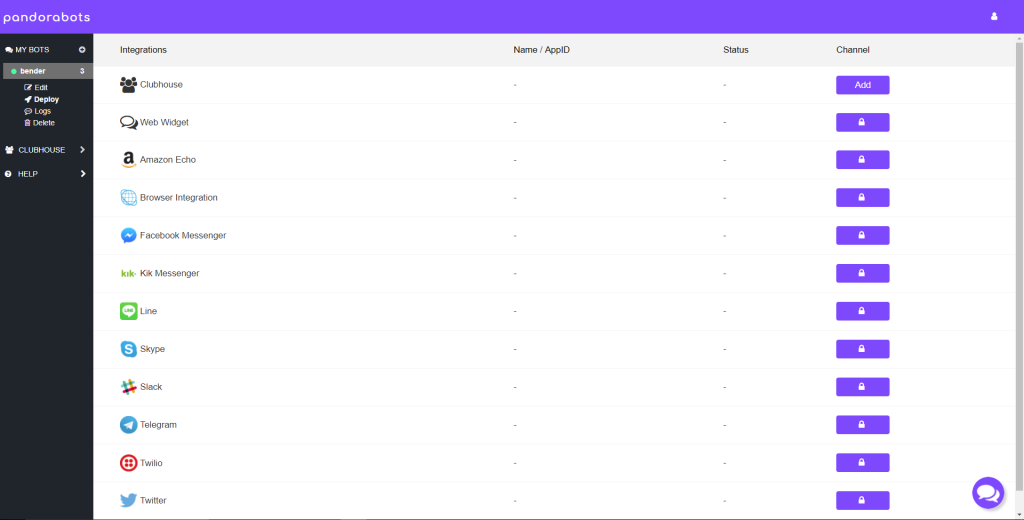
The analytics tools are a genuine strength. During testing, the insights on user interactions were detailed enough to identify exactly where conversation flows were breaking down and what questions were triggering fallback responses.
For eCommerce teams with developer resources who want a chatbot precisely tuned to their catalog and support use cases, Pandorabots offers a level of customization that most SaaS tools cannot match. The tradeoff is implementation time. It is significantly higher, and the absence of strong pre-built templates means you are building more from scratch.
Pros:
- AIML scripting plus machine learning for adaptive, highly customized bot responses
- Rich media and card support for visual product interactions within the chat window
- Cross-platform deployment across website, mobile, and messaging apps from one build
- Detailed analytics on user interactions to identify flow breakdowns and retrain accurately
- External API integration support for connecting the bot to custom backend systems and catalogs
Cons:
- Higher development time for complex conversational flows; not a quick-deploy option
- Limited pre-built eCommerce templates compared to platforms like Tidio or ProProfs Chat
User Rating: 4.2/5 (G2)
Pricing: Free plan available (chatbot training feature excluded). Paid plans start at $19/month.
5. Engati – Best for Unified Inbox Across Multiple Chat Channels
Engati is a conversational AI platform powered by eSenseGPT, and its primary value for eCommerce stores is channel consolidation. The OneView Inbox pulls in interactions from website chat, WhatsApp, Facebook, Instagram, and other channels into a single dashboard, so your support team is not toggling between five different tools to manage customer conversations.
The unified inbox for omnichannel customer support is the feature I kept returning to during evaluation. For stores running active social selling alongside website support, the ability to manage everything from one place eliminates the context-switching that slows down response times.
The platform includes pre-built templates, a drag-and-drop bot builder, and live agent handoff. Where I noticed friction was in context retention during longer conversations, where the bot occasionally lost thread of earlier exchanges and affected resolution quality on complex queries.
Pros:
- OneView Inbox consolidates website, WhatsApp, Facebook, and Instagram into one dashboard
- AI-driven intent recognition for more accurate query understanding across all channels
- Pre-built templates and drag-and-drop builder for fast, no-code bot deployment
- Smooth live agent handoff with full conversation context preserved at the point of transfer
- Gen-AI-powered bot handles 24/7 lead generation and personalized customer interactions autonomously
Cons:
- Context retention issues during extended, multi-step conversations
- Occasional misinterpretation of nuanced or ambiguous customer requests
User Rating: 4.4/5 (G2)
Pricing: Starts at $5/day.
6. Botsify – Best for Conversational Lead Generation Forms
Botsify replaces static lead capture forms with conversational flows that feel like a real exchange. For eCommerce stores that want to qualify visitors before routing them to a sales rep or a targeted product page, the lead generation forms are the standout feature. The bot asks qualifying questions in sequence: product interest, budget range, purchase timeline. It then captures the answers as structured lead data.
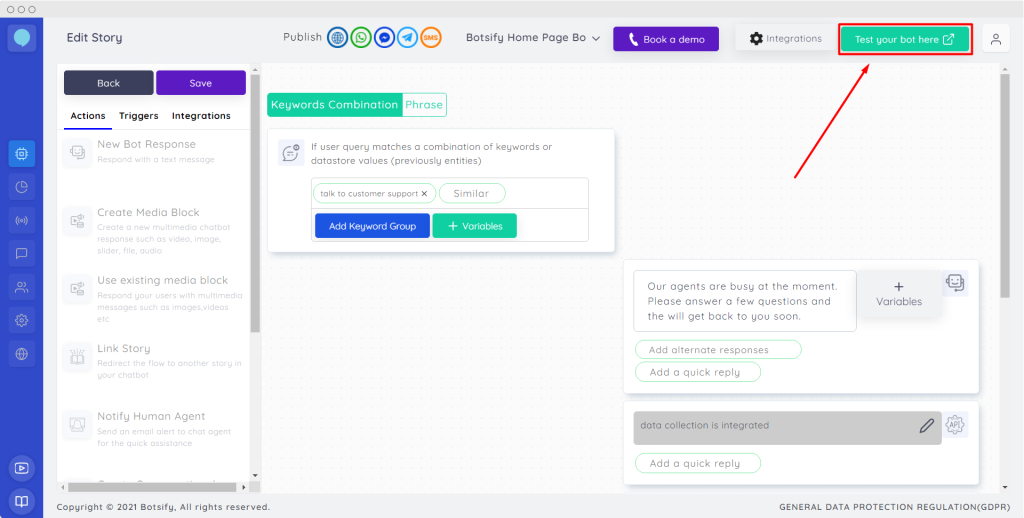
The platform is accessible to non-technical teams. The drag-and-drop builder handles conditional logic without code, and the multilingual support means you can deploy the same bot across international markets without rebuilding flows. The live agent fallback ensures no qualified lead gets dropped when a query exceeds the bot’s scope.
Where Botsify falls short is in visual customization. The design options are limited compared to platforms that prioritize brand consistency, and knowledge base updates can take longer than expected to reflect in live bot responses.
Pros:
- Conversational lead generation forms that replace static capture fields with natural question flows
- AI-powered lead qualification with conditional branching to filter by budget, intent, and timeline
- Multilingual support lets you deploy the same bot across international eCommerce markets
- Drag-and-drop builder handles complex conditional logic without any coding required
- Live agent fallback ensures no qualified lead is dropped when a query exceeds the bot’s scope
Cons:
- Limited options for customizing the chatbot’s visual appearance to match brand guidelines
- Knowledge base updates can take time to propagate into live bot responses
User Rating: 4.3/5 (G2)
Pricing: Starts at $49/month.
7. YourGPT – Best for Omnichannel AI agent for Support and Sales
YourGPT is built for support, sales, and ops teams that need agents to do more than reply, agents that take real action across every channel a business runs on. You build a no-code AI agent in minutes, train it on your own business data, website, PDFs, Notion, Google Drive, and more, then deploy it across web, WhatsApp, Instagram, Slack, email, Telegram, and phone.
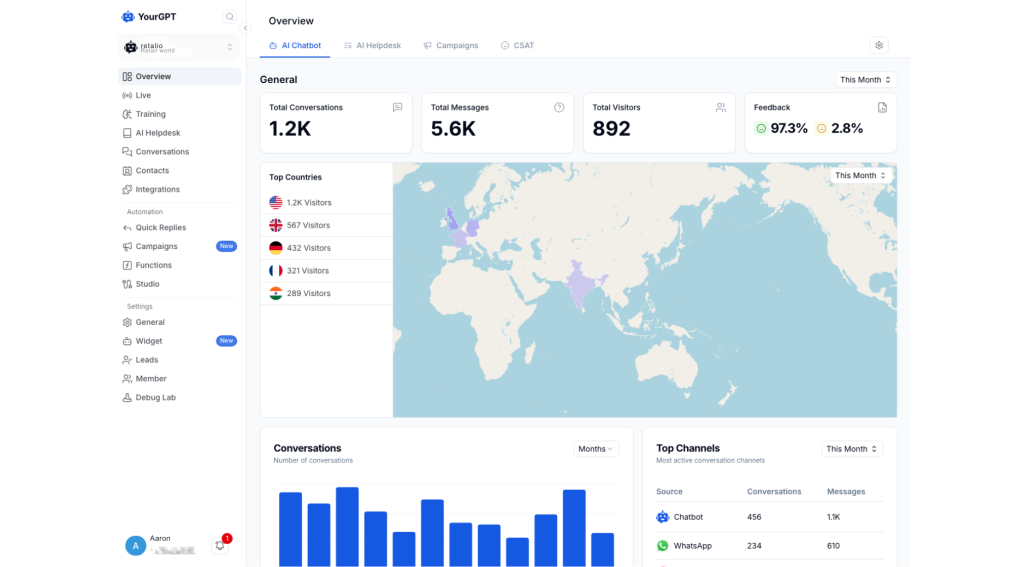
I found the self-learning cycle to be what stands out most. Agents improve automatically from unresolved conversations, closing knowledge gaps without manual retraining, and that’s what gets YourGPT to its published 90% resolution rate.
Agents also connect directly to tools like Salesforce, Shopify, and WordPress to process refunds, update CRM records, and book meetings, with human handoff for anything they can’t close. The tradeoff is depth. Getting the most out of multi-agent workflows and AI Studio’s deeper logic takes some hands-on setup time.
Pros:
- No-code agent setup that’s quick to launch, with room to fully customize as needs grow
- Self-learning agents that improve automatically from unresolved conversations
- Action-oriented agents that resolve up to 90% of repetitive queries and execute real workflows
- Omnichannel deployment across web, WhatsApp, Instagram, Slack, email, and phone in 100+ languages
- Multi-agent handoff for billing, refunds, technical support, and sales, with full context passed along
Cons:
- Deeper workflow logic in AI Studio takes hands-on time to master
- Credit-based pricing, with no per-resolution plan available
User Rating: 4.7/5 (G2)
Pricing: Starts at $39/month (billed annually), with Enterprise pricing available for larger teams.
8. Tidio – Best for Shopify and WooCommerce Stores
Tidio combines live chat and an AI agent called Lyro into a single platform built specifically around eCommerce workflows. Lyro handles support queries from your FAQ content while Tidio’s Flows builder lets you create lead capture and cart recovery sequences without writing code.
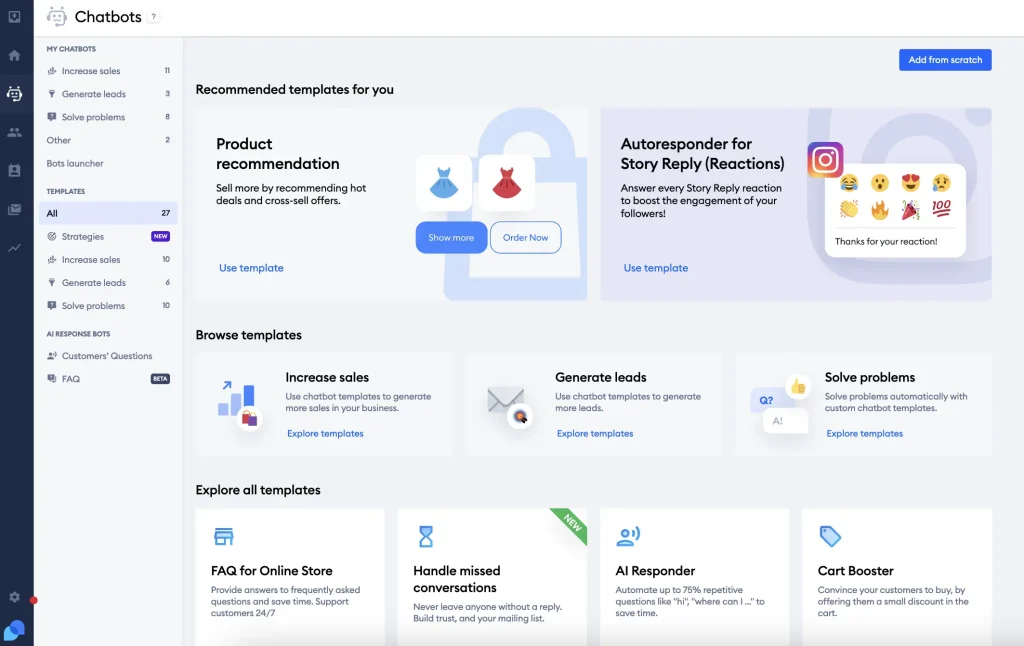
For Shopify and WooCommerce setups, the native integrations work well in practice. The bot can pull order details, recommend products, and trigger post-purchase follow-ups automatically. What makes Tidio worth considering for online stores is how complete the package is out of the box. You get AI support, sales flows, and eCommerce integrations in one tool without needing to connect separate platforms.
The limitation is cost at scale. Lyro’s conversation limit on lower plans means the pricing climbs quickly once your support volume grows, and the platform is less suitable for non-eCommerce use cases that need more flexible bot logic.
Pros:
- Lyro AI agent answers support questions accurately from FAQ content without manual flow-building
- Native Shopify, WooCommerce, and Magento integrations that work without custom configuration
- eCommerce-specific flows for cart abandonment recovery and automated product recommendations
- Clean interface with minimal setup friction so non-technical teams can go live quickly
- Flows builder lets you create lead capture and post-purchase sequences without writing any code
Cons:
- Lyro’s conversation cap on lower plans means costs rise fast as volume grows
- Less suited for B2B or non-eCommerce support use cases requiring complex bot logic
User Rating: 4.7/5 (Capterra)
Pricing: Free plan available. Lyro AI from $42/month (50 conversations). Full-featured paid plans from $29/month.
9. Drift – Best for B2B eCommerce and High-Value Account Engagement
Drift positions its AI agent as a revenue tool first. For B2B eCommerce stores or wholesale operations with long sales cycles and high-value accounts, the account-based engagement features stand out. The AI identifies high-intent visitors, personalizes conversations based on the company they are from, qualifies them against your ideal customer profile, and books meetings without a sales rep involved.

The real-time buying signals and intent data give sales teams a clearer picture of which accounts are actively evaluating. The Salesforce and HubSpot integrations push qualified conversation data directly into pipeline.
I will be direct: Drift is expensive. If your primary need is support deflection for a consumer eCommerce store, there are significantly better-value options on this list. Drift earns its keep specifically in B2B contexts where a single booked meeting can justify the monthly cost.
Pros:
- Revenue-focused AI agent with account-based targeting to engage and qualify high-value B2B visitors
- Meeting booking built directly into the conversation flow without redirecting to an external tool
- Real-time buying intent signals and firmographic data to prioritize the right accounts
- Strong Salesforce and HubSpot integration pushes qualified conversation data straight into pipeline
- Personalized messaging for target accounts based on company, industry, and engagement history
Cons:
- Primarily a sales tool; support deflection and post-sale use cases are secondary
- Requires significant configuration before the AI performs reliably
User Rating: 4.4/5 (G2)
Pricing: Custom pricing on request. Typically starts around $2,500/month.
10. ManyChat – Best for Instagram and Facebook DM Automation
ManyChat is the dominant platform for automating customer conversations inside Instagram DMs and Facebook Messenger. For eCommerce stores running social selling campaigns, product drops, influencer-driven traffic, and comment-to-DM flows, it automates the follow-up that would otherwise require a team member on social media at all hours.
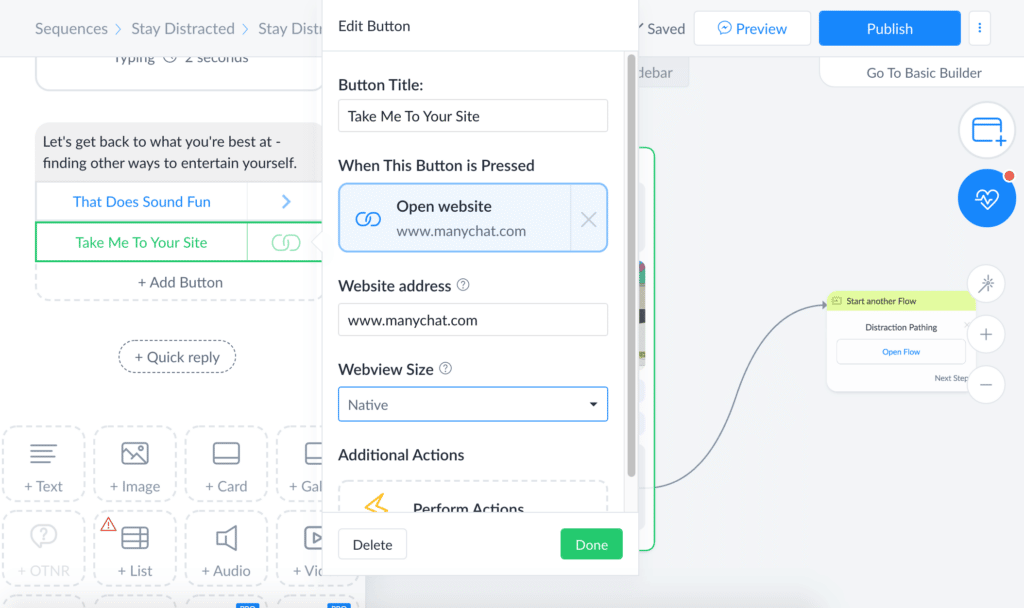
The Instagram DM automation for eCommerce works by triggering a bot conversation when a user comments on a post with a specific keyword, sends a DM, or clicks a Story link. The bot can send product links, answer FAQs, capture contact details, and push leads to email marketing tools like Mailchimp and ActiveCampaign.
ManyChat’s interface is approachable and the free plan covers basic flows for smaller stores getting started. The limitation is that it is fundamentally a social and messaging tool. For website-based support or omnichannel coverage, you will need a separate platform alongside it.
Pros:
- Comment-to-DM automation turns social post engagement into one-on-one bot conversations at scale
- Native Instagram, Facebook, and SMS support managed from a single dashboard
- Integrates with Mailchimp, ActiveCampaign, Shopify, and Zapier for seamless lead routing
- User-friendly interface with a short learning curve, accessible to non-technical marketing teams
- Story link triggers and keyword-based DM flows let you automate product drops and promotions
Cons:
- Limited to social and messaging channels; no native website chat widget
- Advanced flows and analytics require paid plans
User Rating: 4.6/5 (G2)
Pricing: Free plan available. Paid plans from $15/month.
11. GetMyAI – Best for Fast AI Answers on Product-Heavy Websites
GetMyAI is an AI chat tool focused on giving visitors fast, accurate answers on product-heavy websites. It suits stores with large catalogs, detailed specs, or complex pricing structures where customers have a lot of questions before buying. The bot is trained on your website content and responds with relevant answers quickly, reducing the time visitors spend hunting through product pages.
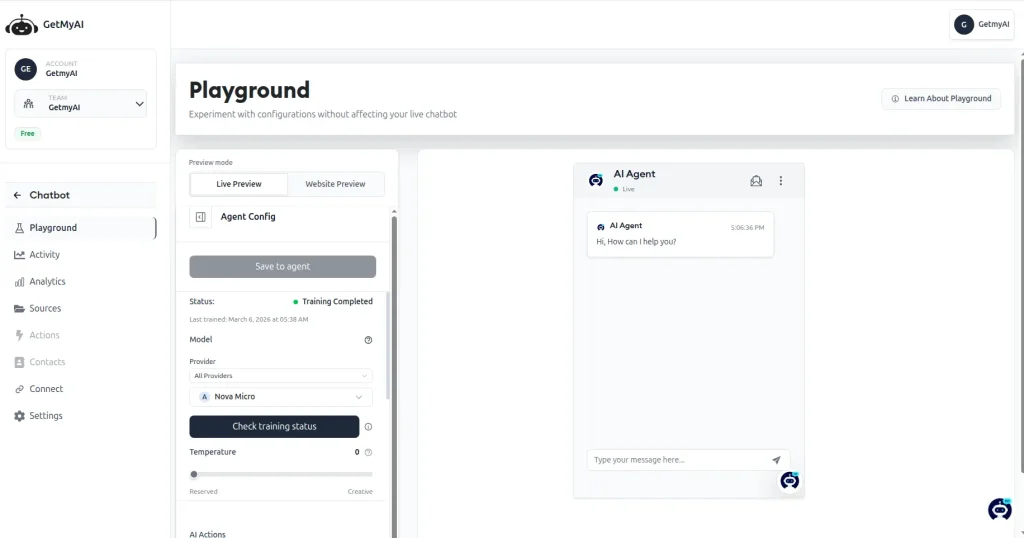
For smaller eCommerce stores that need a lightweight AI layer without the complexity of a full chatbot platform, GetMyAI offers a straightforward deployment path. The free plan covers basic use, and the paid tiers are accessible for businesses at early stages of automation. The platform is newer and less feature-rich than established tools like Tidio or ProProfs Chat, so teams needing deep CRM integrations, omnichannel support, or sophisticated branching logic will outgrow it quickly.
Pros:
- Fast AI answers drawn directly from your existing website content with no manual FAQ entry
- Simple setup with minimal technical requirements, live within hours for most stores
- Accessible pricing makes it a practical first step for early-stage stores testing AI automation
- Handles high volumes of product and FAQ queries simultaneously without human involvement
- Lightweight deployment keeps the customer experience clean without adding complexity to the page
Cons:
- Thinner integration ecosystem compared to more mature platforms
- Limited advanced features for lead qualification, CRM sync, or omnichannel deployment
User Rating: 4.3/5 (G2)
Pricing: Free plan available. Paid plans from $29/month.
How I Evaluated These eCommerce Chatbot Tools
Choosing the wrong chatbot costs time and customer trust. Here is exactly how I approached the evaluation:
- User Reviews and Ratings: I pulled verified feedback from G2, Capterra, and Gartner, filtering for recurring complaints and what real users valued after six or more months of use. Recency mattered because older reviews often miss product changes.
- Core Features and Functionality: I specifically tested eCommerce-relevant capabilities: product FAQ handling, order query responses, cart recovery flows, human handoff quality, and CRM integration depth.
- Ease of Deployment: The benchmark was simple: can a non-technical team member get the bot running and trained without a developer or a call with sales?
- Integration Quality: I looked at whether native integrations with Shopify, WooCommerce, Salesforce, HubSpot, and help desk tools worked reliably in practice, not just in the feature list.
- Customer Support Quality: I paid attention to how vendors responded during setup issues and whether ongoing support operated as a real partnership or a ticket queue.
- Value for Money: I compared pricing against actual feature depth. A tool that covers three things well is not a bargain at enterprise pricing.
- Personal Experience: I used each platform directly and cross-checked my findings with peers who manage live eCommerce support operations.
My Top 3 Picks for eCommerce Chatbots
Still narrowing it down? Here is where I would point most eCommerce teams:
1. ProProfs Chat
For small and mid-sized stores that want an AI agent running fast, without a developer and without a three-month onboarding timeline, ProProfs Chat covers the essentials reliably. It handles product FAQs, captures and qualifies leads, integrates with the CRMs most stores are already using, and gives you a fully functional free starting point before you commit to a paid plan. The reporting tells you exactly what the bot is missing, so improvement is data-driven from day one.
2. Tidio
For Shopify and WooCommerce stores specifically, Tidio’s combination of AI-powered FAQ support and native eCommerce integrations makes it a practical all-in-one choice. The cart abandonment flows and product recommendation triggers work without custom setup, and the interface is accessible enough that a small marketing team can manage it without ongoing developer help.
3. ManyChat
For stores where a meaningful portion of revenue comes through Instagram and Facebook, ManyChat’s DM automation is in a category of its own. The ability to convert post comments and story taps into automated bot conversations and route those leads directly into your email list or CRM makes it the most effective tool on this list for social-first eCommerce.
FREE. All Features. FOREVER!
Try our Forever FREE account with all premium features!
Stop Losing Customers to Slow Support
The best eCommerce chatbots do not just answer questions. They close gaps in your support coverage, recover at-risk conversions, and give your team the data to keep improving.
Before you pick a tool, map your five highest-volume query types and confirm the bot can handle them from your existing content. Run a 30-day pilot, track containment rate and CSAT, and review unresolved query logs weekly. Make sure CRM and platform integrations work before going live at full volume.
If you want a platform that combines AI agent training with sentiment analysis, risk prediction, resolution management, and bot performance analytics in one place, ProProfs Chat is worth starting with. The Forever Free plan is live in a day, no credit card needed.
Frequently Asked Questions
How does an eCommerce chatbot help increase conversions?
By engaging visitors proactively before they leave, answering product questions instantly without a wait, recovering abandoned carts through automated follow-up, and qualifying leads with structured question flows before routing them to sales. Visitors invited to chat are 11x more likely to convert than those who are not engaged.
Can an eCommerce chatbot handle order tracking and returns?
Yes, when integrated with your eCommerce platform. Chatbots connected to Shopify, WooCommerce, or Magento can pull real-time order data and guide customers through return processes without a human agent. The depth of this capability varies by platform, so check integration documentation before assuming it works out of the box.
How long does it take to set up an eCommerce chatbot?
With platforms like ProProfs Chat, a basic bot trained on your website content can be live within a few hours. Complex flows with CRM sync, branching logic, and multi-channel deployment typically take one to two weeks of configuration and testing to run reliably.
What is a good containment rate for an eCommerce chatbot?
A containment rate above 60% means the bot resolves at least six out of ten conversations without escalating to a human, which is a solid benchmark for a new deployment. Well-configured bots trained on comprehensive product and FAQ content typically reach 70 to 80% containment within the first 90 days as unresolved query logs are reviewed and training is updated.
Do eCommerce chatbots work on mobile?
Yes. All major platforms on this list include mobile-responsive chat widgets that load correctly on smartphones. Some, like ProProfs Chat, also offer a mobile SDK for stores with dedicated iOS and Android apps that want to embed support directly in the app experience.
How do I know if my chatbot training data is good enough?
Review your unresolved query log after the first two weeks. If the same questions appear repeatedly in the failed responses, the bot is missing coverage on those topics. Add those questions and answers to your training source, whether that is your knowledge base, FAQ document, or website content, and retrain. This process typically needs to happen weekly in the first month, then monthly as the bot matures.
FREE. All Features. FOREVER!
Try our Forever FREE account with all premium features!

 We'd love your feedback!
What did you like & how can we make it even better?

 Thanks for your feedback!
 Ask Your Question
Have a question? Get expert help to make your decision easier.