
It only takes a few seconds for a customer to decide whether to stay on your website or leave, and I’ve seen those seconds make or break a deal.
That’s why the live chat benefits go way beyond just grabbing attention with a generic “Hey! How may I help you?” Live chat gives you the power to engage visitors, understand their intent, and help them take the next step—whether it’s making a purchase, booking an appointment, or finding the right solution—all through personalized, human-like conversations.
It’s quick, human, and surprisingly personal for something so simple. I’ve watched businesses turn quiet visitors into loyal customers just by being there to chat at the right time.
Let’s unpack ten reasons why live chat technology is changing the way businesses connect, support, and grow.
What Is Live Chat?

Live chat is a real-time communication tool that allows website visitors to connect instantly with a business representative through a chat window. It appears as a small widget, usually at the corner of a webpage, enabling users to ask questions, get support, or request product information while they browse.
Unlike emails or contact forms that create delays, live chat offers immediate responses and personal interaction. It helps businesses address customer needs instantly, build trust, and guide visitors toward purchasing decisions—all without making them leave the page.
What Is Live Chat Software?
For those new to the concept, live chat software is a tool that allows businesses to communicate with customers instantly via messaging on their website or app. It helps customer service teams address inquiries and resolve issues in real-time, improving the overall customer experience.
Want to see what live chat software looks like in practice? This video compares 10 popular platforms across AI automation, customer support, sales, and affordability.
For instance, an e-commerce store can use live chat to assist customers with shipping questions or product availability during checkout. This reduces cart abandonment and highlights another live chat advantage — faster resolutions without losing potential sales.
Let me share a real-life example of how live chat software helped an educational institution significantly reduce phone calls and email inquiries.

The Top 10 Benefits of Using Live Chat for Your Business
Live chat has quickly become a must-have tool to improve customer service, transforming how businesses engage with customers. Here are the top 10 benefits of live chat for customer service, engagement, and sales that I’ve found most impactful in driving real results.
1. Enables Instant Customer Support
Live chat provides immediate assistance to customers, reducing wait times and improving satisfaction. Instead of waiting for email replies or phone responses, customers can get help instantly, making support faster and more efficient. This real-time engagement not only resolves issues promptly but also builds trust and enhances the overall customer experience.
How to Achieve It:
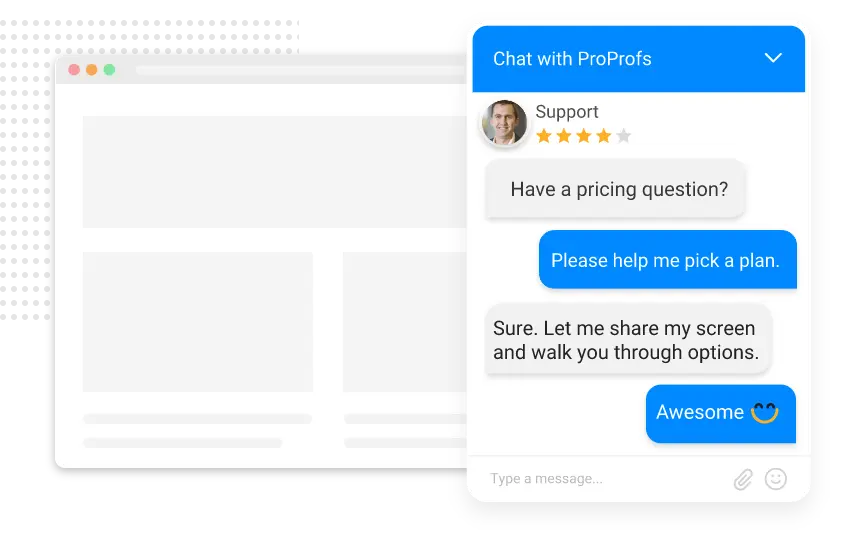
- Use real-time chat widgets on key website pages.
- Set proactive chat triggers to engage hesitant visitors.
- Enable chat routing to connect customers with the right team.
- Use live chat canned responses for quick responses and faster support.
2. Improves Conversion Rates
Live chat helps convert casual visitors into paying customers by providing timely, personalized assistance during decision-making. When questions are answered instantly, hesitation decreases, and purchase confidence rises. It also enables up-selling and cross-selling by recommending products or services that align with customer needs and preferences.
How to Achieve It:
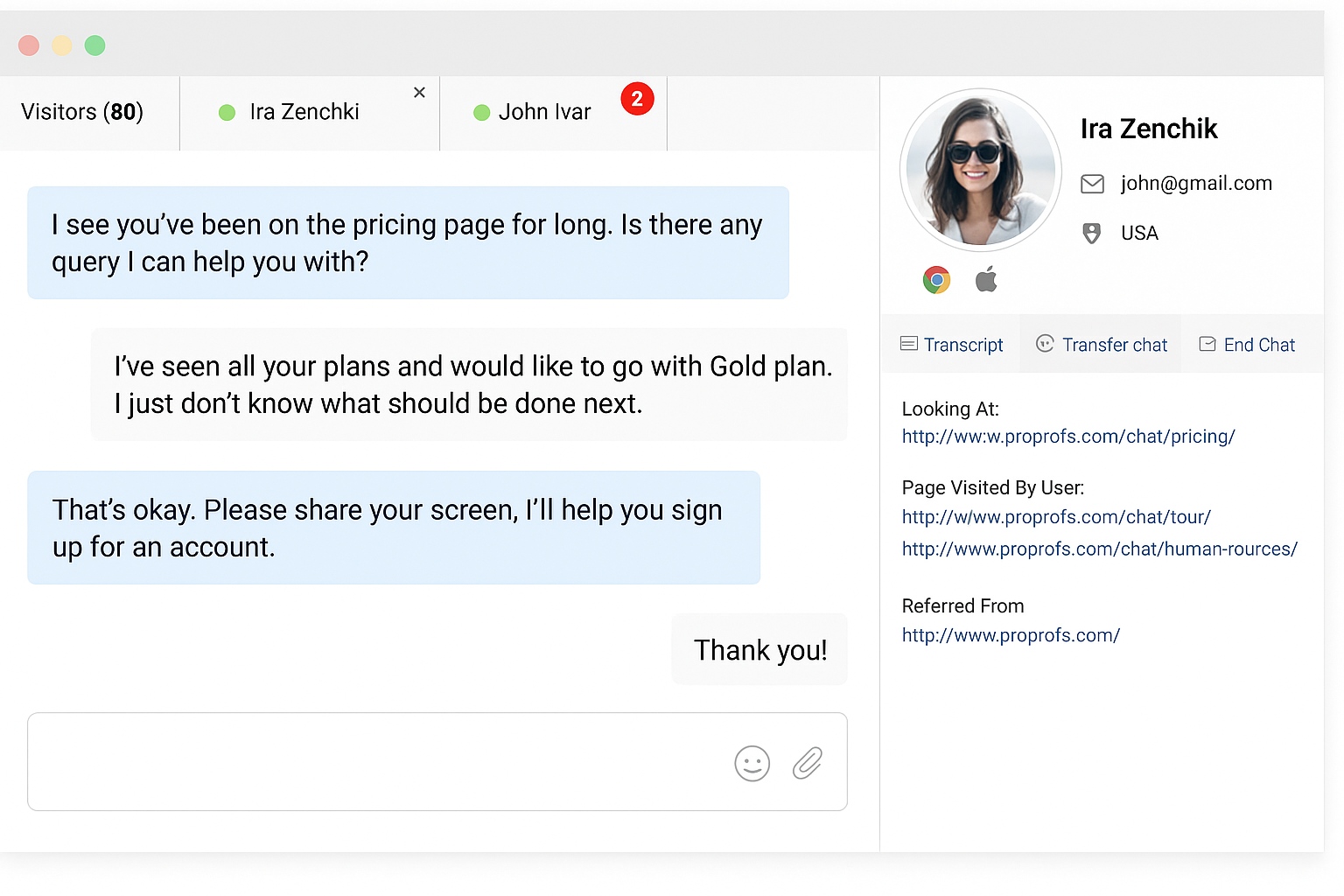
- Guide users through product or pricing queries.
- Set up exit-intent popups to re-engage leaving visitors.
- Track visitor behavior to trigger timely chat invitations.
- Enable smart recommendations or cross-selling prompts in chat.
3. Enables 24/7 Availability
With live chat, businesses can offer continuous support, ensuring customers always have access to help. AI chatbots handle basic queries during off-hours, while human agents take over complex cases. This around-the-clock availability enhances brand reliability, especially for global audiences operating in different time zones.
How to Achieve It:
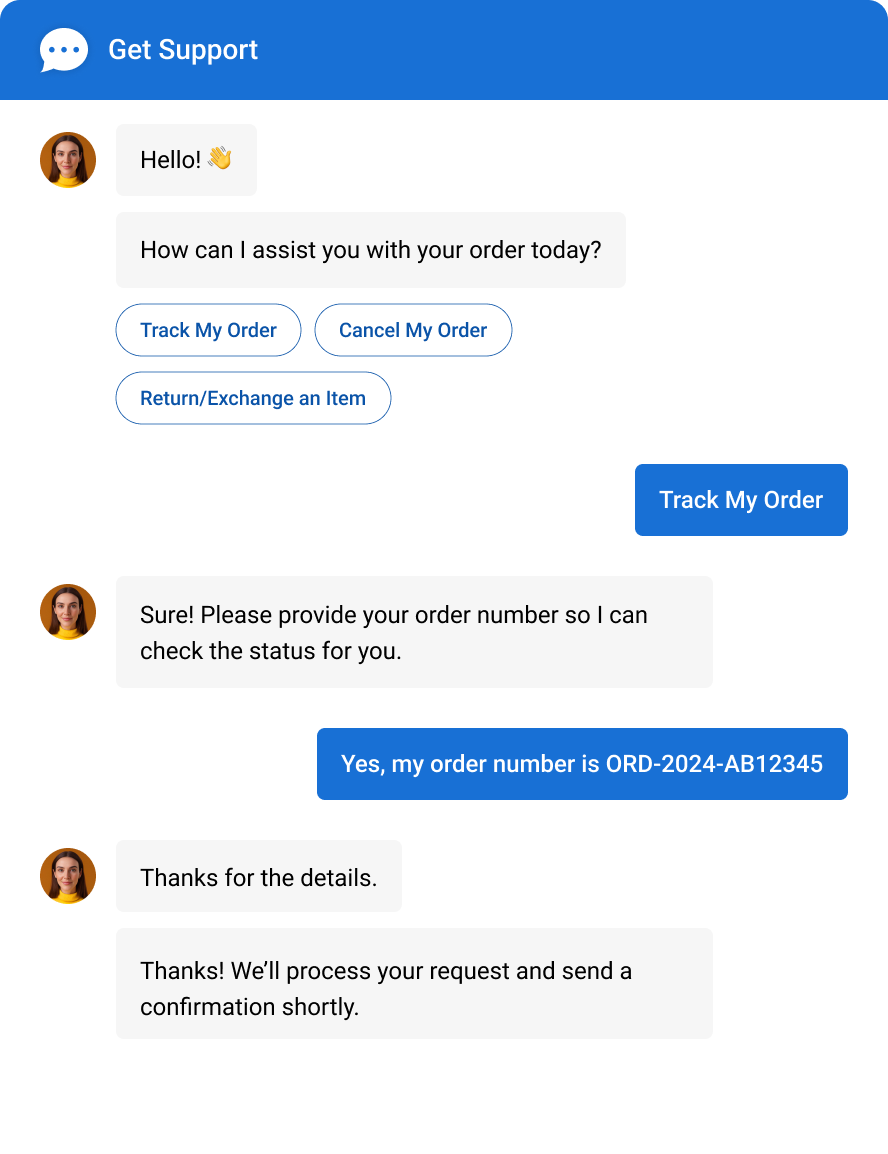
- Deploy AI-powered chatbots trained with your FAQs.
- Create chat routing rules for off-hour ticket escalation.
- Offer knowledge base integration for instant self-service.
- Set up automated greetings for after-hours support.
4. Provides Detailed Customer Insights
Live chat captures valuable customer data such as common issues, preferences, and browsing patterns. Analyzing these interactions helps identify pain points, improve services, and refine marketing strategies. This data-driven approach empowers businesses to anticipate customer needs and deliver more targeted, effective solutions.
How to Achieve It:
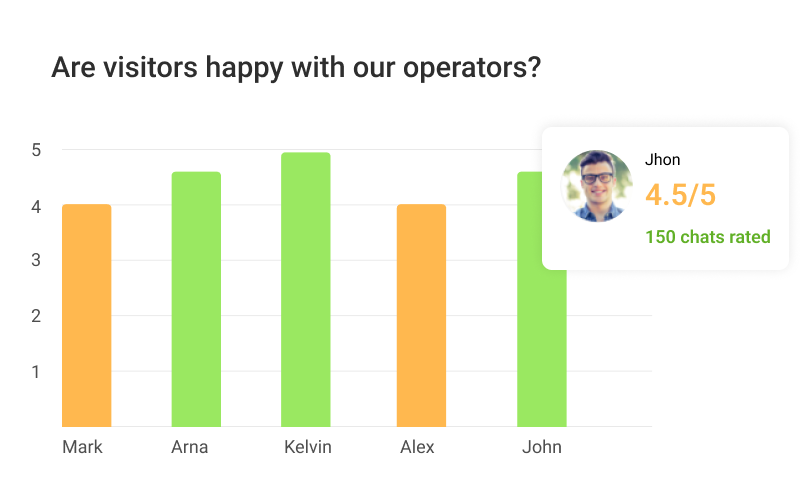
- Track live chat metrics like total chats, missed chats, avg chat duration, response time, etc.
- Track frequently asked questions to update FAQs.
- Analyze chat tags for identifying common pain points.
- Integrate with survey tools for post-chat feedback.
5. Results in Improved Customer Satisfaction
Customers love quick, friendly communication. Live chat lets me deliver fast responses that make people feel heard and valued. Instead of being stuck in a queue, they get personalized attention within seconds. This real-time connection strengthens relationships and boosts satisfaction — often leading to repeat business and positive word-of-mouth.
How to Achieve It:
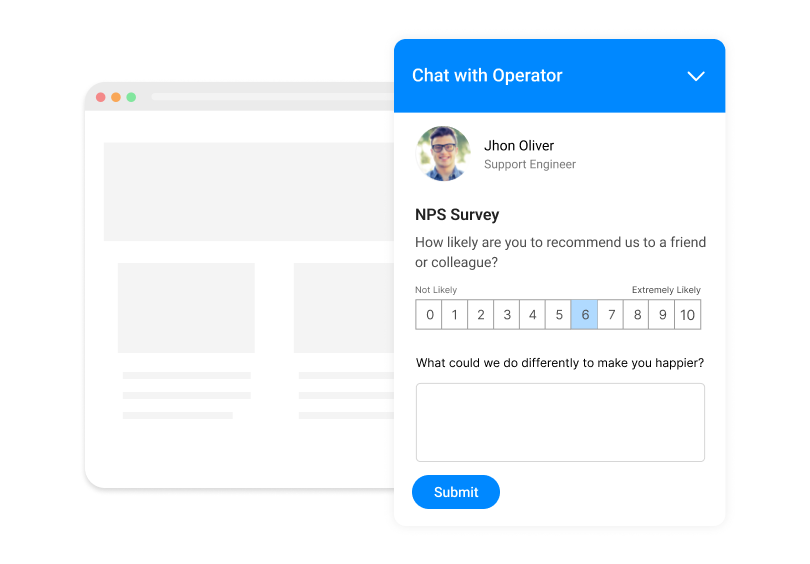
- Add post-chat surveys to measure satisfaction right after an interaction.
- Use personalized chat greetings based on visitor behavior.
- Train agents with real-time monitoring tools.
- Enable chat history for more contextual responses.
6. Offers Cost-Effectiveness
Live chat helps me scale support without scaling costs. Unlike phone support, agents can handle multiple conversations simultaneously. Combined with automation, it reduces staffing needs and response time, helping businesses save on operational costs while maintaining excellent service quality and coverage.
How to Achieve It:
- Enable chat concurrency so agents can manage multiple chats simultaneously.
- Automate ticket creation and FAQ responses.
- Use chatbots to deflect repetitive questions.
- Monitor agent performance to optimize resource use.
7. Enables Higher Agent Efficiency
With live chat, my team gets more done in less time. Agents can juggle multiple chats at once, use templates for repetitive responses, and quickly pull up customer data. This setup not only improves response speed but also keeps agents focused, productive, and ready to handle complex cases.
How to Achieve It:
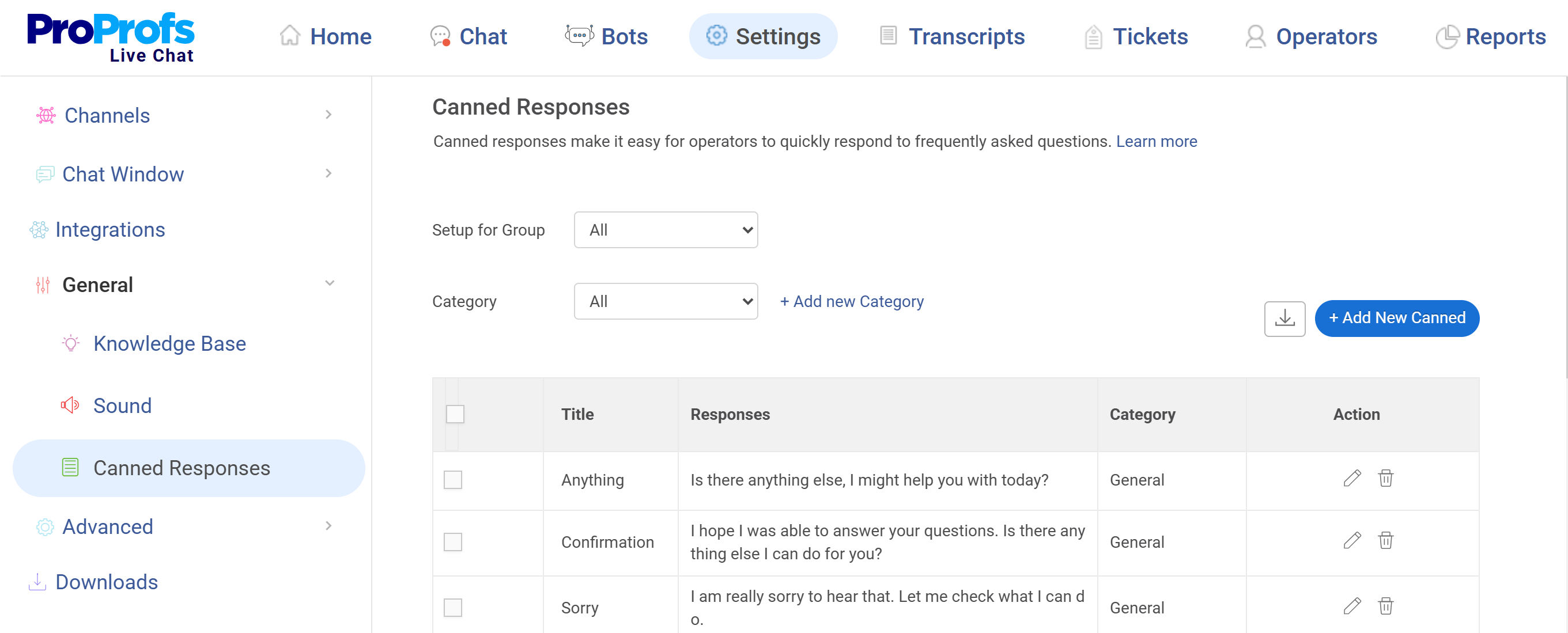
- Use macros and canned responses for routine queries.
- Use automated chat routing to distribute queries evenly among agents.
- Enable real-time typing previews to anticipate customer questions and respond faster.
- Integrate knowledge base for instant access to pre-approved solutions.
8. Boosts Customer Retention
Keeping customers happy after their first purchase is where live chat shines. Real-time, personalized communication builds trust and helps resolve small issues before they become big ones. Following up after a chat shows customers you care — and that’s often what turns one-time buyers into loyal advocates.
How to Achieve It:
- Set follow-up chat reminders post-resolution.
- Use chat transcripts to personalize future interactions.
- Offer loyalty program updates via chat.
- Enable chat-triggered email follow-ups for retention.
9. Integration with CRM Tools
Live chat integration with CRM systems provides a 360° view of customer interactions. Agents can access history, preferences, and tickets in one place, ensuring personalized and efficient responses. This streamlined data sharing enhances collaboration and improves overall service quality.
How to Achieve It:
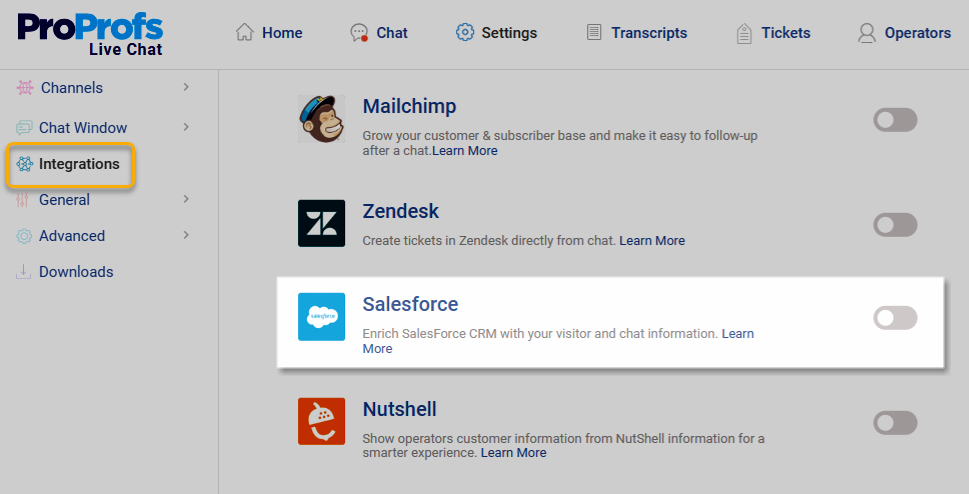
- Connect live chat to your CRM or help desk.
- Sync chat transcripts and lead data automatically.
- Use customer segmentation for targeted responses.
- Enable real-time updates between chat and CRM records.
10. Multilingual Support
Language shouldn’t limit connection. Modern live chat tools break barriers by automatically translating conversations in real time. I can now serve global audiences easily, making every customer feel understood — no matter where they’re from. This inclusivity not only enhances brand reputation but also drives international growth.
How to Achieve It:
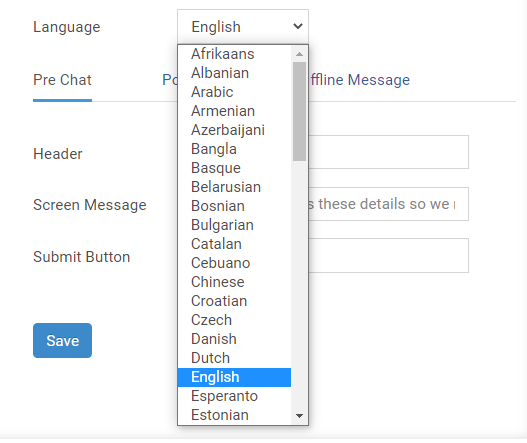
- Enable auto-translation features in your live chat.
- Set up multi-language chat widgets for key regions.
- Customize chat greetings based on visitor language.
- Train agents with language-specific canned responses.
How to Add Live Chat Software to Your Website
Now that I’ve covered the key benefits of using a live chat tool, let’s talk about how you can actually add one to your website. I’ve set up a few myself, and trust me, it’s a simple process. You can install it with a quick code snippet or through Google Tag Manager in just a few clicks.
To make it clearer, I’ll show you exactly how I added it using ProProfs Live Chat software.
Option 1: Use a Code Snippet
Step 1: Log in to your ProProfs Chat account, go to Settings > Channels > Website, and copy the code snippet shown there.
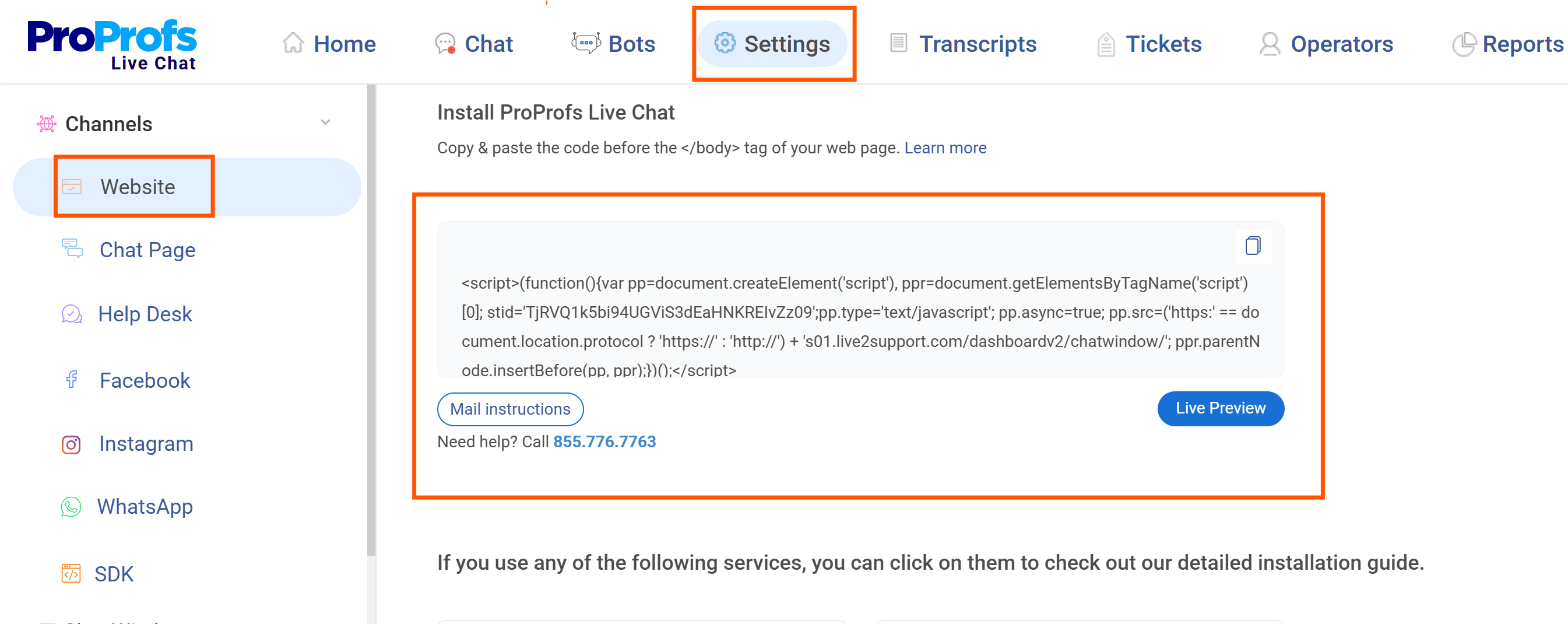
Step 2: Paste that snippet just before the </body> tag in your website’s code. That’s it!

Step 3: If you want your developer to set it up, just click ‘Mail instructions’ to send the details.
Option 2: Use Google Tag Manager (GTM)
Step 1: Log in to your ProProfs Chat account. Click ‘Install Chat’ on the dashboard or go to:
Settings > Channels > Website
Step 2: Select ‘Install via Google Tag Manager’.
Step 3: A Google sign-in window will open. Enter your GTM account credentials.
Step 4: Once connected, the installation will begin automatically. You’ll get a confirmation message when it’s finished.
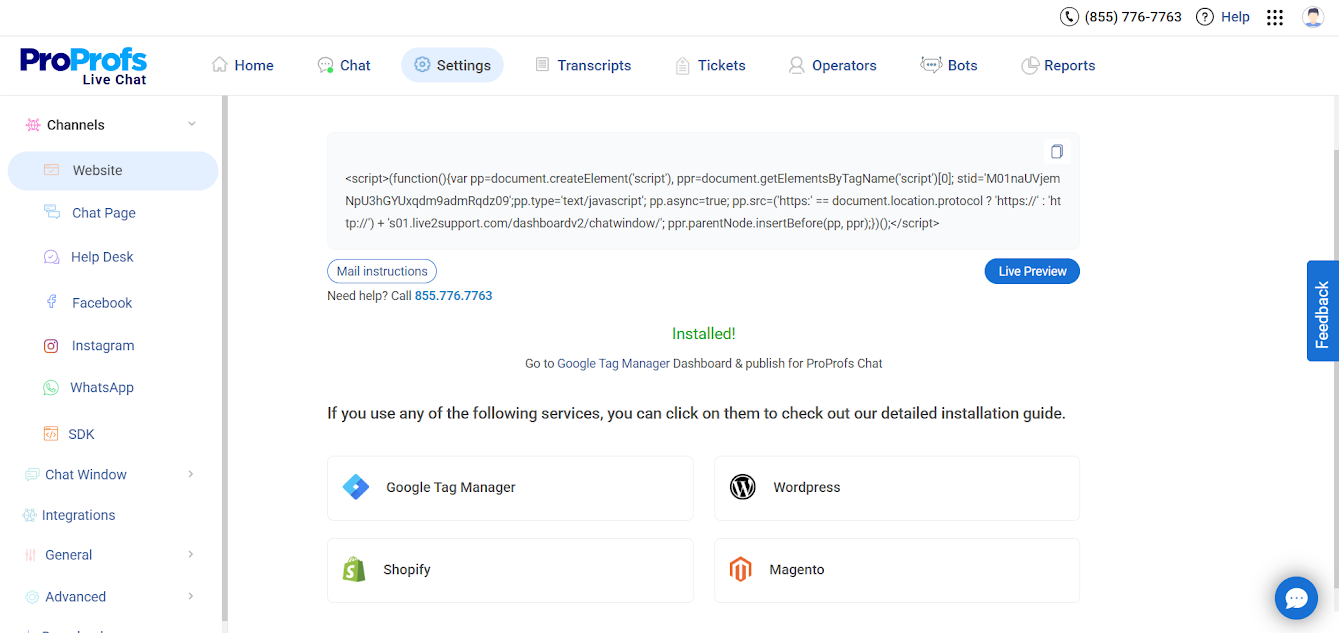
That’s it! Your live chat has now been added to your website.
FREE. All Features. FOREVER!
Try our Forever FREE account with all premium features!
Ready to Go Live? Here’s Your Complete Live Chat Checklist
Before launching live chat, make sure everything’s set up for smooth communication and great customer experiences. A well-prepared system ensures faster responses, efficient workflows, and consistent support quality.
Use this live chat implementation checklist to cover all the essentials — from setup and training to testing and optimization — before going live.
| Step | What to Do | Why It Matters |
|---|---|---|
| Define your goals | Clarify whether live chat will support sales, customer service, or lead generation. | Clear goals guide your setup, training, and success metrics. |
| Choose the right platform | Select a live chat tool that fits your business size, budget, and integration needs. | Ensures scalability and seamless connection with your existing systems. |
| Customize the chat widget | Match your chat window’s design, colors, and tone with your brand. | Creates a consistent, trustworthy customer experience. |
| Set up proactive triggers | Use triggers to automatically greet visitors based on time spent or exit intent. | Engages users before they leave and increases conversion opportunities. |
| Train your agents | Prepare your team to handle chats, use canned responses, and maintain a friendly tone. | Builds confidence and ensures professional, consistent communication. |
| Integrate with other tools | Connect live chat with CRMs, help desks, and knowledge bases. | Centralizes data and helps agents deliver faster, more informed responses. |
| Configure chat routing | Assign chats automatically to the right department or available agent. | Reduces delays and ensures queries reach the right expert immediately. |
| Create chatbot workflows | Set up AI chatbots to handle FAQs and routine queries. | Frees up agents to focus on complex or high-value interactions. |
| Test before going live | Run internal tests on various devices to check functionality and flow. | Identifies technical issues early and ensures smooth user experience. |
| Monitor and optimize | Regularly analyze chat reports, agent performance, and feedback. | Helps improve efficiency, customer satisfaction, and ROI over time. |
Boost Support & Conversions With the Best Live Chat Tool
Live chat is one of the smartest ways to enhance customer engagement and build long-term trust. From improved response times to better insights, the benefits of live chat for customers are undeniable.
To get the most out of live chat, focus on training your team, setting up proactive chat triggers, and regularly reviewing performance reports. Choose a platform that offers automation, integrations, and scalability to keep up with your growth.
I’ve found ProProfs Chat to be a great option — it combines AI chatbots, smart routing, and in-depth analytics to help deliver faster, more meaningful conversations every time.
FREE. All Features. FOREVER!
Try our Forever FREE account with all premium features!

 We'd love your feedback!
What did you like & how can we make it even better?

 Thanks for your feedback!
 Ask Your Question
Have a question? Get expert help to make your decision easier.